
by John | Jun 8, 2017 | Best Practices, Instructor Tech Help, Master Instructor Blog, Spotify
ICI/PRO member Dr. Marc Schlosberg is one of those Early Adopters you've no doubt heard discussed in the media. This group is quick to experiment with and embrace new technology. Marc was one of the first Instructors to use Spotify in his classes and he joined me on the podcast to discuss this (at the time) exciting new option for delivering music to our classes. Marc sent me this email yesterday, providing his comments related to my conversation with Chris Hawthorne on Podcast #303
Hi John,
I was listening to the latest podcast and heard about the Spotify syncing issues. I have a couple of suggestions/solutions. I think the reason rebooting all units works to fix syncing is that the newest versions are then installed on all devices. I believe syncing problems develop when Spotify updates and there is a version mismatch. You don’t always know this is the case or sometimes it’s difficult to track that one device has updated, but you haven’t checked the others. Simply shutting Spotify down, checking for updates and updating it, then restarting the program should solve the problem. You have to do this with all the devices you use.
Another roadblock to syncing is lack of space on a device. It won’t tell you you’re out of space, but won’t take individual tracks offline — they stay grey rather than green. It’s a good idea to switch playlists to online only after you’ve used them to preserve space (except for those you always like to have in your back pocket). You could also delete unused apps to make room. My iPhone is 16gb and I’ve run into this problems (and 16gb used to be an unimaginable amount of space). It’s probably less of an issue for those with 32gb and up or Android devices with huge plugin memory — unless the memory is full.
Whoa — it looks like Spotify updated their iPhone interface yet again while I was writing this.
Hope this helps.
Take care,
Marc
Thanks for this Marc! Your suggestion that available storage maybe limiting the number of “off line” playlists is a good one and begs the question; “how can I tell how full is the memory on my iPhone?”
There are a couple of places that will show you how much space/memory you've got left. My preference is to go to: Settings > General > Usage… where at the top you'll see how much room there is for a few more playlists.
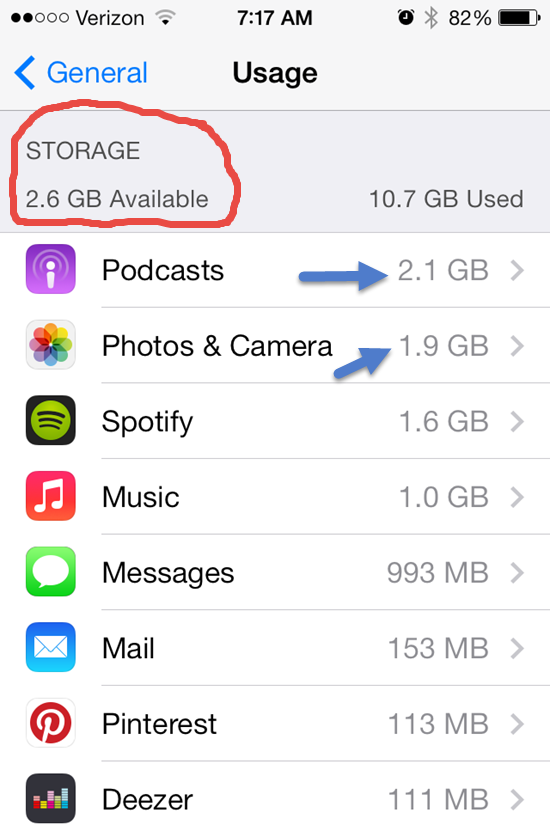
This also shows you all the other memory hungry Apps on your phone. One common culprit is your camera's memory and all those pictures and HD videos. Downloading them to your computer and then deleting can free up some space.
Depending on your settings, Podcasts download automatically and can quickly crowd out your favorite playlists. Open your Podcast App select a specific Podcast > Settings > Episodes to keep and select a number to save (Last 2 / Last 5 / ect…) instead of All.
Do you have any other tricks you can share?
Originally posted 2014-04-04 07:53:40.
by John | May 4, 2017 | Big Box Instructor, Instructor Tech Help, Master Instructor Blog

PRO member Kay asked a very good question about ANT+
… I'm also wondering about Heart Rate. If the bikes are ANT+, will they only pick up ANT+ Heart Rate Monitors? I noticed that the new Schwinn did not pick up my Polar HRM
Thank you for your comments!
Kay
The short answer is; No. Indoor Cycles with or without ANT+ consoles will detect and display most Heart Rate straps.
It all comes down to the type of HR strap you are using, but it can get confusing. I'll try to explain.
First let's identify the three players:
- Analog (Low Frequency) HR Monitor straps
- Digital/ANT+ (High Frequency) HR Monitor straps
- Hybrid HR Straps that offer both High and Low Frequencies
Analog HR straps & monitors have been around for years. I guess you could say they are the generic version and any inexpensive HR monitor is Analog. For many people they work just fine but they have two problems:
- They will “Cross Talk” with other monitors as they are indiscriminate in which signal they will choose to display.
- Battery life of the strap can be relatively short (measured in months of use) due to the amount of power they consume broadcasting their low frequency (5000Hz) signal. It takes comparably more energy to generate low frequencies vs. high frequencies – think how much work a Tuba Player expends vs. the Piccolo Player in a marching band and I'm not referring to the weight of the instrument.
To solve these two problems HR manufactures introduced Digital HR straps and monitors using a very high frequency 2.4gHz or 2,400,000,000Hz which is what is referred to as ANT+ or some like Polar describe it as “Coded”.
- ANT+ receivers will lock onto the source – commonly known as “Pairing”, they will reject other competing signals once they have been successfully paired.
- Battery life is measured in years – Garmin says their strap's battery will last over 5 years, operating one hour a day.
ANT+ has another ability that Analog doesn't, the ability to transmit and receive multiple data sets over multiple channels. Where your Analog monitor can only understand; Beat…Beat…Beat, ANT+ can transmit an incredible amount of information that's really limited to the engineer's imagination. I'll bet that that CycleOps PowerCal Power Meter that uses only heart rate data from the users chest strap to estimate Power Output is transmitting a lot more than just Beat…Beat…Beat
Examples of ANT+ HR straps are:
So ANT+ looks like the perfect solution, except for one little problem… every piece of fitness equipment on the planet is designed to receive and display Analog signals. But this is changing and Garmin as an article here that lists the change with more and more pieces of equipment adding ANT+ technology.
Enter Hybrid HR straps that transmit in both the high ANT+ and Low Analog frequencies. This give the user the option to display their HR on a club's treadmill, while at the same time only pairing with a compatible ANT+ device.
Hybrid HR Straps include.
So back to your question about not being able to see your HR on the Schwinn AC, Kay. Either the Schwinn AC MPower Console or FreeMotion's should display your HR, regardless of what strap you were wearing. I have a Hybrid Polar strap which works just fine on the Schwinn, but not an exclusively ANT+ strap – so I don't have first hand experience.
I've asked the question to both companies and will update this post when I know more.
UPDATE: Schwinn Master Instructor Julz Arney got back to me with:
Yes, the wireless technology used by the MPower console is ANT+ (owned by Garmin.) Any HR strap using ANT+ should connect. There are a few hints to make it easier:
-Have HR strap on and functioning before turning on console
-Be on the bike saddle (i.e. in close range of the console)
The console looks for a HR signal for approximately 30 seconds from when it's turned on. If it doesn't find a signal it will stop looking. The rider will then need to turn off the console and turn it back on.)
I hope this helps!
Both the Schwinn AC and FreeMotion have a limited time for the rider to pair to the console. The S1.9 will only connect during when the console shows Warm Up.
Sally Edwards has a great article you can read that adds additional detail on choosing a digital or analog Heart Rate monitor here.
Originally posted 2012-10-17 10:09:58.

by Dennis Mellon | Apr 26, 2017 | Dennis Mellon, Instructor Tech Help

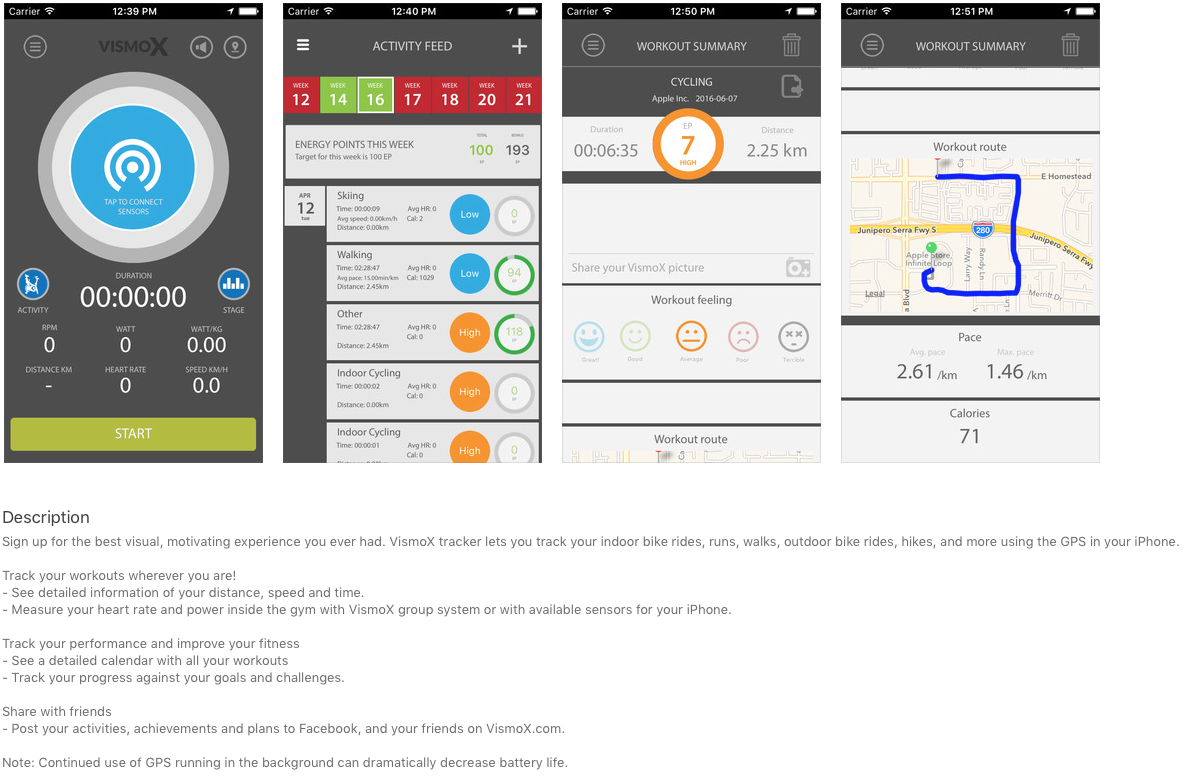
Stages Indoor Cycling and VisomX have teamed up to create the best mobile power training app to date.
Click Here to be taken the App Store.
Stay tuned for more posts on set up and use.
Originally posted 2016-06-09 17:07:12.
by John | Oct 24, 2015 | Audio PROfiles, Instructor Tech Help
Every Podcast is still available here on our website.
I've described my Love/Hate relationship with Apple in the past. Here's another example of the “Hate” component.
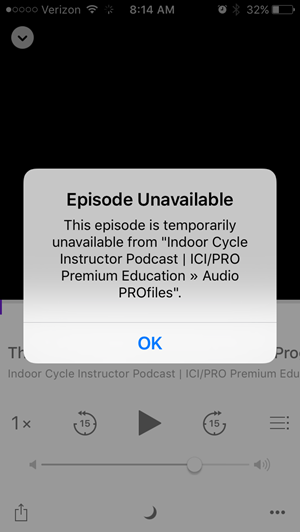
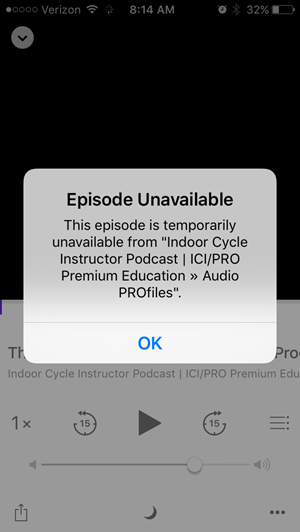
ICI/PRO Members who have updated to the iOS 9 – the latest operating software for idevices (iPhones and iPads) – might notice a new “issue” when attempting to listen some (but not all) of our Audio PROfiles.
Podcast Not Available notifications while using the Podcast app. There appears to be a change that is preventing the app from recognising that we are providing multiple MP3s, so the app is confused and won't serve anything.
We are currently working on a solution and we will let everyone know when we've solved this.
There's also an issue for new subscribers we're trying to fix!
Pre iOS 9, we had a simple method for subscribing to your personal RSS feed. Clicking your RSS link at indoorcycleinstructor.com used to automaticly open the Podcast app on your iDevice and ask if you wanted to subscribe to the members only Podcast.
The iOS 9 update includes a new “News” app that is feed articles via RSS news feeds = it opens, instead of the Podcast app, when you click the RSS link 🙁
Look for an update on this as well ASAP.
by John | Jul 23, 2015 | Instructor Tech Help, KEEPING IT FUN, Music, Spotify

Has this ever happened to you and really messed up the energy of your class?
You switch from the Now Playing screen on your iPhone, back to the Playlist Screen to check what song is coming up next.
Except you're a ways into the class and to see the current song that's playing in the list, you need to carefully scroll down through the playlist. Easy to do when you're sitting at a desk. Not so easy when you are all sweaty and pedaling a bike. So what you intended as a swipe to scroll down the order, becomes a click that starts a different song. This of course messes up everything and has you flustered, trying to get back to the previous song – and at the correct point in the track 🙁
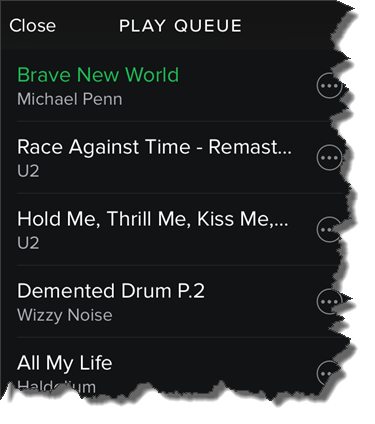
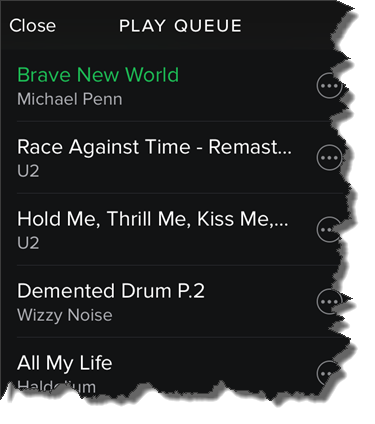
I found a solution for this today. I'm not sure how long it's been there, but there's now an option to see the Play Queue the list of what's coming up next. Here's how you can find it:
From the Now Playing screen > Click the top right icon.
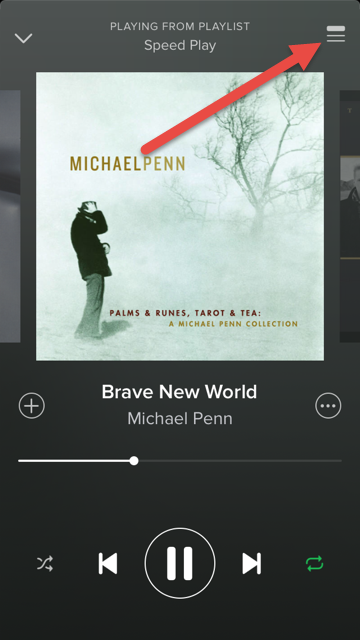 That will open the Play Queue with the current track always at the top!
by John | Jul 9, 2015 | Instructor Tech Help, Instructor Training, iTunes, iTunes & Spotify Training, Latest News, Music, Spotify
Both of these questions have pretty much the same solution…
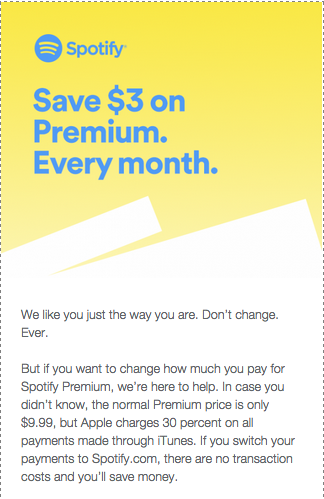
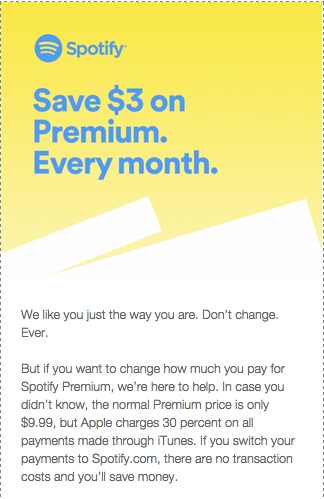
Spotify is jumping in Apple's face with this and I find it kind of funny 🙂 Turns out that if you're paying your monthly Spotify subscription through iTunes, you are paying an extra $3.00 a month. Why? Because iTunes charges an extra 30% on top of recurrent subscriptions.
Spotify is trying to raise awareness around the fact that it's cheaper to subscribe on the web instead of through Apple's App Store. The leading subscription music service plans to email iPhone customers the below note encouraging them, if they haven't already, to start paying at Spotify.com and save a few dollars. “In case you didn’t know, the normal Premium price is only $9.99, but Apple charges 30 percent on all payments made through iTunes,” the email blast reads. “You can get the exact same Spotify for only $9.99/month, and it’s super simple.”
The message is followed with a step-by-step tutorial that explains how to shut off auto-renew through iTunes (so Apple won't keep charging you the higher $12.99-per-month rate) and transfer your account to the web – something that can only be done once your current subscription lapses. “Pardon us if you can't do this immediately. Your current plan needs to end first,” Spotify says.
This will only apply if you downloaded and subscribed to Spotify using your iDevice. Most of us (me included) used our computers and subscribed directly with Spotify.
But this got me thinking; how do I cancel my free trial to Apple Music?
Turns out it's easy to cancel any monthly subscriptions.[wlm_private ‘PRO-Platinum|PRO-Monthly|PRO-Gratis|PRO-Seasonal|Platinum-trial|Monthly-trial|PRO-Military|30-Days-of-PRO|90 Day PRO|Stages-Instructor|Schwinn-Instructor|Instructor-Bonus|28 Day Challenge']
Open the Music App on your phone and click the silhouette icon in the top-left corner.

Next choose View Apple ID and Log In.

Then under Subscriptions > Manage
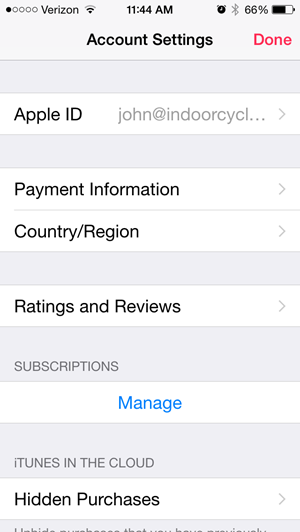
This screen will show your Apple Music and other auto-pay subscriptions, including Spotify if that's how you're subscribed.
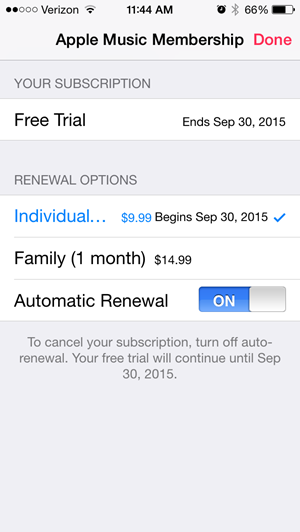
NOTE: cancelling won't end your trial early.
Please let me know if you have additional questions. [/wlm_private]
