Premium Members can download this mix for free by following the links below:
[wlm_private ‘PRO-Platinum|PRO-Monthly|PRO-Gratis|PRO-Seasonal|Platinum-trial|Monthly-trial|PRO-Military|30-Days-of-PRO|90 Day PRO|Stages-Instructor|Schwinn-Instructor|Instructor-Bonus|28 Day Challenge']
Right Click on the blue underlined link
Select “Download Linked File As”
Select a download location
Once file is completely downloaded, find it in the location you selected
Drag the file into your iTunes or Spotify library OR
Right Click on the file and Select “Open With”
From the drop down menu select “iTunes” or “Spotify”
File should begin playing and is now part of your iTunes or Spotify library
To download the above media on a PC:
Right Click on the blue underlined link
Select “Save Link As”
Select a download location
Once file is completely downloaded, find it in the location you selected
Drag the file into your iTunes or Spotify library OR
Right Click on the file and Select “Open With”
From the drop down menu select “iTunes” or “Spotify”
File should begin playing and is now part of your iTunes or Spotify library Click here to watch a video on how to download media files from ICI/Pro.
Premium Members, follow the link below to download this new mix for FREE!!!!!
[wlm_private ‘PRO-Platinum|PRO-Monthly|PRO-Gratis|PRO-Seasonal|Platinum-trial|Monthly-trial|PRO-Military|30-Days-of-PRO|90 Day PRO|Stages-Instructor|Schwinn-Instructor|Instructor-Bonus|28 Day Challenge']
Right Click on the blue underlined link
Select “Download Linked File As”
Select a download location
Once file is completely downloaded, find it in the location you selected
Drag the file into your iTunes or Spotify library OR
Right Click on the file and Select “Open With”
From the drop down menu select “iTunes” or “Spotify”
File should begin playing and is now part of your iTunes or Spotify library
To download the above media on a PC:
Right Click on the blue underlined link
Select “Save Link As”
Select a download location
Once file is completely downloaded, find it in the location you selected
Drag the file into your iTunes or Spotify library OR
Right Click on the file and Select “Open With”
From the drop down menu select “iTunes” or “Spotify”
File should begin playing and is now part of your iTunes or Spotify library Click here to watch a video on how to download media files from ICI/Pro.
With St. Patrick's Day just a week or so away, it's time to start planning your playlists for a rockin' St. Patty's Day ride! This is one of my favorite rides that I do each year because there are so many great songs/bands to choose from that would fit into the St. Patrick's Day theme. If you've new to teaching or if you've just never put a St. Patrick's Day ride together, I hope this post can help you get started. Here are a few amazing band's that you'll want to check out when planning your playlist:
Young Dubliner's (Favorites: Bodhran, The Foggy Dew, I'll Tell Me Ma)
Here is my Spotify playlist from last year's class:
…and a Spotify playlist with some great Irish tunes from Topsify US:
And let's not forget the cool down/stretch. I came across this “Mashup” from The Piano Guys which features one of my favorite songs of 2015 and I've been waiting patiently to put it on this year's playlist:
I hope you've found some inspiration from this post to create your own playlist for an amazing St. Patrick's Day ride this year!
What's your favorite song to use for a St. Patrick's Day ride?
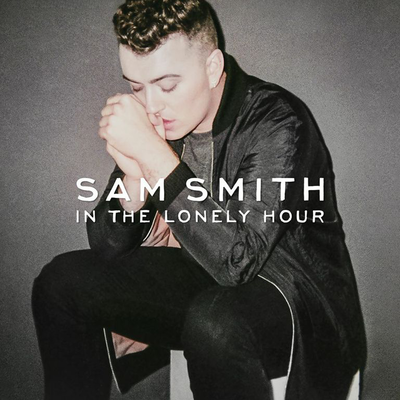
Attached to this post is a harmonically mixed indoor cycling music set I put together with some of the best music from the last few months.
All you need to do is “Play It and Forget It.”
Below are a Spotify and iTunes playlist of some of the songs in this mix. I cannot include all the songs because some are not available on Spotify or iTunes.
Premium Members, follow the link below to download this new mix for FREE!!!!!
[wlm_private ‘PRO-Platinum|PRO-Monthly|PRO-Gratis|PRO-Seasonal|Platinum-trial|Monthly-trial|PRO-Military|30-Days-of-PRO|90 Day PRO|Stages-Instructor|Schwinn-Instructor|Instructor-Bonus|28 Day Challenge']
Right Click on the blue underlined link
Select “Download Linked File As”
Select a download location
Once file is completely downloaded, find it in the location you selected
Drag the file into your iTunes or Spotify library OR
Right Click on the file and Select “Open With”
From the drop down menu select “iTunes” or “Spotify”
File should begin playing and is now part of your iTunes or Spotify library
To download the above media on a PC:
Right Click on the blue underlined link
Select “Save Link As”
Select a download location
Once file is completely downloaded, find it in the location you selected
Drag the file into your iTunes or Spotify library OR
Right Click on the file and Select “Open With”
From the drop down menu select “iTunes” or “Spotify”
File should begin playing and is now part of your iTunes or Spotify library Click here to watch a video on how to download media files from ICI/Pro.
This week I'm featuring a song that's been on repeat for me all week. It's starting to get more mainstream air time and it's playing like crazy on one of my favorite SiriusXM stations, The Pulse (channel 15). I've loved using Elle King's Ex's and Oh's from her album Love Stuff in my classes and now I'm loving America's Sweetheart. It has a country feel to it and parts of it remind me a bit of Mumford and Sons. At around 65 RPM's, I'm using this one as a climb. Jumps on a hill would not be out of the question either. 🙂 Enjoy and feel free to share any songs you've had on repeat lately. (Fun Fact: Did you know that Elle King is the daughter of comedian and SNL alum Rob Schneider?)
Premium Members can download this mix for free by following the links below:
[wlm_private ‘PRO-Platinum|PRO-Monthly|PRO-Gratis|PRO-Seasonal|Platinum-trial|Monthly-trial|PRO-Military|30-Days-of-PRO|90 Day PRO|Stages-Instructor|Schwinn-Instructor|Instructor-Bonus|28 Day Challenge']
Right Click on the blue underlined link
Select “Download Linked File As”
Select a download location
Once file is completely downloaded, find it in the location you selected
Drag the file into your iTunes or Spotify library OR
Right Click on the file and Select “Open With”
From the drop down menu select “iTunes” or “Spotify”
File should begin playing and is now part of your iTunes or Spotify library
To download the above media on a PC:
Right Click on the blue underlined link
Select “Save Link As”
Select a download location
Once file is completely downloaded, find it in the location you selected
Drag the file into your iTunes or Spotify library OR
Right Click on the file and Select “Open With”
From the drop down menu select “iTunes” or “Spotify”
File should begin playing and is now part of your iTunes or Spotify library Click here to watch a video on how to download media files from ICI/Pro.