Right Click on the blue underlined link
Select “Download Linked File As”
Select a download location
Once file is completely downloaded, find it in the location you selected
Drag the file into your iTunes or Spotify library OR
Right Click on the file and Select “Open With”
From the drop down menu select “iTunes” or “Spotify”
File should begin playing and is now part of your iTunes or Spotify library
To download the above media on a PC:
Right Click on the blue underlined link
Select “Save Link As”
Select a download location
Once file is completely downloaded, find it in the location you selected
Drag the file into your iTunes or Spotify library OR
Right Click on the file and Select “Open With”
From the drop down menu select “iTunes” or “Spotify”
File should begin playing and is now part of your iTunes or Spotify library Click here to watch a video on how to download media files from ICI/Pro.
One of my favorite climbing songs of all time is “Preliator” by Globus (from their album Epicon). I use this type of music sparingly in my classes, but I really love coaching my classes through songs such as these. The music provides so much motivation and just begs your legs to climb. Globus' music has been described as ‘symphonic rock' or ‘symphonic metal', and this particular song is epic enough to have been used in several movie trailers. Check out the live version here:
I was recently turned on to another song from the same album called “Europa”. I'll be using this one as a seated climb at around 70 rpm's, adding gear every minute. The music slows briefly at 2:10, but don't let that slow your climb. Continue on and finish this nearly 4 minute climb strong! Enjoy!
Premium Members, follow the link below to download this new mix.
[wlm_private ‘PRO-Platinum|PRO-Monthly|PRO-Gratis|PRO-Seasonal|Platinum-trial|Monthly-trial|PRO-Military|30-Days-of-PRO|90 Day PRO|Stages-Instructor|Schwinn-Instructor|Instructor-Bonus|28 Day Challenge']
Right Click on the blue underlined link
Select “Download Linked File As”
Select a download location
Once file is completely downloaded, find it in the location you selected
Drag the file into your iTunes or Spotify library OR
Right Click on the file and Select “Open With”
From the drop down menu select “iTunes” or “Spotify”
File should begin playing and is now part of your iTunes or Spotify library
To download the above media on a PC:
Right Click on the blue underlined link
Select “Save Link As”
Select a download location
Once file is completely downloaded, find it in the location you selected
Drag the file into your iTunes or Spotify library OR
Right Click on the file and Select “Open With”
From the drop down menu select “iTunes” or “Spotify”
File should begin playing and is now part of your iTunes or Spotify library Click here to watch a video on how to download media files from ICI/Pro.
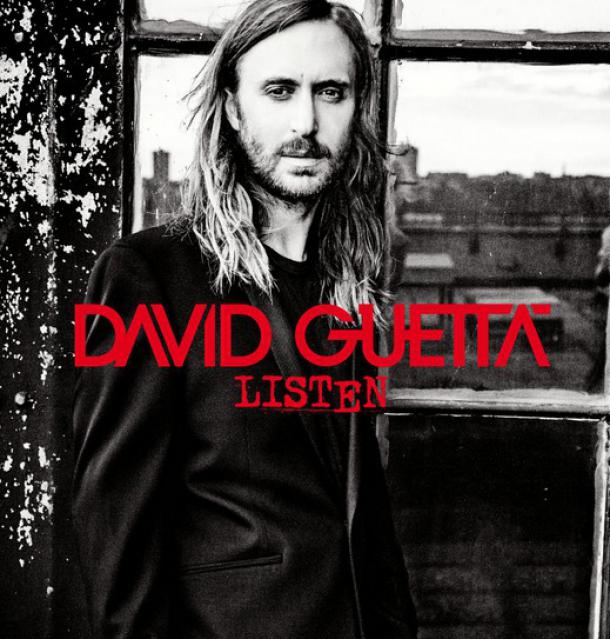
Attached to this post is a 60 minute harmonically mixed indoor cycling music set that I put together with all David Guetta music.
All you need to do is “Play It and Forget It.”
Premium Members, follow the link below to download this new mix.
[wlm_private ‘PRO-Platinum|PRO-Monthly|PRO-Gratis|PRO-Seasonal|Platinum-trial|Monthly-trial|PRO-Military|30-Days-of-PRO|90 Day PRO|Stages-Instructor|Schwinn-Instructor|Instructor-Bonus|28 Day Challenge']
Right Click on the blue underlined link
Select “Download Linked File As”
Select a download location
Once file is completely downloaded, find it in the location you selected
Drag the file into your iTunes or Spotify library OR
Right Click on the file and Select “Open With”
From the drop down menu select “iTunes” or “Spotify”
File should begin playing and is now part of your iTunes or Spotify library
To download the above media on a PC:
Right Click on the blue underlined link
Select “Save Link As”
Select a download location
Once file is completely downloaded, find it in the location you selected
Drag the file into your iTunes or Spotify library OR
Right Click on the file and Select “Open With”
From the drop down menu select “iTunes” or “Spotify”
File should begin playing and is now part of your iTunes or Spotify library Click here to watch a video on how to download media files from ICI/Pro.
Right Click on the blue underlined link
Select “Download Linked File As”
Select a download location
Once file is completely downloaded, find it in the location you selected
Drag the file into your iTunes or Spotify library OR
Right Click on the file and Select “Open With”
From the drop down menu select “iTunes” or “Spotify”
File should begin playing and is now part of your iTunes or Spotify library
To download the above media on a PC:
Right Click on the blue underlined link
Select “Save Link As”
Select a download location
Once file is completely downloaded, find it in the location you selected
Drag the file into your iTunes or Spotify library OR
Right Click on the file and Select “Open With”
From the drop down menu select “iTunes” or “Spotify”
File should begin playing and is now part of your iTunes or Spotify library Click here to watch a video on how to download media files from ICI/Pro.
Their newest album, Death of a Bachelor, is set to release in January of 2016 and I'm loving the singles that have been released so far. Here they are, in order of release:
“Hallelujah” was released as the lead single on April 20, 2015. Use it as a hill or flat road at 80 rpm's. Fun fact: The very beginning of the song samples Question 67 and 68 by Chicago.
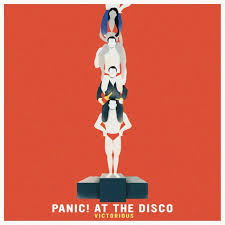
“Victorious” was released on September 29, 2015. I've used this as as fast flat road and a warm up. It could also be used as a flat road.
“Emperor's New Clothes”was released on October 22, 2015. Another fast flat road at around 96 rpm's. You can also use this one as speed work-accelerating on the chorus.
“LA Devotee” was released on the 27th of November 2015 (today)! It's around 88 rpm's so it would work great as a flat road. It would also make a great warm up.
I can't wait to see what the rest of the album brings!