Their newest album, Death of a Bachelor, is set to release in January of 2016 and I'm loving the singles that have been released so far. Here they are, in order of release:
“Hallelujah” was released as the lead single on April 20, 2015. Use it as a hill or flat road at 80 rpm's. Fun fact: The very beginning of the song samples Question 67 and 68 by Chicago.
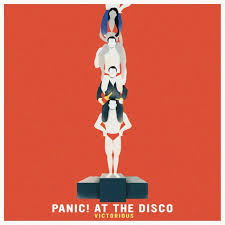
“Victorious” was released on September 29, 2015. I've used this as as fast flat road and a warm up. It could also be used as a flat road.
“Emperor's New Clothes”was released on October 22, 2015. Another fast flat road at around 96 rpm's. You can also use this one as speed work-accelerating on the chorus.
“LA Devotee” was released on the 27th of November 2015 (today)! It's around 88 rpm's so it would work great as a flat road. It would also make a great warm up.
I can't wait to see what the rest of the album brings!
Premium Members, follow the link below to download this new mix.
[wlm_private ‘PRO-Platinum|PRO-Monthly|PRO-Gratis|PRO-Seasonal|Platinum-trial|Monthly-trial|PRO-Military|30-Days-of-PRO|90 Day PRO|Stages-Instructor|Schwinn-Instructor|Instructor-Bonus|28 Day Challenge']
Right Click on the blue underlined link
Select “Download Linked File As”
Select a download location
Once file is completely downloaded, find it in the location you selected
Drag the file into your iTunes or Spotify library OR
Right Click on the file and Select “Open With”
From the drop down menu select “iTunes” or “Spotify”
File should begin playing and is now part of your iTunes or Spotify library
To download the above media on a PC:
Right Click on the blue underlined link
Select “Save Link As”
Select a download location
Once file is completely downloaded, find it in the location you selected
Drag the file into your iTunes or Spotify library OR
Right Click on the file and Select “Open With”
From the drop down menu select “iTunes” or “Spotify”
File should begin playing and is now part of your iTunes or Spotify library Click here to watch a video on how to download media files from ICI/Pro.
Below you'll find a 60 minute harmonically mixed indoor cycling music set. All you need to do is “Play It and Forget It.”
Premium Members, follow the link below to download this new mix.
[wlm_private ‘PRO-Platinum|PRO-Monthly|PRO-Gratis|PRO-Seasonal|Platinum-trial|Monthly-trial|PRO-Military|30-Days-of-PRO|90 Day PRO|Stages-Instructor|Schwinn-Instructor|Instructor-Bonus|28 Day Challenge']
Right Click on the blue underlined link
Select “Download Linked File As”
Select a download location
Once file is completely downloaded, find it in the location you selected
Drag the file into your iTunes or Spotify library OR
Right Click on the file and Select “Open With”
From the drop down menu select “iTunes” or “Spotify”
File should begin playing and is now part of your iTunes or Spotify library
To download the above media on a PC:
Right Click on the blue underlined link
Select “Save Link As”
Select a download location
Once file is completely downloaded, find it in the location you selected
Drag the file into your iTunes or Spotify library OR
Right Click on the file and Select “Open With”
From the drop down menu select “iTunes” or “Spotify”
File should begin playing and is now part of your iTunes or Spotify library Click here to watch a video on how to download media files from ICI/Pro.
Happy “Favorite Track” Friday! There are so many places where I find music for my playlists on a weekly basis. Some weeks, I don't find much, and other weeks, I find one or two gems that really stand out. I don't always use them right away. Sometimes I tuck them away into a Spotify folder and take them out again when I find just the right fit. This week's gem was found in my Spotify “Discover Weekly” playlist. I wrote about this Spotify feature in a previous post and I continue to find great tunes this way.
When I heard this song, I knew the voice right away. I've been using “Into The Wild” as a warm up for several years and it's one of my favorites. (You'll recognize it as soon as you hear the famous lyrics, “Somebody left the gate open, you know we got lost on the way.”, which were made famous by a CITI bank commercial.) The voice is that of Laura Pergolizzi (LP). This song came out a few years after “Into The Wild” in 2014. I can't wait to pull this one out of my “Hills” folder and use it in a playlist soon! I hope you enjoy both songs:
Premium Members, follow the link below to download this new mix.
[wlm_private ‘PRO-Platinum|PRO-Monthly|PRO-Gratis|PRO-Seasonal|Platinum-trial|Monthly-trial|PRO-Military|30-Days-of-PRO|90 Day PRO|Stages-Instructor|Schwinn-Instructor|Instructor-Bonus|28 Day Challenge']
Right Click on the blue underlined link
Select “Download Linked File As”
Select a download location
Once file is completely downloaded, find it in the location you selected
Drag the file into your iTunes or Spotify library OR
Right Click on the file and Select “Open With”
From the drop down menu select “iTunes” or “Spotify”
File should begin playing and is now part of your iTunes or Spotify library
To download the above media on a PC:
Right Click on the blue underlined link
Select “Save Link As”
Select a download location
Once file is completely downloaded, find it in the location you selected
Drag the file into your iTunes or Spotify library OR
Right Click on the file and Select “Open With”
From the drop down menu select “iTunes” or “Spotify”
File should begin playing and is now part of your iTunes or Spotify library Click here to watch a video on how to download media files from ICI/Pro.
I think of myself as a music fan, I have an open mind and appreciate music from all genres. This past week, pop superstar, Justin Timberlake joined, CMA New Artists of the Year, Chris Stapleton on the CMA stage and a magical performance happened.
Right Click on the blue underlined link
Select “Download Linked File As”
Select a download location
Once file is completely downloaded, find it in the location you selected
Drag the file into your iTunes or Spotify library OR
Right Click on the file and Select “Open With”
From the drop down menu select “iTunes” or “Spotify”
File should begin playing and is now part of your iTunes or Spotify library
To download the above media on a PC:
Right Click on the blue underlined link
Select “Save Link As”
Select a download location
Once file is completely downloaded, find it in the location you selected
Drag the file into your iTunes or Spotify library OR
Right Click on the file and Select “Open With”
From the drop down menu select “iTunes” or “Spotify”
File should begin playing and is now part of your iTunes or Spotify library Click here to watch a video on how to download media files from ICI/Pro.