
by Joan Kent | Feb 13, 2012 | Master Instructor Blog

By ICG® Master Trainer Joan Kent
The word “technique” may inspire interest in some and yawns in others. Still, there’s much to be said for technique, since it’s the foundation for the athletic performance features we layer over it.
Technique involves primarily the improvement of the skills required for a task. In the broadest general (i.e., non-cycling-specific) terms, it entails eliminating unnecessary movement and muscle activity; making all movements in the correct directions; applying the necessary power, but no more than that; using muscles best suited to the activity; and using optimal speed if time isn't a factor.
However dry and artless the list may sound, the results of good technique, and the consequences of bad, extend to training and performance. The last thing I’m going to do is provide guidelines for cycling technique, since so many vastly superior riders have done that in so many venues. (You can check out the excellent videos on the ICG® web site or here on ICI/PRO.)
What I’d like to do is simply list some benefits of improving technique.
The main benefit of good technique is that it improves efficiency. Efficiency is the ratio of work output to expended energy. If output increases or expenditure decreases, efficiency has improved. Efficiency and technique are closely related because the principles of efficiency are similar to those of technique: muscle relaxation whenever possible; vigorous contraction only when necessary; use of largest muscles possible to avoid local fatigue; use of momentum unless it must be overcome by muscular effort; use of smooth, continuous motions and easy, natural rhythm versus sudden, sharp, linear motions or contraction of opposing muscles against each other.
Efficiency may hinge on factors other than technique, such as training. Efficiency may depend on the contractile properties of the muscle, with slow-twitch more efficient than fast-twitch. Training can increase strength and endurance significantly by increasing efficiency of muscle utilization. Big-gear training, as discussed by Jim Karanas in a recent audio profile and by Tom Scotto in a recent post, can improve efficiency in fast-twitch fibers.
Returning to technique, many activities have an optimal rate; rates above and below it expend greater energy. The mechanism behind this is stored muscle elasticity, which requires the shortest interval between muscle relaxation and contraction to prevent loss of kinetic energy as heat. Technique changes how much energy is lost as heat and how much is retained as mechanical energy for the next movement. Since practice reinforces good technique, it can improve cycling efficiency by reducing the energy required to perform the pedal stroke, reducing energy lost as body heat, and retaining more mechanical energy for the next pedal stroke.
Efficiency is also affected by consistent velocity. Unnecessary acceleration and deceleration, often due to poor technique, waste energy. Obviously, keeping a consistent cadence throughout a cycling class isn’t usually part of the workout plan; however, staying consistent during a particular song or segment — an important technical skill — may increase efficiency. Beatmatch, as detailed by Team ICG® in a recent post on music, is an excellent practice tool in developing technique for consistency and efficiency.
Anecdotally, we also find that doing something with correct technique feels good, probably because the body is being used per the two sets of principles described above.
Finally, correct technique makes the student look good. In my master’s thesis, I compared the principles of technique and efficiency to those of movement aesthetics. It turns out that what makes a movement correct and efficient is also what makes it beautiful.
So technique is a key factor in efficiency, which in turn influences energy. The less energy a student wastes cycling with bad technique, the more energy is left for the demanding sections of the class when it really counts. And the better the student will look and feel doing it. Who can argue with having a beginner complete the class, look and feel good while taking it, and come back for more?
by John | Feb 7, 2012 | Instructor Training, Training With Power
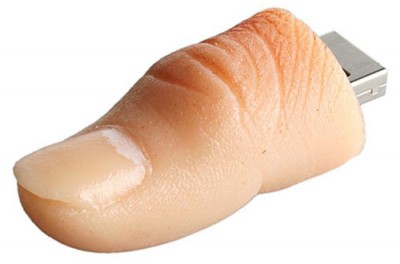 Both the FreeMotion S 11 series and Schwinn AC Indoor Cycles have the ability to record your ride data using a USB Thumb Drive.
This past Sunday I asked Alan ******, one of my regular students, if he would be willing to have his class performance data recorded so I could share it with you. Al is a long time cyclist and we first met back in 1998 while I was leading group rides for a local bike shop. He agreed and the process for collecting his information was a simple as plugging a Thumb Drive into the USB port before turning on the FreeMotion computer.
The data that's collected is:
- Time – it takes a snapshot every second.
- Miles traveled*
- MPH*
- Watts
- Heart Rate BPM
- Cadence RPM
My understanding is that Miles traveled and MPH are estimates based on research done by FreeMotion's engineers that measured the amount of power needed to sustain a given speed. As I type this I realize that I need a more comprehensive understanding so I can explain this better. You can download the .xlsx spreadsheet here.
Here's why both FreeMotion and Schwinn use a “Stage” button during class. 
There is an enormous amount of data collected during a 90 minute class… Four Thousand, Eight Hundred and Thirty Nine lines of data to be exact.
If you listened to ICI Podcast #198 — Teach Your First Class With Power! Audio PROfile from Cameron Chinatti with Stages Indoor Cycling you heard Cameron described using the Stage button at the beginning and end of each interval. When you look at the spreadsheet you will see the “Stage” or completed “Ride” totals, making it much easier to understand what was happening. In the image above I have graphed one 5 minute interval “Stage”.
Here's Alan's totals for the class:
| Ride_Totals |
|
| Time |
1:16:52 |
| Distance |
27.45 |
| Speed_Avg |
21.43 |
| Watts_Avg |
197 |
| HR_Avg |
156 |
| RPM_Avg |
86 |
| Speed_Max |
26.37 |
| Watts_Max |
323 |
| HR_Max |
174 |
| RPM_Max |
103 |
| KCal |
983 |
| KJ |
911 |
The reason for only 116 minutes of total time is that we had a 14 minute warm-up, where no data is collected. More on this as I learn and experiment in the future.
by John | Jan 31, 2012 | Indoor Cycling Bikes, Instructor Training
At the end of our first class on the new FreeMotion Indoor Cycles last Sunday, I spent close to 30 minutes answering questions from participants about the cycles and the Power meters:
- How many Watts should I be making?
- Why did I have to turn it up so high before I saw any real increase in watts… didn't you say power had a lot to do with cadence?
- It said I was riding at 23 mph… was I really?
- Why doesn't the calorie totals match up between my Garmin Heart Rate monitor and the console?
- Why could I create more power, at a lower heart rate, sitting instead of standing?
- I felt like I needed to work so much harder on this bike… why is that?
I'm going to be soliciting answers from our Master Instructor PRO Team for their responses to many of these questions. But I wanted to address the specific question/comment mentioned by multiple riders; these bikes make you work a lot harder – they're more like riding outdoors… why is that?
For those of you who have ridden (or teach on) a FreeMotion S11 series, Keiser M3 or Schwinn AC Indoor Cycle you probably already know the answer: Magnetic Resistance 🙂
And no, it isn't because they are watching their watts readings.
Magnetic Resistance more closely resembles the effect Air Resistance has on an outdoor cyclist, which if you've ridden outside, or simply stuck your hand out the window of a moving car, realize is substantial. On a flat road above 20 miles per hour >95% of your energy is being used to overcome wind resistance.
I found this graph (and added some additional details) to help you understand the differences.

For the sake of simplicity I have taken some liberties with the graph, but here's what I feel you should know:
- The Horsepower graph is based on: 0.2hp = Strong Cyclist, 0.4hp = Competitive Cyclist, > 0.6hp is Tour de France caliber Pro Cyclist.
- The thin purple and blue lines represent the amount of Power needed to overcome wind resistance and ride at the listed speeds. Notice how sharply the line curves upwards and more than twice the Power is needed to ride at 30 mph vs. 20 mph.
- The dashed blue and red lines are the effective resistance created by Magnetic and Friction based Indoor Cycles respectively.
In my Epic Wine Country Audio PROfile I offered these suggestions for cueing load/resistance dependent on the type of friction system your cycles use:
How you cue the addition of intensity is very important in an Indoor Cycling class of any format and its different dependent on the type of Indoor Cycle you’re riding.
– With any Indoor Cycle that uses friction to create the resistance I suggest adding resistance to cadence. Class is pedaling ~ 90 RPM and then add load to reach intended intensity. This has the effect of preventing “runaway pedals” when your students start with a small amount of load and then accelerate. The momentum in the spinning flywheel negates what little load there was.
– If you are riding a FreeMotion S11, Keiser M3 or Schwinn AC with magnetic resistance you can add resistance to cadence or you can do the exact opposite, adding cadence to resistance.
You've never heard that before, have you? It’s why I see magnetic resistance as being superior.
Here’s why:
My biggest struggle (besides getting people to be quiet) is how to best communicate load in class. If you have been paying attention in class you have noticed that when you slow your pedals (on a conventional friction IC – any Spinner, etc… ) they get heavier. We have all seen the person who was supposed to be accelerating out of a climb start bouncing like they have no resistance at all. This happens because as your student pedals faster, the added centrifugal force overcomes the fixed amount of friction, making it easier and easier to pedal, until it’s like they have no load at all. Not Good! Cycling is all about endurance. We want them to endure it! The solution is to establish leg speed and then adjust load to regulate the work they are doing.
Indoor cycles with magnetic resistance (S11, M3 and AC) work very differently. As the speed of the flywheel increases the Eddy Currents that create the load increase as well. So these Indoor Cycles actually get harder to pedal as cadence increases, just like a real bicycle. So with these types of cycles cue your students to set their load at a slower RPM and then simply increase cadence to add intensity.
Give this a try in you next class and let me know the results.
by John | Jan 24, 2012 | iTunes & Spotify Training, Music, Video Tutorials

John is it possible to add the BPM to all the songs in my iTunes library? The short answer for most of us is yes, with the exception of any tracks you purchased directly from iTunes back when much of their music carried DRM – Digital Rights Management. What follows is a complete video tutorial for adding the BPM to unprotected tracks in your iTunes music library.
While not being a huge fan of Auto BPM counters,* I do agree that having a number of methods of sorting your music in iTunes can be helpful and will help you become more efficient at creating cadence based playlists.
*I encourage Instructors to actually sample tracks using a Tap to the Beat counter, rather than depending on a software program to show the BPM of a track. Just because a song is listed at 150 BPM doesn't mean it will communicate a tempo that you can use to set your cadence at 75 RPM. Info about the Tap to the Beat counter can be found here.
MixMeister offers a simple and easy to use BPM Analyzer you can download for free here for both PC and Macs. Download and install it now. What's typical missing form any MixMeister product is a full explanation of how to use their software… and that's where I can help 🙂
Next watch this short video to learn how to add BPM to your iTunes library.
by John | Jan 10, 2012 | Instructor Training, Music, Spotify

Right Click > Save As to download to your computer
I sure enjoyed talking with everyone who participated in Sunday's training 🙂
I'll be scheduling the next Spotify LIVE training soon – click here to get on the early notification list.
A number of you were interested in the little Tap to the Beat BPM counter I used when I sample music. Right Click the image to download. This is a very simple tool, tap your Space Bar or Enter Key in time with the music. Click the reset button to clear and start over. It doesn't do anything beyond display the average BPM you are tapping – it won't add the results to the song.
One of the best parts of conducting these live interactions is that I learn more about what is confusing to you – so I can help!
One PRO member asked the question; “when I click the link to one of the PRO Playlists for an Audio PROfile I see it in the main screen of Spotify, but it isn't added to my list of Playlists.
I see now that this is confusing, so here's what you need to do to save a PRO Playlist or a Playlist that was shared with you from another Spotify user.
1) Click the Spotify link included in each Audio PROfile.
2) The link will open a new browser window showing something similar to this;

Clicking the gray button will open the Playlist in Spotify:

Next you will see the new Playlist added to your list 🙂

Alternatively, if someone shares a Playlist directly with you, it will show in your Spotify Inbox

