John is it possible to add the BPM to all the songs in my iTunes library? The short answer for most of us is yes, with the exception of any tracks you purchased directly from iTunes back when much of their music carried DRM – Digital Rights Management. What follows is a complete video tutorial for adding the BPM to unprotected tracks in your iTunes music library.
While not being a huge fan of Auto BPM counters,* I do agree that having a number of methods of sorting your music in iTunes can be helpful and will help you become more efficient at creating cadence based playlists.
*I encourage Instructors to actually sample tracks using a Tap to the Beat counter, rather than depending on a software program to show the BPM of a track. Just because a song is listed at 150 BPM doesn’t mean it will communicate a tempo that you can use to set your cadence at 75 RPM. Info about the Tap to the Beat counter can be found here.
MixMeister offers a simple and easy to use BPM Analyzer you can download for free here for both PC and Macs. Download and install it now. What’s typical missing form any MixMeister product is a full explanation of how to use their software… and that’s where I can help 🙂
Next watch this short video to learn how to add BPM to your iTunes library.
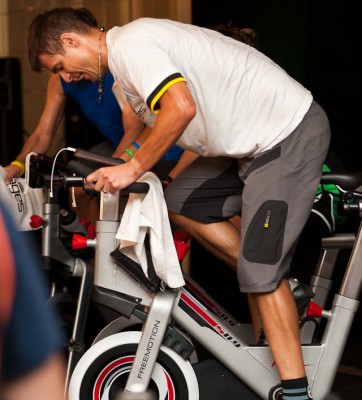
Out with the Spinner NXTs and in with the FreeMotion S11.9s
I just got confirmation that the Life Time Athletic club, where I have a Sunday 90 min endurance class, will have 65 new FreeMotion S11.9 indoor cycles for my next class!
There had been a lot of rumors, but I couldn’t get confirmation until today from our Group Fitness dept head. I’ll be meeting with the FreeMotion representative this Friday when they do their install.
It’s about time. Two years ago I got all excited when two Schwinn AC performance bikes magically appeared in this studio… but then nothing more. Cue crickets chirping here.
I called Cameron Chinatti today and told asked her to help me with my first class and she has agreed to record a First Class With Power Audio PROfile later this week 🙂
Can’t wait to update everyone about my experience.
With the announcement that ICI/PRO Team Member Doug Rusho had joined Stages Indoor Cycling, I thought it would be interesting to learn the selection process that Cameron Chinatti used to pick Doug as their newest educator.
In this episode of the Podcast, Cameron, Doug and I discuss what Cameron was looking for in a potential Master Instructor and how Doug’s willingness to “put himself out there” demonstrated who Doug is and his commitment to our industry.
Mark Dalrymple from Cycling Fusion was the un-official photographer at the last ICI/PRO conference. He took some amazing pictures including this candid shot of Gene Nacey, Chuck Cali, Tom Scotto and myself while we were setting up the 100 Keiser m3s and FreeMotion S11.9 indoor cycles. I hadn’t seen this one before and it’s very cool. Mark has added a digital effect that appears similar to what was used in the movie “300”… now if we only had the 6 pack abs 🙂
Meet Emmy Ragali, the owner of Go Cycle Studio in Chicago IL. Emmy is the first Beta instillation site for the Top Power Display System from Performance IQ.
I wanted to learn first hand what Emmy’s experiences were using the Top Power display to show the wattage and RPM of each Keiser M3 her participants are riding.
You may have concerns about bringing competition into your class and so do I. During the interview I asked Emmy some specific questions about how her class accepted the competitive atmosphere that develops by having everyone’s data displayed on a big screen.
While I was reviewing the Go Cycle website I noticed this link to an evaluation form where participants can give feed back on the quality of the Instructor and their class – I see this as an excellent idea and Emmy explained to me that it has been very helpful to her and her Instructors.
Listen to the Podcast below to hear all about Top Power.