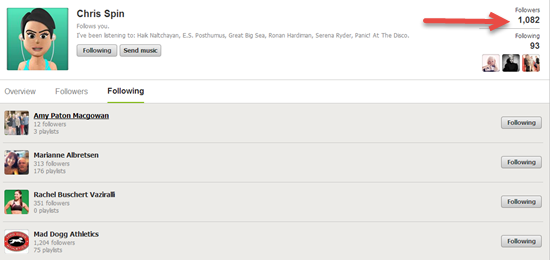
Chris Hawthorne AKA Chrispins and I had a Skype date yesterday morning, to record our latest Audio Class PROfile – Four Corners. I'll be publishing it later today for all of our ICI/PRO members to enjoy.
Chris is another of the smart, talented people I enjoy promoting here. She has a real wealth of knowledge about music discovery, playlist creation and all things Spotify. With over 1,000 followers, her Spotify profile is one of the first places I go to steal find new music for my classes 🙂 Visit chrispins1.wordpress.com and you'll understand why Chris's blog has become a real go-to place for new music and playlists suggestions for Instructors.
Before we started with Chris's profile, I hit record and we discussed her weekly music discovery tool, some common questions she gets about Spotify from new users and her trick for getting missing iTunes tracks to show up in Spotify – she calls it magic.
During the interview I mention a low cost (under $25) bluetooth receiver you can use to connect your iPhone/Android wirelessly to the club's sound system. Here the post for more information.
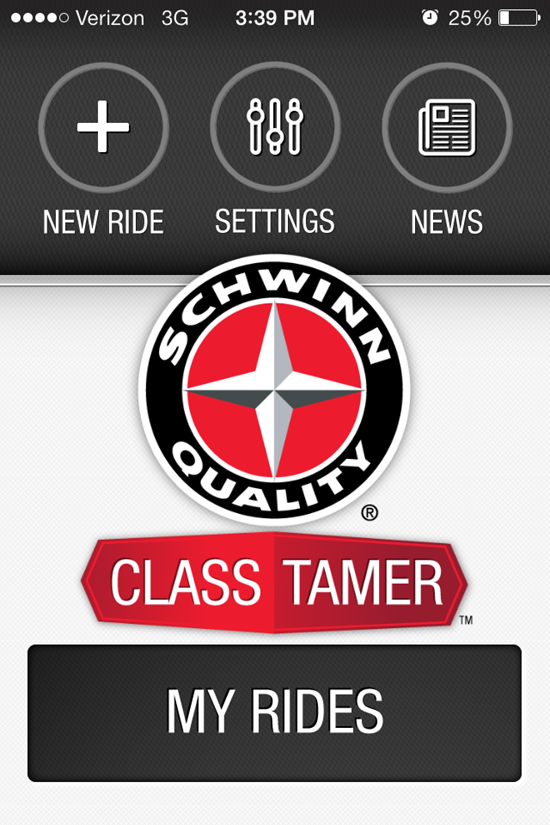
I really like using the new Class Tamer iPhone App that Schwinn Cycling introduced at IHRSA. It's taking a bit of re-orientating my thinking away from Spotiy and back to iTunes. This of course limits my song selection to tracks I already have on my computer – which has me super motivated to find free new music for both of us to use in class.
I've always enjoyed well constructed mashups of popular songs. Here are a few that I'm excited to use Sunday in my Performance Cycle class at Life Time.
UPDATE 6/2017 – this app has been discontinued by Schwinn and is no longer available.
We're totally consumed here at IHRSA this week. So instead of a free track, how about an awesome and FREE Instructor iPhone App for building classes with cues instead?
This new iPhone App from Schwinn is called Class Tamer.
This is a crazy busy show and popular Master Trainers are… popular. After waiting a for a very busy Julz Arney to free up and show me the new App on her phone, I decided to install it and give it a try myself. Fantastic – it even has a crossfade with adjustable duration 🙂
Despite my fascination with new technology, my personal preference is for simple and easy. My biggest test is; when I turn it on, will I know instinctively how to make it work? This App is super easy to figure out. Even if you've moved to Spotify or Deezer, I'd encourage you to download it and give it a try. Who knows… you may get excited about iTunes again. There's also an easy to use tutorial if you get stuck.
Here's Schwinn's description of Class Tamer.
Designed with input and insight from Schwinn’s global team of Master Instructors, Class Tamerâ„¢ is the premier music player for group exercise professionals. The app intuitively organizes “what to say,” “what to play” and “what to do,” with large, easy-to-read fonts and controls, creating a tool that helps keep you organized — and your class energized.
Class Tamer features include:
– Ability to easily create and save ride playlists by accessing your songs, playlists, albums and artists directly from iTunes
– “What to say” and “What to do” scrollable notes pages, which allow you to input and save your cueing notes, music tags and BPM to specific songs
– Instructor-friendly, full-screen display
– Easy-to-read song timer, displaying time elapsed, time remaining, and prompting for next song
– Easy-to-navigate play/pause button
– Easy-access, oversized volume slider
– Ability to easily modify tempo of songs during a ride
– Customizable cross-fade setting
– Stopwatch that operates independently from the song timer and can be used while music is playing — perfect for intervals
– 10 sound effects to help add excitement to your classes – Adjustable font size for optimal readability during rides
– Demo and tutorial screen
Here's the player screen showing call-outs for some of the key features that have me excited to use Class Tamer in my next class.
Love those BIG NUMBERS!
NOTES:
The BPM displayed in the top RH corner comes from the metadata (get info) of the track – the App doesn't compute the BPM or will the number change if you use the slider to change the tempo.
For songs you purchased from iTunes that are “Protected AAC” – cross fade and tempo adjustment are disabled.
Cues you've pinned to a song are manually chosen by swiping – they're not tied to any specific place in the song's time place.
Some profiles call for a slow, powerful song to really encourage everyone to crank on a bunch of gears. I love to transition to some some strength work in the middle of class, before everyone is fatigued. There's a nice place about 2:30 in where you can cue focused pedal technique.
If you really want to challenge your power class you might try this for fun. Have everyone dial up their FTP / PTP watts – at this very slow 60 RPM and then maintain it for the duration – or – if you're feeling frisky, you might throw in a few, short accelerations and then recover back to this slow grind. Here's where you might consider turning down the music so you can hear the breathing of their struggle.
This track AWOLNATION — Sail – Unlimited Gravity Remix and the free track are a bit faster @ 74 RPM – still both feature that very powerful downbeat that will have even your most rhythmic challenged pounding along with the song.
It's a fact of teaching Indoor Cycling classes using power… not every meter shows consistent – repeatable watts indication, no matter which brand you're riding. Faced with this (often times frustrating) inconsistency you have two choices:
Throw your hands up as if to say; “what's the use?” and ignore the power meter.
Accept the problem and offer your class a simple solution.
My hope is that you choose the later 🙂
As far as I know, there's only one solution you can offer the athletes riding in front of you to understand their power, today, on that cycle. Conduct a short PTP (Personal Threshold Power) assessment as part of every class you teach. If you have a different/better solution I'm all ears – please share it below.
These PTP assessments work great as the first real effort, after you've taken everyone through you initial warmup and a series of openers. Every class of mine begins the same:
5 minute warmup where we gradually increase intensity @ 90-100 RPM
3-4 30 second opener accelerations. We begin in a climbing gear @ 70 RPM, accelerate to and maintain 100 ish RPM for 30 seconds. Recover for 30 sec, rinse and repeat.
2 minute recovery (now we're calling this a “reset”)
3 or 4 minute “Best Effort” where we learn our PTP for this day, on this cycle. I tend to vary how I conduct these; some days are high cadence tempo flats @ 90-100 RPM and others are fast climbs @ 70 RPM
No matter what you decide, you need a great song for your “Best Effort” PTP assessment. For our free track this week I thought I would share one of my current favorites, the Lie To Me opening theme song Brand New Day from Ryan Star. This 93 RPM track is a little short at 3:14 – so you need everyone to quickly ramp up their effort, punch the STAGE button in unison and attack this 3 min Best Effort from GO!
The resulting average watts becomes the PTP for this class, on this bike.
Happy Valentine's Day- and for you today a climb that builds and builds at 66 rpm. It can be used many different ways. Currently I'm using it to qualify PTP- personal threshold power, approximatey 12 minutes into my profile. The tune is 3:52 long, and I like a PTP qualification to last about 3 minutes, so there's a little time in front to coach and cue.
Enjoy ‘Sweet Disposition' by the Australian band Temper Trap: