Professional Indoor Cycling Instructor’s Tools Of The Trade
I got an email question this morning that had me frustrated in my lack of organization here.
Hi John,
Am I remembering right that you use a wireless transmitter for your music? With my classes smaller I thought it would be fun to ride along with my riders and would like to be able to still change the music on my iPhone. I am having trouble finding whatever it is you are using. Can you point me at that article?
There's actually a few articles that describe the Bluetooth wireless receiver I use. Better, I thought we should have an easy to find page here at ICI/PRO devoted to our recommended Tools Of The Trade for Indoor Cycling Instructors.
Tools of our Trade!
Productivity – Professionals value their time. Here's how to save some of yours:

Amazon Prime easily saves me six or more hours a month, gallons of gas and removes my tendency toward impulse purchases. How? By preventing me from wasting time running to the store for little things I don't need immediately and then grabbing stuff I don't need. For example; I noticed that after 20 years many of our door stop springs are bent and missing the little rubber end cap. Instead of running to the hardware store to purchase a few one dollar parts, Amazon Prime delivered a bag of ten to my house in two days, for less than the local store and ZERO shipping costs.

ICI/PRO has helped over a thousand Instructors find a simple answer to; What am I going to teach tomorrow? We have over 65 class profiles and hundreds of articles about effectively teaching a fun and effective class based on Heart Rate or Power + there's a reason many of the major brands are connected with ICI/PRO. We deliver quality information. Spend a short time with us and you'll be the expert at your club or studio. Options for Monthly or Annual (saves $$$) membership.
Class Music Playlist Preparation –
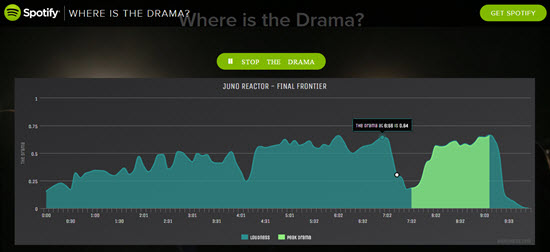
 At $19.95 the ClassBuilder iPhone App from Cycling Fusion isn't cheep, but it has become the standard tool for Instructors who want their cues displayed at the correct time on their iPhone. Works with either iTunes or Spotify music and includes the option to connect to your video projector or TV to show your class profile.
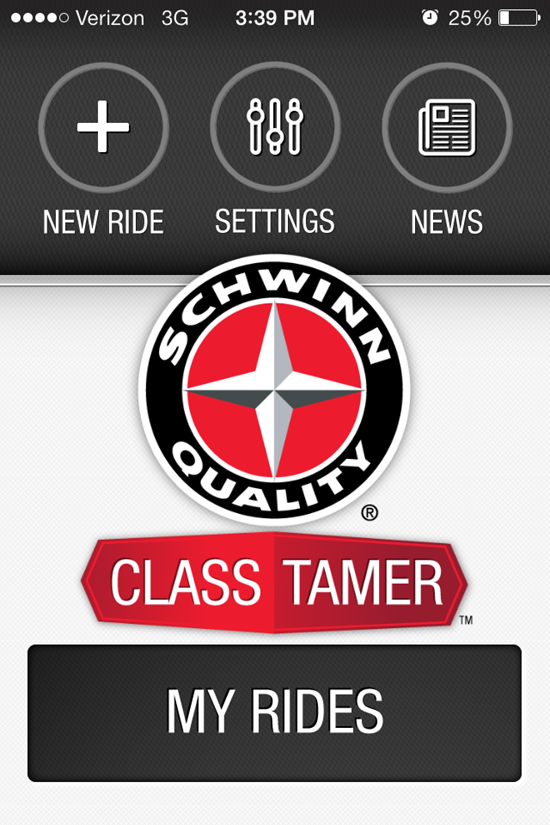
 Schwinn's free iPhone App is limited to iTunes music – which maybe exactly what you use! Add your time based cues and hit play for a well organised class.
Music Counting Tools
The Windows version Tap-To-The-Beat counter isn’t pretty, but I've used it for years – download it here.
This online Tap to the Beat counter works well.
There are a bunch of free iPhone Apps like this one you can use.
Android Users can download this free App.
MixMeister Express has a free trial version you can use before you pay $69.99 for the full version.
Mixed in Key software identifies the musical key of your tracks, creating harmonically mixed playlists that avoid transitions that “clash” musically – wrecking the energy and flow of your playlist. You can learn more about this advanced DJ technique and find full class playlists that we've mixed harmonically in this series of posts.
Class Videos
Here's a list of Wide Screen – HD DVDs and digital streaming videos for your indoor cycling class:
- Tour de France climbs; Alpe d'Huez, Col d´Izoard, Col de la Madeleine, Col du Telegraphe, Col du Galibier and many others.
- EpicPlanet.tv feature structured “Epic Rides” from around the USA
- Global Ride videos shot in exotic locations in the USA and Europe
- Endurance Films training films featuring cycling clubs
- Virtural Active stunning outdoor footage with Indoor Cycling Group’s cutting-edge personal training
- The SufferFest Racing footage for when you are ready to suffer!
- Indoor Cycling Videos Online POV virtual cycling videos
- Bike-O-Vision Videos ride along in some beautiful locations
- Ride-Fit digital downloads of group cycling at three levels of intensity
Many of these videos are structured rides, some are just pretty scenery, all will add a refreshing element of visual entertainment to your class
Deliver Your Class
 This $25 Bluetooth receiver will connect your iPhone/Android device wirelessly to your club's sound system. Then you'll have full remote control of your music from anywhere in the room.
Educational Resources
I frequently recommend Cycling Fusion's online Instructor course and their Power Training eBook for Instructors new to teaching with power/watts. The online Instructor training is a great option for an experienced participant who needs a certification to begin teach at their favorite club or studio 🙂
Fixing & Adjusting Stuff – Actual “tools” and parts to keep everything working correctly.
Susan's 16 in 1 Multi-Function Bike Bicycle Cycling Mechanic Repair Tool Kit will tighten a loose saddle nut or adjust a SPD shoe cleat.
Correctly adjusting SPD bicycle shoe cleats is super easy using this Ergon Cleat Alignment Tool.
I'm not a fan of using a Goniometer for bike setup, but this one rocks if you want to own one. I prefer to use the simple technique I learned from Schwinn – perfect every time, works in a crowded studio and you don't have to touch anyone.
Our recommended replacement parts supplier is Sportsmith.com
Sportsmith is also the distributor of the Red Pedal Tool that I invented to easily and safely remove the shoe baskets from the Red Schwinn Triple Link Pedals – sorry, this tool won't work with the Spinning Trio pedal.