
by John | Oct 13, 2013 | Instructor Tech Help, Latest News, Spotify
Chris Hawthorne just sent me a note:
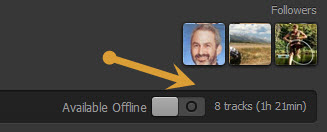
Now showing total time + hours and minutes beyond one hour!
Hi John! Have you heard the news? Apparently the Spotify timer is back. I have yet to receive the update but many instructors are already enjoying it!
Chris
Sent from my iPhone
It's about time 🙂
If you joined Spotify recently, you've had to live without any playlist timer. A major inconvenience when you want an accurate listing of total time.
Those of us joined a bit earlier enjoyed the playlist timer and were pretty frustrated when they removed it for no understandable reason. It wasn't perfect. A playlist of over 60 minutes displayed: Over One Hour, which wasn't much help when you were constructing a 90 minute endurance ride. I was creating two separate playlists; Part 1 & Part 2 so I could see the time, then combined them before class.
This new Spotify playlist timer showing both hours and minutes is a very welcome update.
To control the load on their servers, Spotify rolls out update notifications sequentially. I don't know for sure, but I wouldn't be surprised if they update their premium users first. If you're not seeing the new timer, I would first try closing Spotify if it's sitting open for a while. If that doesn't help you'll need to sit tight and wait until you see the update notification that will show on the top of Spotify page.
[plulz_social_like width=”350″ send=”false” font=”arial” action=”like” layout=”standard” faces=”false” ]
by John | Oct 8, 2013 | Best Practices, Instructor Training, Music, Spotify
John it just disappeared. It showed up fine on my computer and I'll swear it was on my Droid before I left to teach. But as I was ready to launch into a long threshold effort, Spotify skipped past a track, completely messing up my class.
Amy is the official Android user here in our home, me and the girls all have iPhones. Which is helpful when people rely on you to help them understand the little idiosyncrasies of a particular music software app like Spotify.
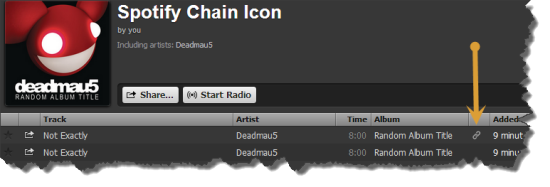
I'll admit that, although I had seen that chain icon before… I had no idea what it meant or represented. I do now 🙂
That chain icon indicates; the specific song you dragged into your playlist isn't available in that exact place, so Spotify has conveniently linked to to the actual location of the track in their database. Perfect if everything works as planned. Which, unfortunately wasn't the case with Ms. Amy today, at her noon class at CycleQuest Studio. I've never had an issue with this on my iphone, but you can never be too careful when it comes to your class music. I'd recommend checking for any any “linked” tracks and see if you can replace them.
Click the “chain” icon and Spotify will take you to the linked location. Select and drag that track into your playlist. Open the playlist and position the track next to the linked track, and then delete it.
So while we're on the topic, what do those other, funny little icons represent?

The square box with the music note symbol indicates a local track, probably from iTunes, that Spotify can't connect to its database. If you see this in your playlist be sure that you set “offline mode” while both your computer and portable devise are on the same WiFi network.
I'm still trying to understand the pinkish square with the lighting bolt. Supposedly they're tracks that Spotify had found once, but can no longer find. Funny – songs with that icon still sync to my iPhone and play both on my computer and iPhone.
Dummies.com says
| Red, broken rectangle |
Seeing this icon next to a local file means that the link (or path) to your local file is broken or not found. Perhaps iTunes moved the local file to a different folder. You can try to import the file again by browsing to the actual file and dragging it into Spotify’s Local Files pane. The broken rectangle link also shows up if a song is protected by digital rights management (DRM), so it can’t be played outside of iTunes. A notification bar appears if this is the case, and you’re prompted to remove all DRM-protected tracks from the Local Files pane. |
Which doesn't make sense to me – all three tracks from the image above play and sync without any trouble.
Do you have a better understanding?
by John | Sep 20, 2013 | Instructor Tech Help, Latest News
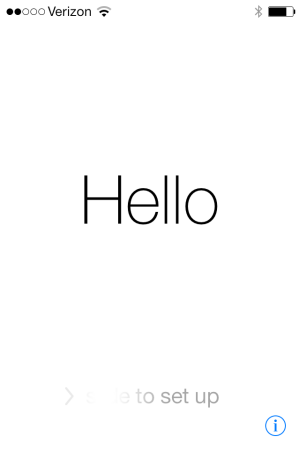
Completion screen
Best I can tell, the majority of visitors here are iPhone users. Apple recently released a major update to the software that powers your iPhone; IOS 7.0
Word of caution. The update process takes a long time – like hours for some. I'm not sure how long mine took. One of my kids warned me, so I left it alone for a few hours and came back to the friendly “Hello” screen that rotates through a bunch of languages.
I'm not sure if I like the design. It's probably the change thing, that's keeping me from being very excited about it.
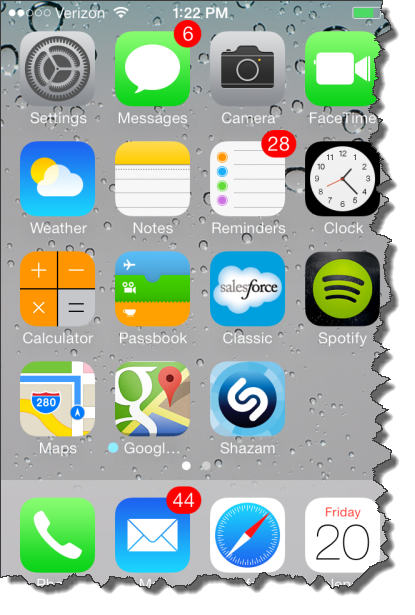
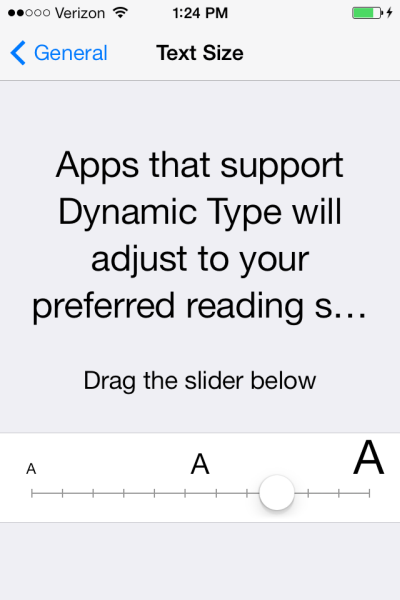
Apple's saying there's over a hundred improvements? The one improvement I am excited about is the adoption of the new Dynamic Type feature that will adjust the Text Size automatically in Apps that support this functionality. I updated Spotify and they still have those tiny numbers for the track length timer 🙁
Hopefully that will change in the future?
What have you found?
[plulz_social_like width=”350″ send=”false” font=”arial” action=”like” layout=”standard” faces=”false” ]
by John | Jul 3, 2013 | Instructor Training, Music, Spotify
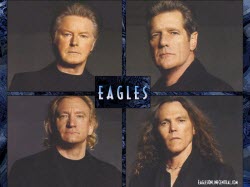
How is it that these ancient rock stars have 20 year old hair? Just asking…
Last week there were a bunch of notifications that Spotify now offers what looks like the whole catalog of Eagles music – or at least all the well known tracks.
Being of that 70's vintage, I don't remember being very focused on the Eagles… they were just always there on the album rock stations I would typically listen to. Even though I had multiple chances to see them live, I never did. Better to save my money for the next time Jethro Tull, Black Sabbath, Elvis Costello, The Cars or (I hate to admit) Kiss came to town.
But as I revisit many of the Eagles hits, I'm struck with how many I can sing privately along with. Last winter my buddy Craig borrowed me his DVD of the The Eagles – Farewell 1 Tour – Live From Melbourne These guys are/were supremely talented and this concert makes for a great two hour endurance class. You can get that DVD shipped free from Amazon with the 30 day free trial for Amazon Prime they are promoting for the month of July. I've posted before how Prime has changed my life by saving me untold time and stress. Just yesterday I found myself thinking I needed to drive across town to get a part for my kid's Honda scooter. But caught myself and instead I did the one-click thing with Prime and I'll have it tomorrow for less than what the dealer would charge and zero shipping or wasted time.
Here's my John's Eagles to use playlist of future Eagles tracks I intend to use in the future. It includes;
I've got a women in a Wednesday class I've been subbing for the last month. She walks in 10 minutes late, with her hands covering her ears, complaining about the music volume. I don't normally play my class very loud, but today I just may with Eagles — Victim Of Love cued up and ready for her to waltz in 🙂
by John | Jun 13, 2013 | iTunes, Music, Spotify

Nope. Move along, nothing to see here.
Based on what's being described, iTunes Radio won't work for your class. Unless you just want to hit play and work with whatever iTunes decides to deliver to you.
iTunes Radio (from what I can see) is really just Apple's version of Pandora. Give them a song or genre of music and iTunes Radio will serve a streaming radio of suggested songs.
I found a good explanation at zdnet.com of why Apple isn't offering a streaming catalog like Spotify or Google's new Google Play music services.
Apple most likely chose the radio station model because:
1. It's less like to cannibalize its iTunes music sales. A buy button is prominently displayed in the upper-right hand corner of the iTunes Radio now playing screen putting you just a touch away from being able to purchase a track.
2. It was a much easier sell to the music labels. I'm sure that the buy button in the upper-right corner was a significant part of Apple pitch to labels.
3. It was easier to close deals with three major music labels (which came down to the wire) as opposed to getting deals with all of the labels representing the 26 million plus tracks in the iTunes Store's massive music library.
Personally, I'd rather have a “catalog” (or hybrid) music streaming service from Apple (imagine, every track in the iTunes store being free to listen to!) over a “radio” service, which is why I don't see canceling my Spotify subscription any time soon. Ever since I've bought into the catalog streaming model, I've purchased very few individual tracks (although I've still purchased a few pre-release albums and live recordings) — which is probably the exact reason why Apple (and the labels) opted for iTunes Radio on Monday. I hope that Apple eventually expands it's music subscription offering, but judging by how long it took it to secure deals with three music labels (iRadio has been rumored since September) I'm not optimistic.
iTunes Radio is planning to launch this Fall.
