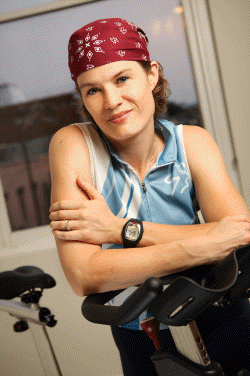
I wait all Fall for this!
Today (Dec 22nd 3013) starts my Sunday Performance Cycle Class at the Eden Prairie Life Time Athletic Club and I'm as happy as a pig in slop!!!
These classes are pure, unadulterated training for cyclists. No nonsense, no feeling like I need to entertain everyone.
We're soft-launching this winter's training program, the official start will be Jan 5th. Our first class in February will include a full 20 min FTP assessment + a weigh in so we can compute and then track everyone's Watts/Pound over the length of the program.
The beauty of this class is in its simplicity; each week follows specific training plans designed by LTF's Sr. Director- Endurance Sports Coaching, Troy Jacobson of Spinervals training DVDs. Instructors are free to create their own music playlists for these time & intensity based profiles.
Today we followed Coach Troy's Spinervals Competition 22.0 — Time Trialapalooza with a few modifications to accommodate cyclists who don't know their FTP – Functional Threshold Power.
NOTE: We ride FreeMotion S11.9 cycles with the Power/RPM console.
Class length 75 minutes + Cool Down
Warm Up – 10 minutes. 5 minutes of gradual increases in wattage. During the second 5 mins. we're finding the wattage where everyone is first noticing a change in breathing; VT1 / Aerobic Threshold = the top of the Recover Zone shown above. This establishes a rough understanding of a base wattage that we use throughout the rest of class.
3 x 30 sec. Hard / 30 sec. Easy – Openers to AT/LT. I cue these by first having everyone find the amount of load @ 70 RPM that has them feeling they should (not just could) come out of the saddle. The 30 sec. Hard is then simply accelerating to 90+ RPM which results in some pretty impressive power numbers. The 30 sec. Easy is back to 70 RPM – many will stand during the Easy portion.
2 minutes rest – I encourage riders to focus on their recovery. Once they feel calm in their breathing, bring back the Base level work wattage.
20 min. Tempo – Here I included a 4 min. “Best Effort” to establish a benchmark PTP Personal Threshold Power (top of the Perform Zone) or ride at 110% of FTP if known. It's very helpful to riders to have that understanding of their personal upper wattage number. The “Best Effort” Threshold # + the Base Threshold # we found earlier form the three Power working zones I use in class.
– 1 min. build at preferred cadence (suggested as 85-95 rpm) – press the Stage Button to reset the averages.
– 4 min. “Best Effort” This should hurt, but be do-able. I ask everyone to observe their average at the end and then…
– 15 min. reduce effort slightly (15% – 20%) and maintain wattage in between the two Thresholds.
I have everyone note the combined average, over the full 20 minutes, at the end of this effort. I'll use this wattage in the Tempo Intervals to follow.
5 min. Rest – Once breathing calms we bring back ~ Base Wattage and ride out of the saddle for a break.
15 min. Tempo – Quickly establish the average wattage from the 20 min. Interval. > Stage Button and then maintain. You may want to offer slight changes in cadence & load, while keeping wattage = to the initially established #.
5 min. Rest –
10 min Tempo – Time is shorter… so we should be able to work a little harder. Again quickly establish the average wattage from the 20 min. Interval + (if possible) add 10-20 watts > Stage Button and maintain
5 min. Rest
5 min. Tempo – What have you got left? I've got a really competitive group and although I heard some grumbling, they all appeared to push this 5 minutes at (some above) their PTP / FTP 🙂
Cool Down
Here's my Playlist from today's class in Spotify and Deezer – all are 10 minute+ songs. As this is a timed class, I don't worry about trying to match the efforts to the music.
Instructor and Zoning Specialist Kay Mamo joins me to discuss her version of a Cycle & Strength class and then provides the profile and music suggestions that you can use to teach you own class of this format.
In case you missed it, I subbed a “Cycle – Sculpt” class a few weeks ago and posted about it here. I also posted it on my Facebook page where Kay quickly commented that she wanted to share her experiences teaching what she calls a “CYCLE & STRENGTH” class with you. So here it is 🙂
I feel that there are some key takeaways you can learn from Kay in her interview – the most important being how her class is very similar to the one I subbed = these are not the typical participants you see in your classes each week. There's something about these (do we call them combo classes?) that make them very appealing to non-cyclists.
Everyone can listen to Kay's profile below > Only ICI/PRO members will see links to download the profile pdf and complete Spotify playlist.
[wlm_ismember]Feel free to treat yourself to a monthly or annual subscription and be ready for 2014.[/wlm_ismember]
Instructor Dennis Mellon presents his A little Bit of Everything profile as our 60th Audio Class PROfile! What has me most excited is Dennis has included a Harmonically Mixed playlist he created with Mixed In Key software on his Mac.
Dennis exemplifies exactly what I refer to when I say; “we provide a platform for smart, talented Instructors here at ICI/PRO!” It brings me huge pleasure to discover and then promote Instructors to our members around the world + produce their class profiles for your enjoyment.
We're convinced these profiles, from a real diversity of contributors, with help you grow as an Instructor and then keep your class filed with energetic and excited riders!
This new Audio Class PROfile will make an awesome addition to your rotation of class profiles.
Ride Profile: “A Little Bit of Everything”.
This is my “Go To” profile. This workout, like the title says, is a little bit of everything. Riders will work on all energy systems and all types of riding. At some point in this workout every rider will work on both their strengths and weaknesses. The ride will start with a warm-up followed by a Threshold Check. The first set will be a longer “around threshold” ride. In the second set riders will perform three, 2-3 minute, “above threshold” intervals. The Third Set is a sustained “Race” effort. The workout will conclude with three 1 minute max efforts.
You'll need this track – Proper Education to complete your playlist. Right Click > Save As and then open in iTunes. It should show in your Spotify / Local Files library and you can add it before syncing to your phone.
Listen to Dennis' presentation below.
Want to learn more about Dennis Mellon? Check out his website.
I call this workout Bad A*s Intervals because it's a hardcore interval workout & it features one of my favorite songs, “Bad A*s”. This is a 3-stage workout where each stage of intervals becomes progressively harder, but each stage also gets shorter (stage 1 is 6 minutes, stage 2 is 5 minutes & stage 3 is 4 minutes). The intervals get tougher because of the changes in the work to recovery ratios – stage 1 are 1:2 ratios (20 seconds on 40 seconds off 6x), stage 2 are 1:1 ratios (30 seconds on 30 seconds off 5x) and the final stage is the mother of all 2:1 ratios, a Tabata (20 seconds on 10 seconds off 8x). This workout is about 30 minutes because it is based on the concept that the higher the intensity the shorter the workout can be. However, you could add a 15 minute stage if you wanted to amend for a 45 minute profile – my suggestion would be a hill or two but it should be placed before the interval work because the last interval set will be about “emptying the tanks” so if you coach it right & your students ride it right, they will have nothing left afterwards.
Rachel is doing a great job promoting herself online. Here are links to her websites:
Here's the Spotify playlist and in Deezer – note: you may want to use a different opening track if your class has “sensitive” ears.
Track # 7 Bad A*s is a remix – download it here (Right Click > Save As) and then add it to your playlist – be sure to set Off Line mode while both your computer and portable device are connected to the same WiFi.
You can listen to Rachel's presentation below or you'll find it in your ICI/PRO member's only feed.
Spinning® Instructor and Zoning Specialist Kay Mamo presents our latest class profile; Just The Ride I Needed.
I’m a personal trainer (ISSA) and group exercise instructor. I’m certified to teach more than a half dozen indoor cycling methodologies as well as certified to teach Heart Zones® and the new 3-zone system, ZONING â„¢ fitness, created by Sally Edwards.
I’ve found that introducing my riders to ZONING and offering the use of BLINK heart rate monitors, provided by our facility (purchased from ZONING fitness), simplifies tracking the intensity of a workout. The Blink monitors have LED lights that flash BLUE, YELLOW or RED. In a class, we can run through a couple of easy field tests and determine how to set each person’s 3 zones. The Blue zone intensity is a heart rate that is below T1 (The first ventilatory threshold). The Yellow zone is the range of heart rates between T1 and T2 (The second ventilatory threshold). The Red zone is above T2. Details can be found at www.ZONINGfitess.com.
ICI/PRO Contributor Krista Leopold provides our latest Audio Class Profile – I like the way you move.
Objective and Intensity
To focus on movement first and simply observe how intensity is affected. My I like the way you move profile is derived in part from what Jeff Krabiel presented at WSSC this year in his session, “Four Variables of Intensity.” In that session, Jeff reminded us that there are only 4 ways to increase intensity in Indoor Cycling: resistance, cadence, position, and timing or opportunities. This profile doesn’t ask riders to work within a particular heart rate zone, but rather, by using 3 of the 4 variables, attempts to make a game of finding out just how much of any one of these elements can increase before riders lose control.
Listen to Krista's presentation of I like the way you move below.
No Spotify playlist – instead here is the link to the Steady 130 MP3 where you can download the suggested music. It's a big file so you'll need to wait for it.
NOTE: If clicking that link causes it to play – not download; Right Click > Save As to download. If it opens in iTunes it should be on your computer and ready to transfer to your device, if you have the setting correct that I explain in this post.
Here's the countdown timer Krista built to guide her through this class.