
by John | Jun 12, 2012 | iTunes & Spotify Training, Spotify

There is the option to Sync All but be careful if you have a lot of playlist. Tick each playlist you wish to sync.
Comments: Hi John-
I have scoured the entire ICI website and can't find anything to help me with the following:
1. It doesn't look like Spotify is syncing in some way with my droid2 phone. I have the app open on my phone before I open the software on my iMac. I updated a playlist on my iMac, and it didn't update the list on my phone. SO… I figured out how to download the songs directly to my phone. That led me to problem #2
2. when I add the songs to a playlist directly on my phone, it puts them at the end, and I can't find a way of moving them around (maybe this is too much for spotify)
So… I thought maybe I should delete the playlist from my phone, and if I log in to Spotify again, maybe it would sync up again, but I'm afraid of doing this and losing my playlist on my phone (since I have this playlist to play offline and it took quite a while to sync).
Is there a command/button on spotify to ask it to sync up again, and should it update anything on my phone that I updated on my iMac?
Also, is there a way of selecting only certain playlists to go to my phone, versus all of them?
Thanks so much for your help!!!!!
My response:
Interesting how I do things the opposite; I have a PC and use an iPhone – but I think everything is the same.
Yes you can select which playlists will sync to you Droid – the trick is finding where you do it 🙂
- Open Spotify in both your Mac and Droid – both need to be connected to the same Wireless system
- You should see your Droid listed in the left hand column under devices.
- Click on your Droid listing and you will see a list of all your playlists
- Tick the box for the playlists you want to sync
- You will still need to set each playlist to “Available off line” on your device.
I've attached a screen shot that show this.
You can reorder songs on your device by clicking the “pencil” icon and then dragging them by using the three horizontal icon on the right – but I haven't had good success with it. Better to reorder them on your Mac.
Does that help?
John-
Thanks a million!!!!! Truly! You have saved my sanity and allowed me to work with all the playlists I have put into spotify and onto my phone. Thank you!!!!
If this helped you please Like it on Facebook.
[plulz_social_like width=”350″ send=”false” font=”arial” action=”like” layout=”standard” faces=”false” ]
by John | Jan 24, 2012 | iTunes & Spotify Training, Music, Video Tutorials

John is it possible to add the BPM to all the songs in my iTunes library? The short answer for most of us is yes, with the exception of any tracks you purchased directly from iTunes back when much of their music carried DRM – Digital Rights Management. What follows is a complete video tutorial for adding the BPM to unprotected tracks in your iTunes music library.
While not being a huge fan of Auto BPM counters,* I do agree that having a number of methods of sorting your music in iTunes can be helpful and will help you become more efficient at creating cadence based playlists.
*I encourage Instructors to actually sample tracks using a Tap to the Beat counter, rather than depending on a software program to show the BPM of a track. Just because a song is listed at 150 BPM doesn't mean it will communicate a tempo that you can use to set your cadence at 75 RPM. Info about the Tap to the Beat counter can be found here.
MixMeister offers a simple and easy to use BPM Analyzer you can download for free here for both PC and Macs. Download and install it now. What's typical missing form any MixMeister product is a full explanation of how to use their software… and that's where I can help 🙂
Next watch this short video to learn how to add BPM to your iTunes library.
by John | Nov 30, 2011 | Instructor Training, iTunes & Spotify Training, Spotify
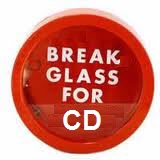
I learned something really important about Spotify this past Saturday morning. If your iPhone battery goes dead you will need to log in again before it works. Not a big problem… unless it's 3 minutes until your class is supposed to start and you can't remember your user name and password 🙁
Enter the rescue CD you have stashed at each club where you teach – or switch over to iTunes.
You do have a rescue CD backup music plan… don't you [wlm_firstname]?
But I digress…
The real purpose for this post was to show you that I have links to all the Spotify tutorials now on one page so they are easier to find – www.indoorcycleinstructor.com/spotify or you will find it under Resources > Help With Spotify in the navigation above.
It was actually funny watching the Instructor who followed me, cursing his iPhone… “I just charged this %@#$ thing”
“Would you like to use my CD?”
“Thanks” … “would you mind leaving your video too?”
“Sure.”
by John | Aug 20, 2011 | iTunes & Spotify Training, Spotify

In this post about transferring Spotify music and PRO/Playlists to your iPod – Droid or other wireless enabled device, I explained that there is no other option to move music from Spotify, other than through a shared wireless connection. Your USB cord won't work with Spotify – except to move your existing music to a conventional iPod.
The flaw in all this is assuming that everyone has a shared wireless network to work from… but what if you don't?
Skip your computer completely and download PRO/Playlists directly to your device is actually very easy for ICI/PRO members with a Spotify Premium account 🙂
Here's what to do:
- Open your Internet browser on your device
- Go to www.indoorcycleinstructor.com and log-in to your PRO member account.
- In the top navigation go to Instructor Training > Audio PROfiles and you will see the list of all the available PROfiles.
- Open the Audio PROfiles of your choice and scroll down and click the link “Here's your Spotify PRO/Playlist”
- It will open a page asking “Already have Spotify?” which you will tap.
- Spotify will open the PRO/Playlist and you can stream it instantly.
- I suggest you toggle the “Available Offline” slider to “YES” and wait until each track is downloaded before using it in your class.
Here's where you can find a listing of all my posts about iTunes and Spotify training.
by John | Aug 17, 2011 | Instructor Training, iTunes & Spotify Training, Spotify
ICI/PRO member Joanne asks:
I did get the link to download onto my iPod…..and the damn thing downloaded all my songs on my computer, so I now have all my playlists on the iPod, which is now totally maxed. It seems like whenever I plug in, I automatically hook up to both itunes and Spotify, so there is no room for the nice new ICPRO playlists…
I see a number of questions here so let me start with what I found initially confusing about Spotify:
1) There is a distinct difference, as it relates to Spotify, between an iPod and an iPhone / iPod Touch / iPad. Spotify's service is only available on devices with wireless Internet access. Conventional iPods do not offer wireless so they will not work with Spotify. Here is a list of supported devices.
Where I got confused is if you click on the devices tab in Spotify it shows an option to connect your iPod.

I wish they didn't even show this option. This function will only replicate what iTunes does and will only transfer the existing music you have on your computer. It cannot transfer PRO/Playlists or other music from Spotify to your iPod.
2) The second part of this question goes to a setting in Spotify that decides what music is synced to your wireless device.
- Connected your device to the same wireless network as your computer.
- Open Spotify on your computer.
- Open the Spotify App on your device – it took me two days to figure out I needed to do this 🙁
- You should see your device listed like this:

Click on your devises listing and you will see the option to select Sync all music or Manually Sync. You want to select Manual (there isn't any Save button)
Now you can select which tracks or playlists you would like to copy to your device.
I'm here to help you 🙂
Simply send me an email or feel free to call me with questions 612-868-0064 or Skype john.macgowan1
One last thing so I'm clear; Spotify music & PRO/Playlists will only transfer between your computer and device through a wireless connection. There is no other option to connect your device – the USB cord will not work – you must be connected to a wireless network.
by John | Aug 13, 2011 | iTunes & Spotify Training, Music, Spotify
Crowdsourcing is the act of outsourcing tasks, traditionally performed by an employee or contractor, to an undefined, large group of people or community (a “crowd”), through an open call. From Wikipedia.
The ICI/PRO Top 210 Indoor Cycling Songs list is an excellent example of crowdsourcing. Over 150 Instructors contributed their favorite songs. We compiled them into one big list that's been enjoyed by thousands* of Indoor Cycling Instructors around the world. *The pdf has been downloaded over 4,000 times. In this instance of crowdsourcing, we all benefited from learning (hearing) different music tastes from other Instructors.
We also benefited in a different way; each song that was submitted had been sampled/reviewed/tested by someone who shares a common expertise with the rest of us. We benefited [saved time] from the efforts of others. I feel very confident that I could take 12-15 random songs from the Top 210 Songs list, spend 10 minutes rearranging them to fit a profile, and have a usable playlist I could play in class. Why? Because the people who suggested each track are passionate Instructors just like me and you. I can believe in each song because I understand who had suggested it.
Music services like iTunes, emusic and Spotify boast of having millions of songs. Do you have time to sample even a tiny fraction of them? Of course not… but what if I combined my efforts with yours? And then we combined our efforts with hundreds of other ICI/PRO members?
This could be the beginning of something very cool 🙂
Enter Collaborative Playlists in Spotify

As simple as Right Clicking and Select Collaborative Playlist
Here's a link to a collaborative playlist I've started for favorite High School Rock songs.
PRO/Playlist High School Rock Songs for Climbing
You already need to have Spotify installed on your computer or smart phone to open this link. Once you see it on your computer you can add some of your own favorites from when you were in high school.
And like magic, the songs you added will show on here on my computer… and everyone elses 🙂
The potential for us to collaborate is endless.
Let me know your ideas.
