This Podcast is was originally published on December 13, 2008, I have updated it with our new Podcast host information and I am representing it now. I hope you enjoy it, Joey
Minneapolis was the last stop on the Global Ride Tour. It was at Pedal Indoor Cycling Studio a wonderful private studio in NE
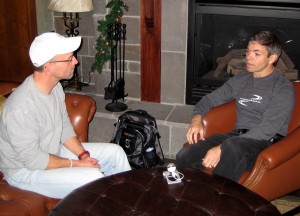
Minneapolis. The studio's owner Maryjo Hackett made everything work on short notice. I had a chance to sit down and hear from Spinning Instructor Gene Nacey about his two week, 9,500 mile road show. Gene was telling me that he has been editing and uploading videos to YouTube while they drove between towns. I felt a little competition brewing so I wanted to get this up before he got on the airplane this afternoon.
Listen to the Podcast below or subscribe using iTunes or Zune.
This Podcast is was originally published on December 3, 2008, I have updated it with our new Podcast host information and I am representing it now. I hope you enjoy it, Joey
I met Gene Nacey, the founder of Global Ride, LLC, at the Heart Zones Convention last month. Gene premiered one of his new Virtual Ride DVD's during an Indoor Cycling Class. What's unique about these DVD's is that you can teach to them. I had a chance to talk with Gene during a short break in his “Nationwide Global Ride” promotion tour.
You can follow along with Gene's tour at his blog Here
Listen to the Podcast below or subscribe using iTunes or Zune.
This Podcast is was originally published on November 1, 2008, I have updated it with our new Podcast host information and I am representing it now. I hope you enjoy it, Joey
I have never been a fan of bike racing videos in my Indoor Cycling classes. Too distracting. It's very much like watching a NASCAR race, you feel compelled to watch, waiting for the inevitable crash or some other drama. The creative team of Liz & Jan Hunter, the co-creators of the Bike-O-Vision DVD series, sent me a copy of their latest video to try out in my Spinning class. I liked it and so did the participants. My wife Amy (the senior group fitness instructor in my family) also liked them. Instead of creating a distraction, the pretty scenery you would see while riding these roads on your bike, added a nice atmosphere to the room. Jan and I discuss how they are made and his plans for more videos in the future.
Cameron Chinatti with Stages Indoor Cycling has an interesting webinar series going that she calls “The 7 Layer Cue Cake”.
Calling all indoor cycling instructors: It's time to get cookin'! If you spend countless hours slaving away over your playlists, substantial time concocting the perfect class plan and you still feel at a loss for the right words, then this webinar series is for you! Join CameronChinatti, Director of Education for Stages Indoor Cycling for this 7-part webinar series dedicated entirely to the art and science of meaningful cuing.
You can learn more and register for the other live presentations here.
Download the first presentation here > Right Click > Save As. Or click the link and it should open in a player. It's a big video file so you'll need to wait for it 🙂
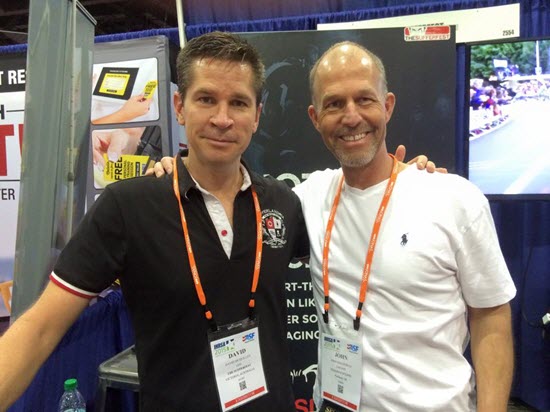
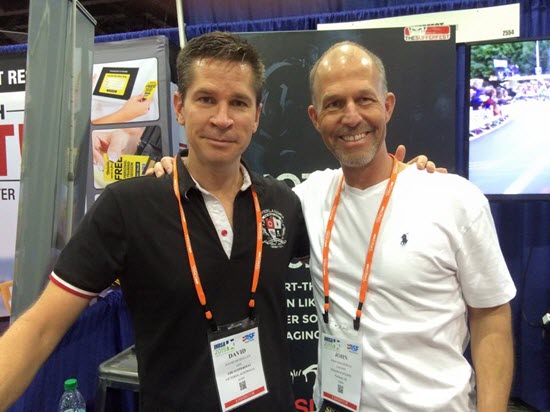
Is it possible to create Performance Cycling Classes that are entertaining and compelling, for both endurance athletes and non-cyclists? David McQuillen, with The Sufferfest video series, says you can with entertaining video content – note the emphasis on entertaining 🙂
I've been aware of David's videos for years. Perfect for pounding away in the garage or your basement, but I didn't consider them suitable for group cycling classes. Turns out I may need to adjust my thinking about this… With more than 45 licensed facilities worldwide (they're called Sufferfest Embassies) it sounds like there is a group application for these extremely well produced HD videos.
Listen below as David and I discuss his ideas on expanding your studio's appeal to cyclists through the use of his Sufferfest training videos.
Studio/Club Owners and Managers interested in becoming a licensed Sufferest facility can request a free information package by emailing Kate Patterson Kate@TheSufferfest.com – you'll want to include your studio's name and location.
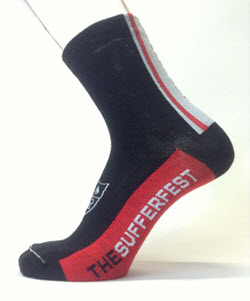
Please tell Kate you heard this interview on ICI/PRO and she'll send you a pair of these cool Sufferfest Socks, just for saying hello! Limited to responses through June 30th.
John is it possible to add the BPM to all the songs in my iTunes library? The short answer for most of us is yes, with the exception of any tracks you purchased directly from iTunes back when much of their music carried DRM – Digital Rights Management. What follows is a complete video tutorial for adding the BPM to unprotected tracks in your iTunes music library.
While not being a huge fan of Auto BPM counters,* I do agree that having a number of methods of sorting your music in iTunes can be helpful and will help you become more efficient at creating cadence based playlists.
*I encourage Instructors to actually sample tracks using a Tap to the Beat counter, rather than depending on a software program to show the BPM of a track. Just because a song is listed at 150 BPM doesn't mean it will communicate a tempo that you can use to set your cadence at 75 RPM. Info about the Tap to the Beat counter can be found here.
MixMeister offers a simple and easy to use BPM Analyzer you can download for free here for both PC and Macs. Download and install it now. What's typical missing form any MixMeister product is a full explanation of how to use their software… and that's where I can help 🙂
Next watch this short video to learn how to add BPM to your iTunes library.