It's common to have a little “chit-chat” warmup with Podcast guests. This time is for catching up with past contributors (or to calm first timers) before we record the actual Audio Profile or dive into the episode's topic. I'll occasionally have the recorder running during this time and for fun, I thought you'd enjoy hearing a segment of my conversation with Instructor Christine Hawthorne – AKA blogger Chrispins – where we discuss our initial thoughts on Apple Music and Chris shares a bit about her life beyond teaching.
I'll be publishing Chris's latest Audio Profile for our ICI/PRO members later today.
Not sure how I feel about this new show shot in an Indoor Cycling studio in LA. I've had a few regulars mention it to me at the club. One told me that she's excited to learn more about the sex and drama filled life I lead as an Instructor 🙂
Hollywood Cycle episode #1 is tonight on E! Entertainment Television
You may have already seen the trailer
https://youtu.be/e6h3rQlZUzI
Now you can also get some advice on what not to do in a cycling class >
“Hollywood Cycle” stars Nick Hounslow, Nichelle Hines and Aaron Hines give the down-low on what to avoid during their intense spinning sessions. Listen in!
Do ClassBuilder and Schwinn's Class Tamer iPhone Apps work with Apple Music?
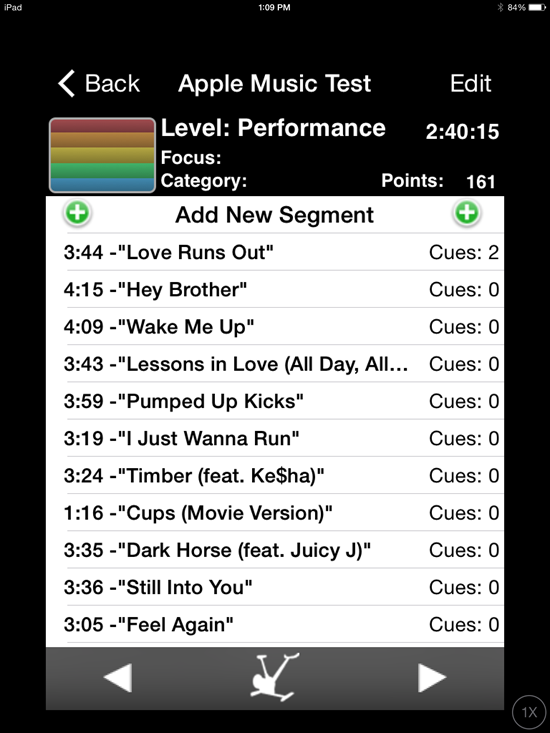
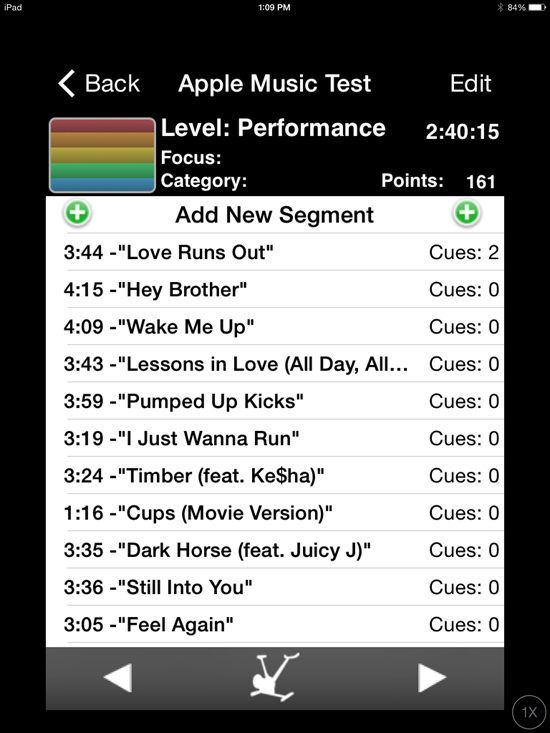
This person on Facebook said they both do… which would be very cool. So I renewed my efforts, fought through the confusion and she's right! I was able to open an Apple Music playlist that Dennis Mellon sent me, with either ClassBuilder or Class Tamer with my iPad*. I added a few cues and nearly everything worked perfectly – even in off-line mode.
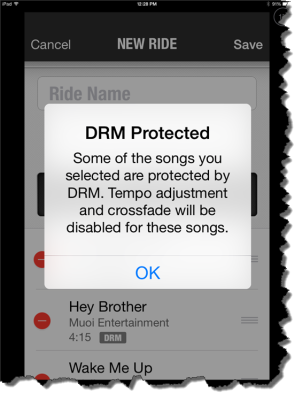
The two exceptions being the cross fade and tempo adjustment functions in Class Tamer won't work. It's because of the DRM that protects each track delivered through Apple's streaming service.
With Apple Music, that would be all of the songs you selected have DRM.
* Tempering my enthusiasm is Apple Music on my iPhone still doesn't work. It refuses to see the the Apple Music playlists in iTunes on my laptop.
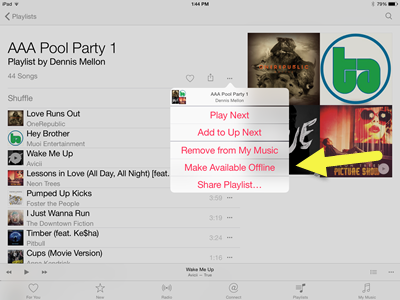
Here's that playlist from Dennis if you'd like to experiment. I'd open that link with your iPhone/iPad. Then set the playlist to Make Available Offline so ClassBuilder or Class Tamer can see the tracks. It appears to me that these downloaded tracks are normal AAC music files, except for the DRM that prevents you from copying, burning to a CD or keeping the files if you don't continue your monthly payments.
Tap the … more icon for the off-line option.
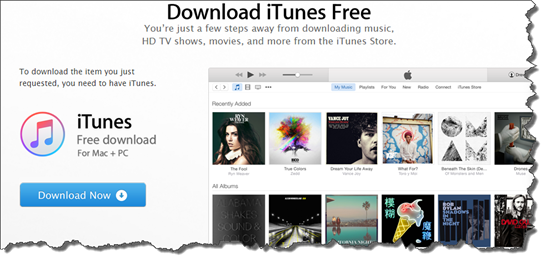
When I tried to open it on my computer it repeatedly send me to the “Download iTunes” page – even though I had iTunes open. I rebooted everything and when I re-opened iTunes I could see the new playlist… but at this point I still can't drag the playlist onto my phone and sync using wifi or the cord.
At launch, many users had trouble adding new music to their libraries, due to an apparent bug with the iCloud Music Library, which wouldn't activate for some users (myself included). This feature, which allows you to sync your collection across devices, is apparently also required to add tracks to your collection in the first place (even if you're only using Apple Music on one device). Strange. Although Apple had apparently fixed the iCloud Music Library bug within a matter of hours, the fact that the service requires this extra step for such basic functionality is a head-scratcher. Nearly 24 hours later, the songs I've been saving in the app still aren't showing up under the “My Music” tab. Presumably that will change at some point.
While it's convenient to be able to merge your existing tracks with Apple Music's library, the mechanism used to do this will madden many people: You have to use iTunes. Some of us would prefer to never see or think about iTunes ever again. And the thing is, it's totally possible to transfer music from your computer to a phone without using clunky desktop software. Spotify lets you sync your local MP3s to its mobile apps, but even that requires routing things through the Spotify desktop app.
What an interesting space streaming music has become.
Facebook has been in talks with major record labels with the intention of “getting into music”, according to reports.
Record labels including Sony Music Entertainment, Universal Music Group, and Warner Music Group have all spoken with Facebook, according to The Verge, though the exact purpose of the talks has yet to be confirmed.
Speculation around why Facebook is expressing an interest in music has centred around the possibility of a streaming service to rival the likes of Apple Music and Spotify.
Sources close to the talks claim that they are still in the early stages, but suggest that Facebook is planning something “unique”.
A separate report by Variety on 1 July detailing Facebook's intentions to test video ads could hint at the manner in which the social network plans to monetise any potential service.
Facebook's addition of listen buttons to artist's pages is as far as the firm has gone in creating its own music service and a fully developed streaming service could be seen as the next natural step.
With all the cash Facebook has, I wouldn't be surprised if they bought Spotify and/or Deezer shortly. We'll just have to wait and see.
iTunes 12.2 wasn't ready for the launch – so I have no idea how, or even if, it works 🙁
7/1 9:40am – could this be anymore confusing? Trying to save a streamed track to a playlist named 7/1 Test Playlist I created this morning. After exhausting all obvious methods, I tried first adding it to MY Music = success. Turns out that to add an Apple Music track to a playlist, it first needs to be downloaded to your computer like all of your local tracks…
BUT THEN I DISCOVERED THIS
You have got to be kidding me – really Apple? You won't allow me to transfer a playlist from my computer to my iPhone?
So it looks like the only offline usage of Apple Music is on a computer 🙁
I'm not wasting anymore time with this.
7/1 8:06am – seeing iTunes 12.2 is now available (link) and downloading it now. I will be posting my experiences shortly.
I'll be adding updates of my initial experiences above, as I have them… I'll save you some time by telling you that I already hate Apple Music.
Alright, I'm a little biased on the subject. I've developed a dislike for iTunes over the years and Apple Music hasn't done anything to change that opinion.
I was excited to try the new Apple Music Streaming Music service today. It went live at 11:00est and if you update your iPhone or iPad to the latest version of iOS 8.4 you'll see the new iTunes logo. Click it and (if you're lucky) the new Apple Music will open. I say lucky because it took 4 tries (opening and then closing the App) to get past the welcome screen.
I got kind of tired seeing this screen, and nothing more.
Once I had a functioning iPad App – I quickly realised that, like Spotify, building playlists will be easier from a desktop. Apple Music is part of iTunes 12.2… unfortunately at the time I posted this it wasn't available.
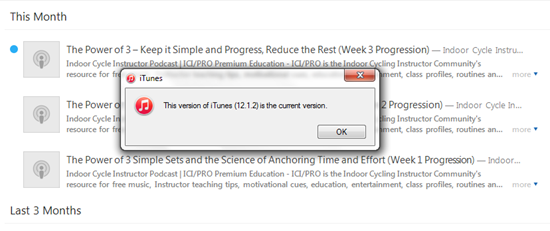
Err, no this isn't the most current version 🙁
Movingattempting to move a track into a playlist on my iPad requires a number of clicks; first click the track to play it > then click the “…” more icon for an option to move to a playlist. I prefaced this with attempted to move > after repeated tries I've yet to successfully see any tracks added to my test playlist. So I can't tell you how it works, because it doesn't.
No Cross Fade
This is a deal breaker for me. Apple Music doesn't appear to offer a crossfade > Just the EQ and volume limiter you had in iTunes.I love the crossfade feature in Spotify and can't even consider delivering class music without it. The one exception would be when I used one of Dennis Mellon's premixed class MP3s, which he's already fully mixed, so it's a non-issue.
I'm going to wait to see if Apple can sort out their issues, and release iTunes 12.2 so I can try the desktop version.
Stay tuned – but don't hold your breath. Spotify doesn't appear to have a competitor here for Indoor Cycling Instructors.
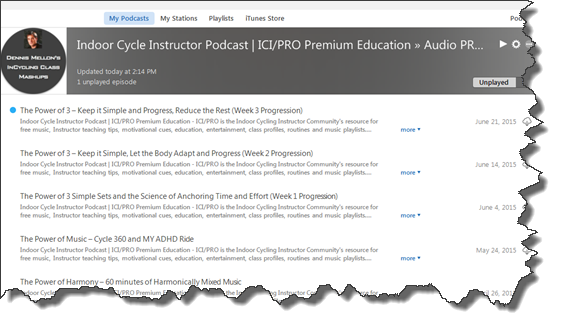
We just completed an update of the ICI/PRO feed to make it more user friendly.
ICI/PRO members get access to a special “Super Secret iTunes Feed” that will deliver a condensed listing of all of our downloadable Audio Profile Podcasts + full class mixed .mp3 playlists to iTunes or the Podcast App on your phone.
This latest update striped out everything but the important bits = now you'll easily find the audio profiles and mixed mp3s in iTunes or your favorite RSS feed reader.
To take advantage of this update you'll want to delete your old ICI/PRO feed and then re-subscribe using the RSS link shown below if you're logged in.
[wlm_loginform]
NOTE: This is a separate Podcast feed from the free Podcast. So you'll want both 🙂
Another way to access this RSS feed is directly through your browser. I know that Firefox will display the feed if you click the RSS link above – not sure about Safari. Chrome will work after you install this free plugin.