Now that it's summer, I like to transition from serious > to fun classes. Not sure exactly why… maybe because when it's cold and dark in the morning, I tend to think if we can't be outdoors we might as well be training with focus.
Summer, on the other hand, causes me to lighten up and try to be more entertaining and fun. Here's a few tracks that I'll be using in the coming weeks.[wlm_private ‘PRO-Platinum|PRO-Monthly|PRO-Gratis|PRO-Seasonal|Platinum-trial|Monthly-trial|PRO-Military|30-Days-of-PRO|90 Day PRO|Stages-Instructor|Schwinn-Instructor|Instructor-Bonus|28 Day Challenge']
Not sure where I found this but I remember I Shazamed it the instant I heard it. There's a nice 30 second finish you might use as a final sprint.
I know I heard T-Shirt Weather when I was at American Eagle Outfitters last week.
I'm going to set the mood for my next class with this fun remix – I can't help smiling listening to it 🙂 Doesn't this sound free and easy? You might also use it as an aerobic transition between a pair of intervals.
Here's the MP3 to download Right Click > Save As.[/wlm_private]
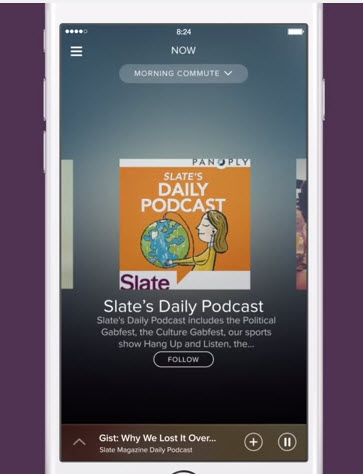
I've been waiting to see the new Spotify iPhone App upgrade this month. Now I'm glad I haven't. Word is that the track length timer fades out after a few seconds – leaving you with no understanding of the time remaining 🙁
This problem popped up on Facebook this week & the Spotify forum has a thread where users are complaining about the missing timer. Who would think this is a good idea?
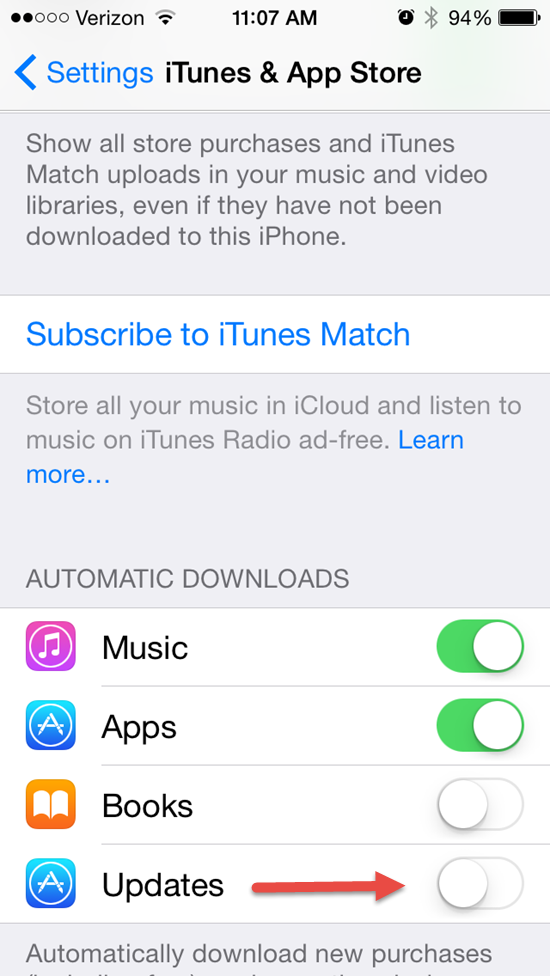
To prevent Spotify from updating (and losing your timer) check the settings on your phone. You can control if or when Apps will update. Go to Settings > iTunes & App Store and scroll down to the Automatic Downloads section and turn off the toggle next to updates.
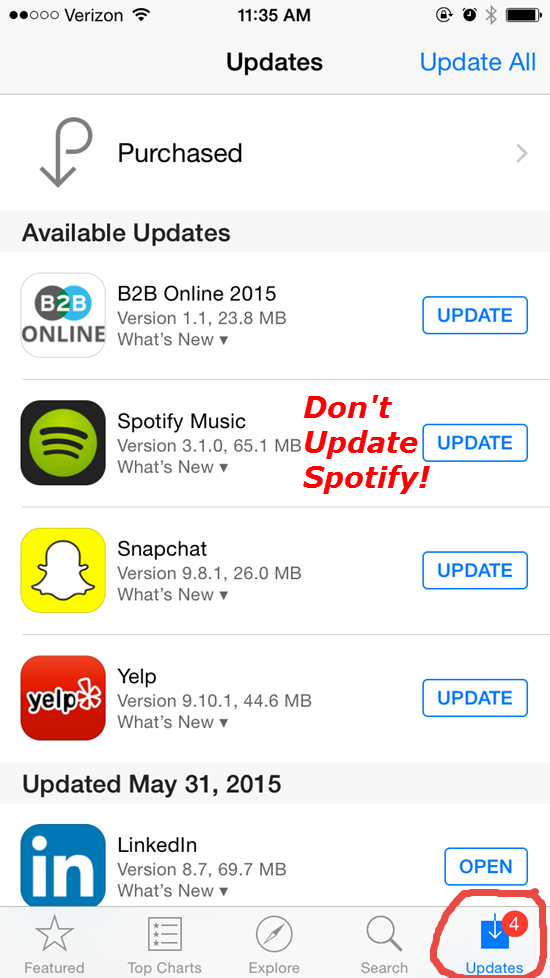
With this setting in the “off” position you'll see notifications of updates in the App Store App on your phone > Click Updates. Now you'll be able to select which Apps to update – and those you don't!
I'll notify everyone once I (hopefully) see that Spotify has changed this back to the way it was.
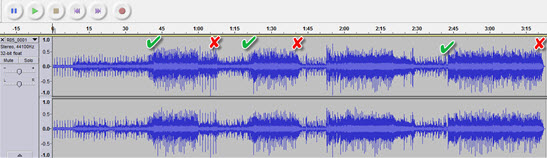
I love a great track that can be tune-mapped with some very clear bursts of energy, that signal GO!!! The image above is the actual sound print of today's free track. I've added the √ at the start of each sprint and an X at the end. You'll notice the segment @ 1:53 – 2:23 not marked – that's a feigned (false) sprint which is common near the end of a race.
Here's how I will cue this:
0:00 – 0:42 time for our big finish. I need everyone to find a comfortable cadence and add load that's close to having you come out of the saddle. Prep for two short sprints and then a final extended push to the end.
0:42 – 1:00 Sprint #1. Stand and accelerate with everything you've got – it's only 18 seconds so stay up and hammer through till the end.
1:00 – 1:23 Easy here. Leave your gear on. Sit and relax as much as you can… listen as the music builds until >
1:24 – 1:41 Sprint #2. Stand and accelerate and then return to the saddle. Power through this… you need to hang on to this group.
1:42 – 1:53 Easy, but watch for a break away.
1:54 – 2:28 Feigned sprint. Stand and WAIT – they only faked their break. But notice how everyone's intensity has risen to just below threshold.
2:29 – 2:45 Catch your breath and be ready for the finish sprint. Get your head right – this finish is long and it's going to hurt before you get to the end.
2:46 – 3:22 GO!! We need quick feet here. Head up. Breath like your race depends on it… it does. Watch your watts or speed. Ignore the pain in your legs and don't let it drop.[wlm_private ‘PRO-Platinum|PRO-Monthly|PRO-Gratis|PRO-Seasonal|Platinum-trial|Monthly-trial|PRO-Military|30-Days-of-PRO|90 Day PRO|Stages-Instructor|Schwinn-Instructor|Instructor-Bonus|28 Day Challenge']
Spotify had a big announcement yesterday > sounds like they're going directly after iTunes with a confidence that really surprises me. After all, we're talking about Apple here – the company with the largest market value of any company on earth. Kind of like my four pound Yorkie Maxx attacking our neighbor's German Shepherd!
Good for them 🙂
Streaming music service Spotify has announced new features including adding podcasts and video; music that adapts to the listener’s running pace; and the promise of smarter abilities to serve the right playlists for the time of day, activity and habits of the user.
The company’s launch event in New York on Wednesday, helmed by its chief executive Daniel Ek, offered some deeper clues about how Spotify is evolving, and the key challenges it faces as it aims to grow beyond its current 60 million active users, of whom 15 million pay for the service.
Spotify is biting back at Apple Recent months have seen a wave of stories about Apple’s supposed backroom machinations with music labels, encouraging them to clamp down on Spotify’s free, unlimited streaming service — which in turn would boost the prospects for Apple’s upcoming relaunch of its Beats Music. Read the rest here.
https://youtu.be/N_tsgbQt42Q
How do I get the ICI/PRO podcast on Spotify?
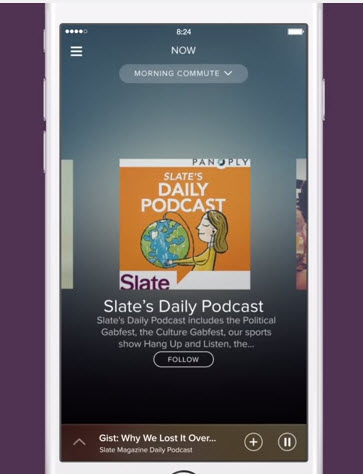
With many of us spending more and more time on Spotify, and away from iTunes, being able to cue up one of our latest episodes on Spotify would be awesome. So while I await my update signal from Spotify's server, I thought I would look into how I submit the Indoor Cycle Instructor Podcast to the new podcast offering from Spotify.
Here's what I found. With iTunes, Stitcher or any other Podcast service, publishers like ICI/PRO submit a link to the show RSS feed – here's mine http://feeds.feedburner.com/IndoorCycleFreePodcast – and this feed tells iTunes what episodes are available and when there's a new one, ready to be downloaded. It appears that Spotify is using the Panoply podcast network as the source for their on demand audio content.
So stay tuned. I'll make an announcement ASAP. Oh, for the last few of you who haven't yet, Spotify has an intro offer to upgrade to premium: $0.99 for three months.
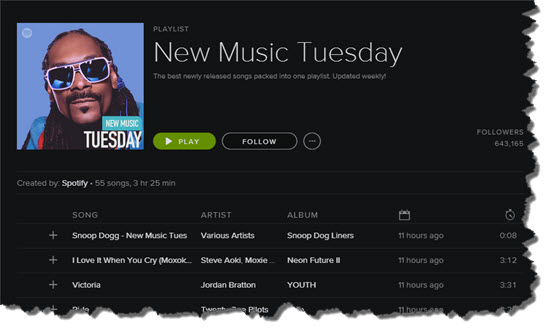
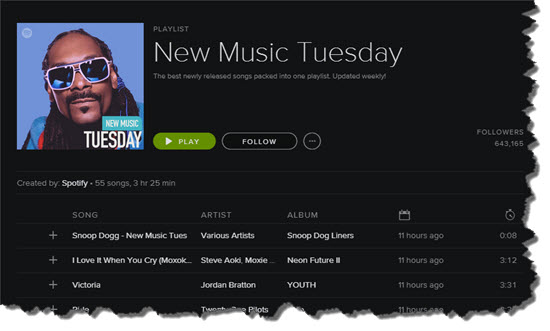
I'm not a Snoop Dogg fan – but there's some awesome tracks this week on Spotify.
This has become an almost regular habit for me. I'll cue up the New Music Tuesday playlist published by Spotify and then drag promising tracks into my Future To Use folder. Some weeks are near complete washouts. This week has what could be a complete class of songs… Oh, what the heck. Here's a playlist of just songs from today (no Snoop you'll notice) that follows my typical Life Time Fitness 45 minute Evolution Class Format – times are approximate and vary dependent on song length:
5 min Warmup – 90+ RPM
5 min Openers – 4-5 accelerations pushing above threshold (your Edge in Life Time speak)
3 min Reset – fun change of pace, but not a full recovery
4 min Best Effort = maximum sustainable Watts / HR
4 min @ VT1 (Aerobic Threshold or top of zone #2) / Base Watts
7 min Challenge #1
2 min Reset
7 min Challenge #2
2 min Reset
4 min Big Finish = a Best Effort / slightly above threshold final effort
5 min Dedication, cool down & stretch[wlm_private ‘PRO-Platinum|PRO-Monthly|PRO-Gratis|PRO-Seasonal|Platinum-trial|Monthly-trial|PRO-Military|30-Days-of-PRO|90 Day PRO|Stages-Instructor|Schwinn-Instructor|Instructor-Bonus|28 Day Challenge']
Why do I choose to follow a templated class profile?
Lots of reasons actually:
The Life Time Fitness 45 minute Evolution Class profile is supposed to follow this template format. One of the rare times in my life that I choose to willfully follow directions 🙂
15+ years of experience has me believing my participants enjoy a consistent, predictable class profile. This is especially true for my early AM “A” types. They need to see that I have a plan and purpose for the class. Sticking to a familiar pattern (they know what to expect) appears to be comforting to them + knowing what's coming has them working harder throughout the class.
It helps keep me creative. Knowing WHAT profile I'm planning frees me to play with music that determines HOW I'll lead each segment. The Best Efforts and Challenges are “open” – meaning, if I want to use a big climb for the first Best Effort I can. Just pick a powerful track with a slower tempo and I'm done with that segment. Challenge #1 and #2 can be speed, endurance, strength, etc… and typically a pair of songs.
Knowing in advance, what I'm doing this week, makes life less stressful. Less stress allows me to concentrate on delivering a better class presentation.
Simplifies creating fresh playlists. Because I already know the profile, I can quickly assemble a playlist. Contrast that with not knowing either the profile or playlist. I would have twice the work. No thanks.
[/wlm_private]I'll be using this playlist and profile on Thursday. I'll let you know what their response is!
There's plenty of times when a fun, lighthearted flat is exactly what your participants (and maybe you) need between a pair of threshold efforts. You'll give everyone permission to recover and lighten up, by offering up a noticeable change in the music, from really intense – to free and easy. You won't have to say a word. Let your music dictate everything and watch as riders relax and smile.
I discovered [wlm_private ‘PRO-Platinum|PRO-Monthly|PRO-Gratis|PRO-Seasonal|Platinum-trial|Monthly-trial|PRO-Military|30-Days-of-PRO|90 Day PRO|Stages-Instructor|Schwinn-Instructor|Instructor-Bonus|28 Day Challenge']Tori Kelly and her track Unbreakable Smile while I was doing one of my “power sampling” sessions. It's one of the few multitasking activities I find I can do effectively = bouncing between replying to emails and scrolling through to music, listening for the aha moment; “that could work!” Unfortunately, if you're working one of the Top 50 lists you have to wade through a bunch of foul (this crap is popular?) before you find anything of value.
Occasionally you're rewarded by a real gem 🙂
Don't forget to have a “Future to Use” Folder where you can compile these tracks for your next playlist. Up at the top navigation > File > New Playlist Folder to create an unlimited number. I have sub folders, inside the main folder, based on RPM > Unbreakable Smile is tucked into my 90ish RPM folder!