
by John | Oct 20, 2013 | Instructor Tech Help, Spotify
Click Image to subscribe to the notification list.
We're kicking off our Fall Spotify online training calls this afternoon @ 5:00 Central time.
More of these training sessions to come – join the notification list here.
I'll be covering:
- Spotify basic setup on your desk top
- Phone settings – iPhone or Android
- Importing your iTunes library
- Building playlists and playlist folders
- Transfering & offline mode
- Following and Sharing
- Delivering your class music
- Tips and Tricks
- Answering your questions
We'll be doing these as long as there's interest.
Join the notification list here.
by John | Oct 13, 2013 | Instructor Tech Help, Latest News, Spotify
Chris Hawthorne just sent me a note:
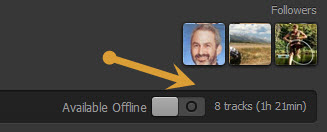
Now showing total time + hours and minutes beyond one hour!
Hi John! Have you heard the news? Apparently the Spotify timer is back. I have yet to receive the update but many instructors are already enjoying it!
Chris
Sent from my iPhone
It's about time 🙂
If you joined Spotify recently, you've had to live without any playlist timer. A major inconvenience when you want an accurate listing of total time.
Those of us joined a bit earlier enjoyed the playlist timer and were pretty frustrated when they removed it for no understandable reason. It wasn't perfect. A playlist of over 60 minutes displayed: Over One Hour, which wasn't much help when you were constructing a 90 minute endurance ride. I was creating two separate playlists; Part 1 & Part 2 so I could see the time, then combined them before class.
This new Spotify playlist timer showing both hours and minutes is a very welcome update.
To control the load on their servers, Spotify rolls out update notifications sequentially. I don't know for sure, but I wouldn't be surprised if they update their premium users first. If you're not seeing the new timer, I would first try closing Spotify if it's sitting open for a while. If that doesn't help you'll need to sit tight and wait until you see the update notification that will show on the top of Spotify page.
[plulz_social_like width=”350″ send=”false” font=”arial” action=”like” layout=”standard” faces=”false” ]
by John | Sep 24, 2013 | Instructor Tech Help, Latest News

Will this $250 computer do everything I need as an Instructor?
At only $250.00 – I've been very tempted to tryout and live with a Google Chromebook. Now I have my chance!
“It looks like you need another new hard drive.” That was the opinion from Dr. Bookem (brother Dan who's the smartest person in our family) after giving my two year old Dell a through examination. Which would be the third hard drive, beyond the original, that this laptop will have needed.
The first sign of trouble was at the San Francisco airport, waiting for my flight back from Jim Karana's memorial service. The thing would freeze as soon as I tried to boot it up. After six tries it finally caught. The next day the same thing. So off to see the doctor. “It will probably run fine forever… if you never turn it off.” Better to replace the drive and have me move (he called it ghost) all my files from the old drive to the new. A new drive is about $100.00 and the typical cost for this service would be $150 ish depending on who's doing it.
That $250.00 also happens to be exactly what Amazon charges for a new Samsung Chromebook. So I hit the buy it now button, along with agreeing to pay the additional $3.95 for next day shipping for Amazon prime members. Next day was really important for me. I'm leaving for LA and the MINDBODY FitPro conference on Thursday and simply can't go without a functional laptop.
I have very little understanding of what I'm agreeing to. Chromebooks don't run any of the normal programs that I'm used to using. No Word, no Excel, no iTunes, no Spotify – but it does of course run the Google Chrome browser. And no DVD drive.
To replace all that software normally found on you computer, Chromebooks run a bunch of free Apps that are based in the cloud.
I have a sort of easy peace about all of this, combined with a slight tingle of fear… do something everyday that scares you 🙂
Stay tuned for this weekend when I report on my early experiences.
by John | Sep 20, 2013 | Instructor Tech Help, Latest News
Completion screen
Best I can tell, the majority of visitors here are iPhone users. Apple recently released a major update to the software that powers your iPhone; IOS 7.0
Word of caution. The update process takes a long time – like hours for some. I'm not sure how long mine took. One of my kids warned me, so I left it alone for a few hours and came back to the friendly “Hello” screen that rotates through a bunch of languages.
I'm not sure if I like the design. It's probably the change thing, that's keeping me from being very excited about it.
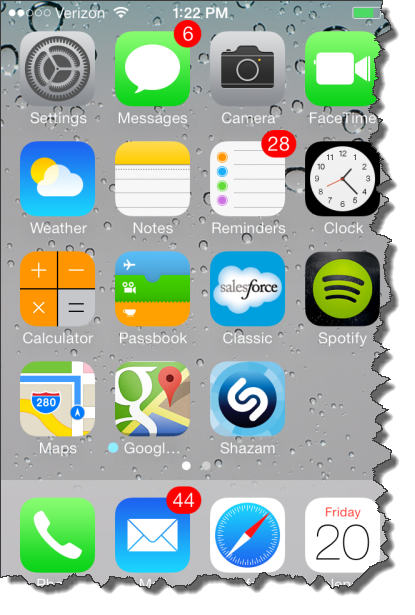
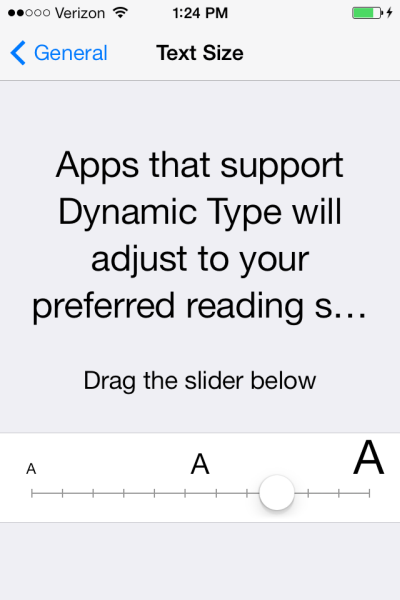
Apple's saying there's over a hundred improvements? The one improvement I am excited about is the adoption of the new Dynamic Type feature that will adjust the Text Size automatically in Apps that support this functionality. I updated Spotify and they still have those tiny numbers for the track length timer 🙁
Hopefully that will change in the future?
What have you found?
[plulz_social_like width=”350″ send=”false” font=”arial” action=”like” layout=”standard” faces=”false” ]
by John | Apr 4, 2013 | Instructor Tech Help, Instructor Training, iTunes & Spotify Training, Music
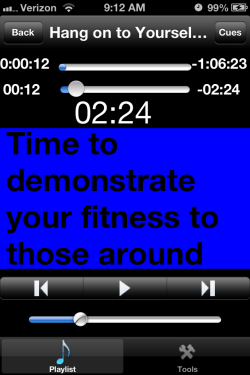
UPDATE: App developer Dave Norfleet is available to answer your questions posted below as a comment.
Schwinn Master Trainer Julz Arney showed me an interesting iPhone app when we met at IHRSA. She's been using this app to build her class playlists and was really excited to show it to me.
I'm very tempted to use it (instead of Spotify) simply for the class count-down timer and numbers that are big enough to read with my 52 year old eyes!
Similar to ClassBuilder, MyFitnessDJpro is the creation of developer / Indoor Cycling Instructor David Norfleet.
David's app is available in two paid versions:
- MyFitnessDJ – $0.99 includes the count-down timer and you can select from a catalog of cues.
- MyFitnessDJpro – $9.99 gives you the option to create your own cues like what's shown here.
You can also select different background colors to help you instantly understand your intended intensity. If you want , you can add multiple cues to each track and insert them at specific times. It's very entertaining to watch each new cue you've added, pop up right when you've set it – which could be set a few seconds before your change, giving you advanced notice of what's coming next.
This feature could be very helpful when you're trying to communicate a new theme or training objective in your class. Repetition goes a long way toward understanding. Having a number of reminders (to reinforce a specific / new concept) could go a long way toward keeping your message clear, and on point, without feeling you need to bury everyone with details in the first 10 minutes of class.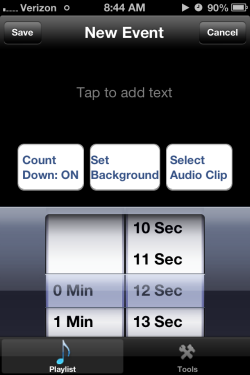
The pro version also includes an email playlist function, that you could use to fire off your music to an interested participant. David has also included an option to purchase and download some of his favorite playlists, if you need some external music suggestions.
Very cool.
If you found ClassBuilder too complex, time consuming or confusing – and yet you would like to be able to quickly add some easy to read notes to your iTunes playlist, MyFitnessDJ could be worth a look.
by John | Mar 5, 2013 | Instructor Tech Help, Spotify
No idea why it took them so long, but the Spotify App for iPhones has finally added an Instructor friendly feature that Android users have had (it seems) forever.
If you are running your class on an iPhone you will recognise this frustration right away > the need to go back and forth between the Now Playing screen and the Playlist screen if you want to see what's coming next. Where you can get in trouble is there were too many places where your sweaty fingers could touch and mess everything up.
The Spotify Android App shows the Now Playing track at the bottom of the Playlist screen along with stop/start button and the option to Swipe > advance to the next track. The latest update to the Spotify iPhone App includes this feature now as well 🙂
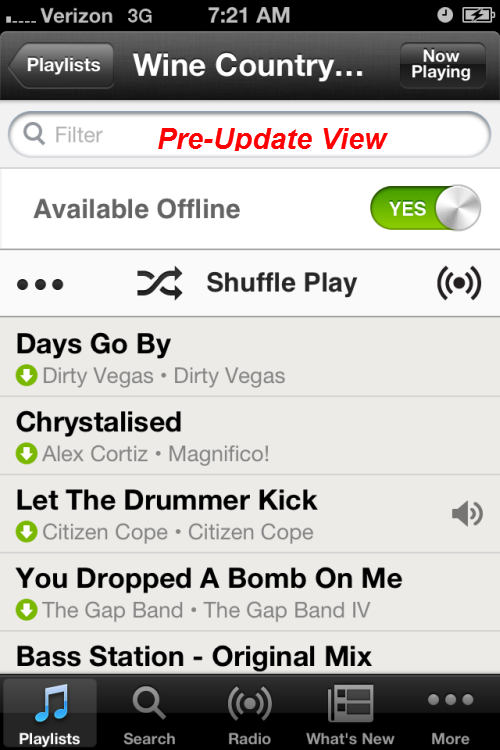
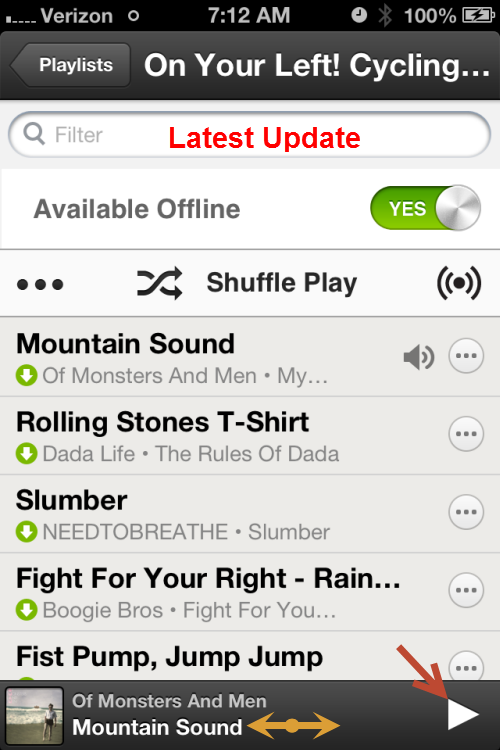
See your playlist and swipe to advance.
Now it's still not perfect – if Spotify would add the track timer to this slider, all us iPhone users could work off of this one screen and stay focused on our classes.
In case you're wondering, those circles with the *** don't bring you to an option to change the order of songs. You still need to do that on your computer.
I don't (yet) have an iPad. If you do and see anything new/cool added recently, please let us know below.
