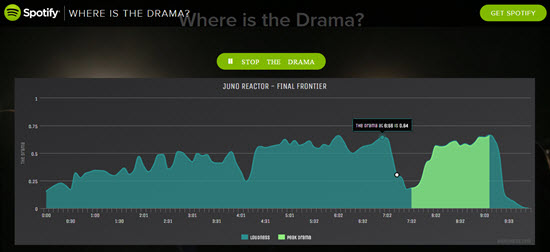
This Where's the Drama app for Spotify gives you a visual representation of the changes in loudness of any track in Spotify's library = changes that many of us will use as cues.
NOTE: for an unknown reason there's no sound for the first 14 secs.
It's super easy to use and there's nothing to download or install.
[wlm_private ‘PRO-Platinum|PRO-Monthly|PRO-Gratis|PRO-Seasonal|Platinum-trial|Monthly-trial|PRO-Military|30-Days-of-PRO|90 Day PRO|Stages-Instructor|Schwinn-Instructor|Instructor-Bonus|28 Day Challenge']
Type in the name of your track > it helps to add additional words (artist) to narrow down the results.
Scroll down to find the correct song & click it
Your track is shown as a graphic > The highlighted area signifies the most dramatic point in the song 🙂
I've been playing with this today, trying to find ways that it could save me time. The first place I've found is to quickly find the GO! point in the songs opening. Here's an example for Rudimental — Right Here – feat. Foxes which I use for a Threshold interval @ 83RPM.
(#1) shows the start point @ 0:24 – between (#2) and (#3) is a 0:43 soft part. Notice how you can quickly see that the song dies with 20 seconds to go? (#4) Where's the Drama looks like a nice tool to ensure your intervals are as long as you intended.[/wlm_private]
Let me know if you find other uses for it + if this would display a complete playlist, in real time, would that help you cue and teach more effectively?
Spotify is continuously updating both their computer software and iPhone/Android Apps. To keep you up-to-speed with changes and improvements, here are a few new tricks you might not be aware of – a few of these are courtesy of PC Magazine:
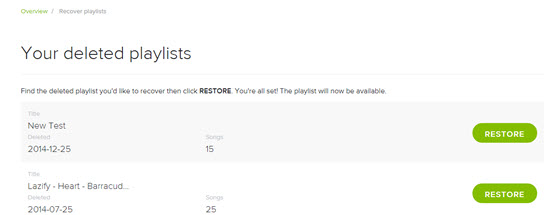
Recover Deleted Playlists
Oh Crap! Ever have that sinking feeling when you've inadvertently deleted a spotify playlist? Have no fear. Spotify has a place where you can recover deleted playlists. To find your deleted playlists go to your Spotify Profile (opens in your browser) and scroll down to Recover Playlists.
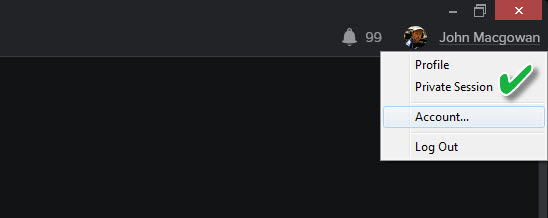
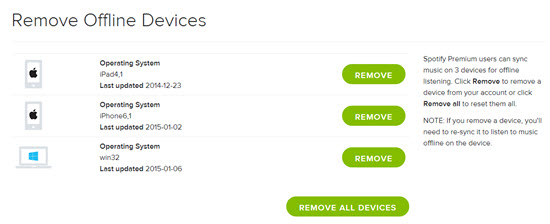
While you're on your Spotify profile
Spotify only allows you to sync three devices. So if you've upgraded, replaced or added any devices (new iPad for Christmas?) you can Remove Offline Devices there.
Clean House
If your sidebar has your scrolling through a few hundred playlists, it maybe time to get organized! While it's not a new feature, how to create new Playlist Folders isn't readily apparent > but it is easy. From the File navigation you can select New Playlist Folder or the Ctrl+Shift+N shortcut has the same result. Create a folder name and then drag playlists into the folder.
Garbage in… Garbage out
To be fair, the Normal setting for sound quality is fine for most listening situations and streaming. Your studio isn't one of them. Can I assume you what the very best sounding music possible? Amplification of music will magnify the quality (or lack of quality) and the difference will be noticeable to your participants. Follow the Settings > Music Quality and set the Sync Quality to Extreme. Sure it takes a bit more memory, but the clarity and PUNCH of your Extreme 320 kbps tracks will make a subtle (yet impactful) impression on your class! NOTE: this setting only effects music you've set to make available offline > which is the only way you should be playing class music.
Find the best EQ for your studio
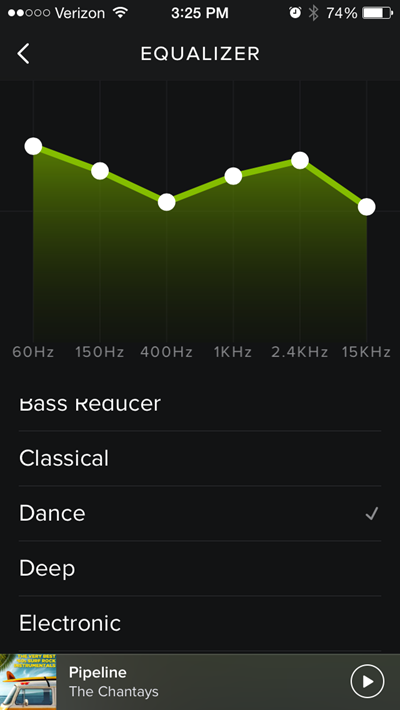
Do you have a few participants who always show up early? I do and last Thursday (New Years Day) I put them to work before the start time for class. I used Aly & Fila — Perfect Love – Radio Edit, a fun track from this Jan 1st Playlist and went through each option on the Equalizer: Settings > Playback > scroll down > Equalizer. The Dance EQ setting was the popular favorite so Dance was what I used – and will continue to use in that studio.
NOTE: If you want to get really fancy you can tap and drag the white dots to make your own custom EQ setting. It appears that Spotify remembers your setting after it's been closed, even though the little check mark doesn't show the next time you open Spotify, so it's all good 🙂
What's this remote control thing?
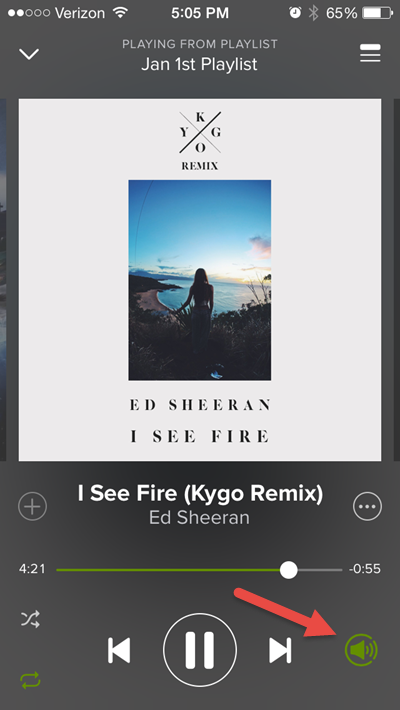
Spotify assumes that if you're playing music from your computer, you automaticly what to control said music from your handheld device. But what if you don't want to control your music from your iPhone? It drove me crazy for a while until I figured out that I could turn off the remote control by taping the green speaker icon shown below.
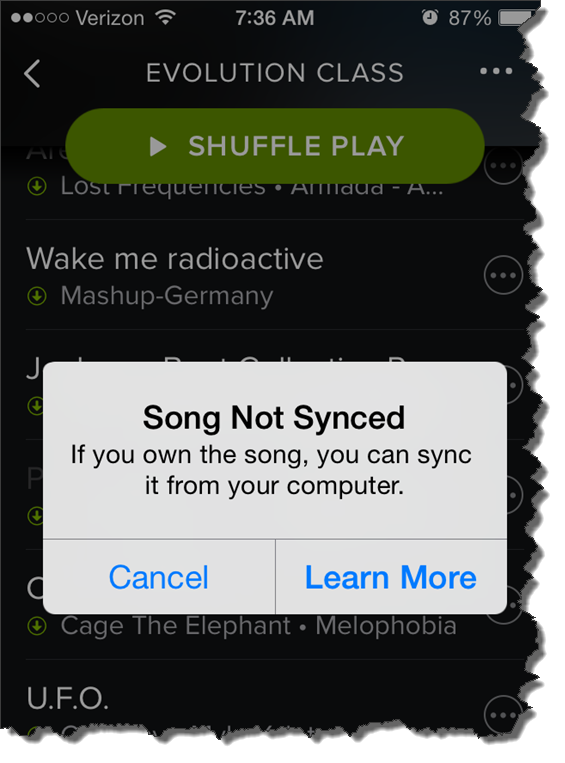
This morning at about 5:30, as is my normal routine, I check to see that my playlist is ready for my 6:00 AM class. The frustrating notice above appeared when I clicked one of the local tracks in my playlist.
I've seen this before
Amy has been having this same problem with her iPhone 6. Best we can tell, this started after she updated to the latest version iOS 8.1.2. Playlists that have worked perfectly in the past now have local tracks that won't play.
But not all local tracks are MIA – which is very confusing to me. For some I figured out that Spotify was substituting one of their tracks. Others work just fine. When I checked the folder location on my computer and compared working tracks vs. nonworking tracks – I can't find any difference. Unfortunately many of the remixes Amy and I like to use aren't available to use with Spotify = we're SOL.
So far I don't have a solution
We tried everything we could think of on Amy's iPhone; rebooted the phone, checked for a Spotify update, copied all the tracks into another playlist, toggled the Available Offline off and on multiple times… nothing has worked.
Quick question: what do you feel is missing with (or should be added to) Spotify or Deezer, that would make it the complete music delivery package we need as Instructors?
From where I'm sitting, having the option to include non-Spotify/Deezer tracks in playlists I share – and then have those tracks play for whoever I shared with.
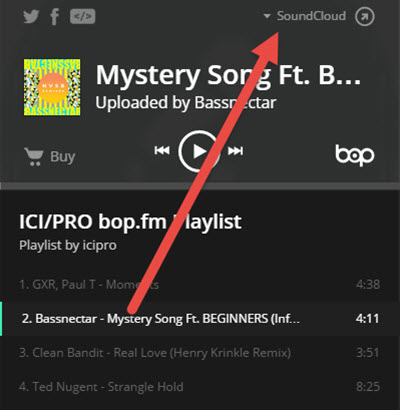
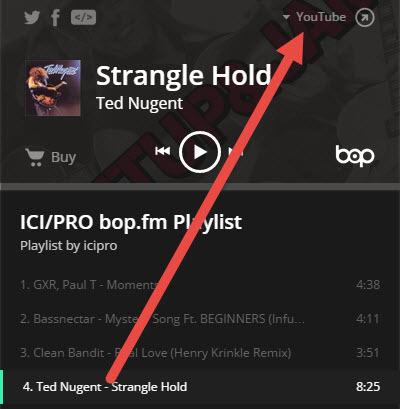
I'm not sure yet, just getting a feel for it – but bop.fm maybe a service we can use in the future. bop.fm connects to many of the popular music sites and their iPhone App allows you to assemble a playlist from multiple sources like; Spotify, Deezer, SoundCloud, YouTube, etc.. and then you can share the playlist with anyone. As long as you have a premium subscription, the bop.fm playlist will stream & play the songlist accuratly.
The trouble with local files > you can't share them
When I create a playlist with the purpose of sharing it, I'm either super careful not to include any of my local files – or – I make sure to include a download link for any tracks that aren't in Spotify/Deezer. But this is still really limiting because there are lots of awesome remixes and mashups that can really complete a playlist.
The trouble with SoundCloud > no option to download many of their tracks
You might search SoundCloud for a specific root track and find dozens of great quality remixes. Which is great except most don't offer any download option = you can only stream them. So you could build and stream a SoundCloud playlist as your class music, but there's no option to include any tracks from anywhere else.
So bop.fm maybe a solution?
Yes bop.fm will aggragate tracks from multiple sources. Which solves the initial problem of sharing a playlist with you. Unfortunately there isn't an “offline” option to download all of the tracks to your device – placing your and your class at the mercy of your Internet service. If you've got a great wireless signal you might give bop.fm a try. I don't, so I say bop.fm might be an option for us in the future if/when they include an offline mode in the future. Spotify's early iPhone App didn't at first, it was added later.
Here's a great deal for anyone who's been dragging their feet on subscribing to Spotify. Sign up now and get three months for $0.99 – this is for USA customers, you'll need to check to see if the offer is available in your country.
If you're concerned about learning the in's and out's of Spotify – we've got you covered here at ICI/PRO.
Beyond the access to millions of tracks – one of the main benefits of Spotify is how easy it is to share playlists between friends. As an ICI/PRO member you're considered a friend and we have over 60 fabulous playlists that you can download here.
Looking for that perfect track? We have 8 collaborative playlists where you can find song selections from other ICI/PRO members and you can add your own.