
by John | Jun 8, 2017 | Best Practices, Instructor Tech Help, Master Instructor Blog, Spotify
ICI/PRO member Dr. Marc Schlosberg is one of those Early Adopters you've no doubt heard discussed in the media. This group is quick to experiment with and embrace new technology. Marc was one of the first Instructors to use Spotify in his classes and he joined me on the podcast to discuss this (at the time) exciting new option for delivering music to our classes. Marc sent me this email yesterday, providing his comments related to my conversation with Chris Hawthorne on Podcast #303
Hi John,
I was listening to the latest podcast and heard about the Spotify syncing issues. I have a couple of suggestions/solutions. I think the reason rebooting all units works to fix syncing is that the newest versions are then installed on all devices. I believe syncing problems develop when Spotify updates and there is a version mismatch. You don’t always know this is the case or sometimes it’s difficult to track that one device has updated, but you haven’t checked the others. Simply shutting Spotify down, checking for updates and updating it, then restarting the program should solve the problem. You have to do this with all the devices you use.
Another roadblock to syncing is lack of space on a device. It won’t tell you you’re out of space, but won’t take individual tracks offline — they stay grey rather than green. It’s a good idea to switch playlists to online only after you’ve used them to preserve space (except for those you always like to have in your back pocket). You could also delete unused apps to make room. My iPhone is 16gb and I’ve run into this problems (and 16gb used to be an unimaginable amount of space). It’s probably less of an issue for those with 32gb and up or Android devices with huge plugin memory — unless the memory is full.
Whoa — it looks like Spotify updated their iPhone interface yet again while I was writing this.
Hope this helps.
Take care,
Marc
Thanks for this Marc! Your suggestion that available storage maybe limiting the number of “off line” playlists is a good one and begs the question; “how can I tell how full is the memory on my iPhone?”
There are a couple of places that will show you how much space/memory you've got left. My preference is to go to: Settings > General > Usage… where at the top you'll see how much room there is for a few more playlists.
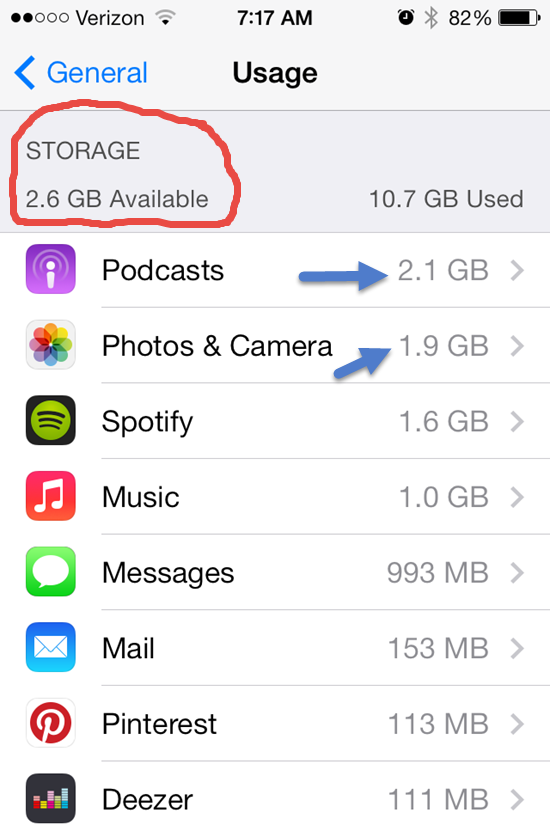
This also shows you all the other memory hungry Apps on your phone. One common culprit is your camera's memory and all those pictures and HD videos. Downloading them to your computer and then deleting can free up some space.
Depending on your settings, Podcasts download automatically and can quickly crowd out your favorite playlists. Open your Podcast App select a specific Podcast > Settings > Episodes to keep and select a number to save (Last 2 / Last 5 / ect…) instead of All.
Do you have any other tricks you can share?
Originally posted 2014-04-04 07:53:40.
by John | May 3, 2017 | Instructor Training, Product Reviews, Training With Power

When I'm asked to review a product or service that includes new technology, I'm always a bit hesitant. You see I like simple and I tend to see many new products trying to solve a problem that really doesn't need to be solved or will add another (needless) layer of complexity/frustration/distraction to the lives of Instructors and/or their students.
Power indication in our classes is a perfect example. Seeing our watts is a huge step for many of us and equally so for our students. We see the value of all this information (metrics) about the amount of work we're doing in class. Many of us are excited to use that data as the basis for improving our fitness.
But what do we do with all this new information?
Collecting your data is a good place to begin. Both the FreeMotion and Schwinn Power Meter consoles offer the option to plug in a USB flash drive. After your training session you can download the ride to your computer to see what you've done. Which is interesting, about two times. Then you realize that looking at a snapshot of a single day isn't really telling you anything of value. If you're an Excel expert you can build a fancy spreadsheet to show graphs where you can see trends. Or you can subscribe to an online service like Training Peaks ($20 a month if you want the graphing features), upload your results and track your fitness. I see online services as an excellent choice for a committed athlete, but a bit over-the-top for the Club Athletes that make up the majority of our classes.
When Cameron Chinatti from Stages Indoor Cycling explained their new iPhone App, which is designed for use with the FreeMotion console, I saw it as a potentially useful tool that could benefit both you and your students.
So I agreed to give it a try to see if it was in fact useful and not needlessly complex or distracting.
Click here to see my review of the FreeMotion S11.9 and S11.0 Indoor Cycles.
Or order a Freemotion S11.0 Indoor Cycle – Includes the Power Sensor Console – from amazon.com with free shipping
Set up.
The console uses Ant+ to communicate with other devices. iPhones don't “hear” Ant+ signals, so Cameron sent me a Wahoo Key – a little device that plugs into the bottom of your iPhone. I then purchased the $0.99 Stages App from the iTunes store and installed it.
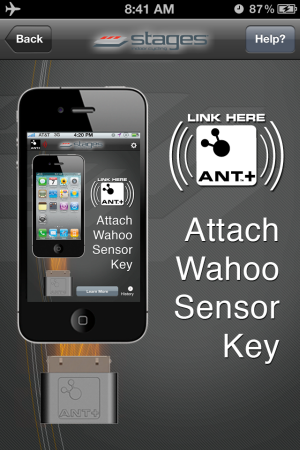
Using the Stages App.
I have a “Is it intuitive and easy to use?” test, which is simply; “do you turn it on and it works… Yes or No?
The App passed – and as long as I followed the proper procedure, every time I turned it on it worked.
The console is designed to “Pair” fancy word for connecting to both a Heart Rate strap and/or your iPhone during “Warm Up” mode. Once you advance to Stage 1 Pairing is no longer available. With the Stages App turned on, pedaling the bike and the console in Warm Up you will see:

Pressing the Stage button brings you to the main screen.

My second test is; “what value does this product provide, beyond some fancy graphics?”
Something we all need to know.
The Stages App will calculate your FTP (Functional Threshold Power) and your Heart Rate at FTP over a series of rides. Understanding your FTP is as important as knowing your Threshold Heart Rate. With both these metabolic markers you can create specific training zones. Once your student's know their Power Zones your class will be a whole lot easier to teach for you and more understandable (and beneficial) for them 🙂
Here's the setup screen where you can select to App to calculate your FTP or you can manually add it if known.

Auto-Calculate FTP is HUGE
I talked to Cameron about the auto-calculate feature because after three rides it was showing my FTP as 186 Watts vs. ~240 watts which I'm normally seeing during a long hard effort. Her response was; “how hard did you ride during those classes?” I admitted that I hadn't worked as hard as I could have. Cameron explained that App is looking for your best 20 minute average wattage and if I don't provide a hard/long effort the App doesn't have the necessary data to work from. It didn't have any trouble calculating my FTHR 🙂
There's much more to this App and I am planning a Podcast with Cameron to explore all it's functionality in more detail. For more now please check out this Quick Start video and if you are teaching or training on a FreeMotion S11 series Indoor Cycle I highly recommend that you start using this App – ASAP.
Order your Freemotion S11.0 Indoor Cycle – with Power Sensor Console
Originally posted 2012-05-13 11:33:38.
by John | Oct 24, 2015 | Audio PROfiles, Instructor Tech Help
Every Podcast is still available here on our website.
I've described my Love/Hate relationship with Apple in the past. Here's another example of the “Hate” component.
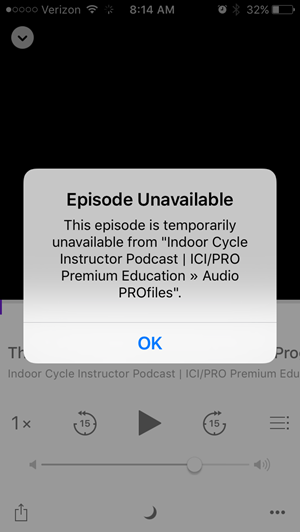
ICI/PRO Members who have updated to the iOS 9 – the latest operating software for idevices (iPhones and iPads) – might notice a new “issue” when attempting to listen some (but not all) of our Audio PROfiles.
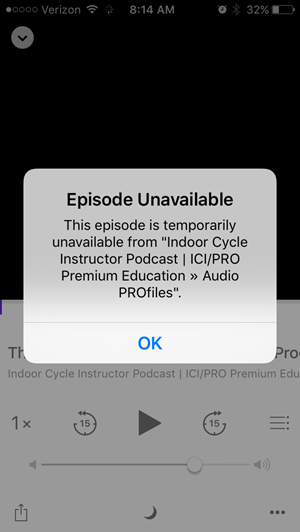
Podcast Not Available notifications while using the Podcast app. There appears to be a change that is preventing the app from recognising that we are providing multiple MP3s, so the app is confused and won't serve anything.
We are currently working on a solution and we will let everyone know when we've solved this.
There's also an issue for new subscribers we're trying to fix!
Pre iOS 9, we had a simple method for subscribing to your personal RSS feed. Clicking your RSS link at indoorcycleinstructor.com used to automaticly open the Podcast app on your iDevice and ask if you wanted to subscribe to the members only Podcast.
The iOS 9 update includes a new “News” app that is feed articles via RSS news feeds = it opens, instead of the Podcast app, when you click the RSS link 🙁
Look for an update on this as well ASAP.
by John | May 31, 2015 | Instructor Tech Help, iTunes & Spotify Training, Music, Spotify
Two steps forward… three steps back.
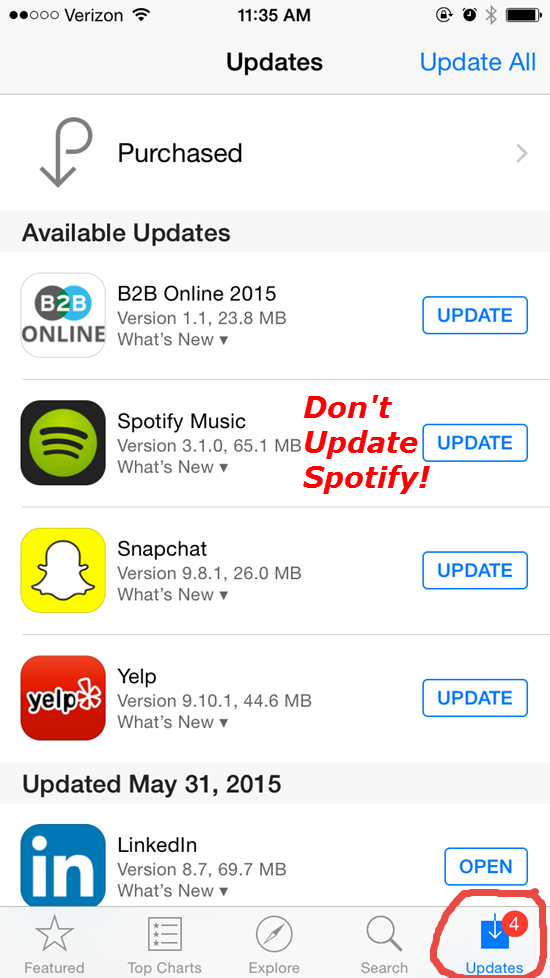
I've been waiting to see the new Spotify iPhone App upgrade this month. Now I'm glad I haven't. Word is that the track length timer fades out after a few seconds – leaving you with no understanding of the time remaining 🙁
This problem popped up on Facebook this week & the Spotify forum has a thread where users are complaining about the missing timer. Who would think this is a good idea?
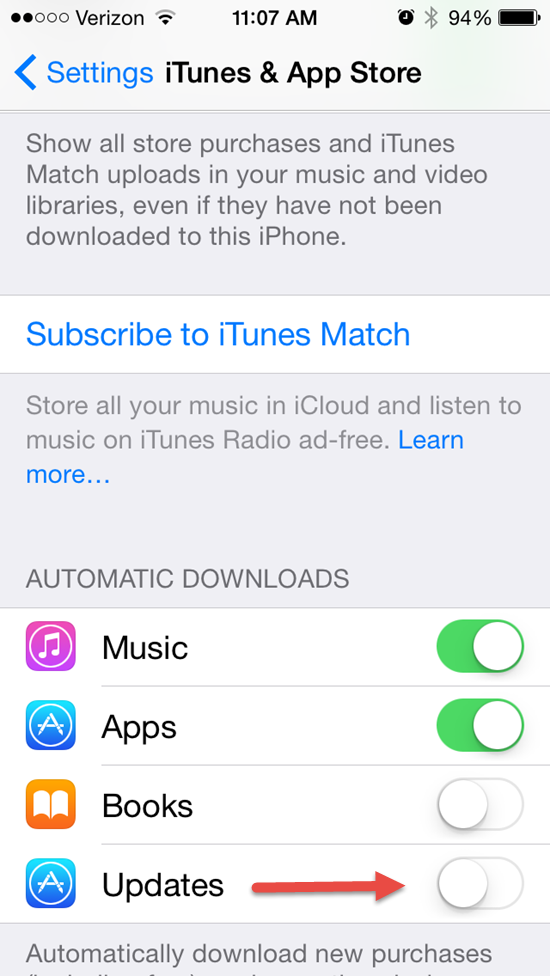
To prevent Spotify from updating (and losing your timer) check the settings on your phone. You can control if or when Apps will update. Go to Settings > iTunes & App Store and scroll down to the Automatic Downloads section and turn off the toggle next to updates.
With this setting in the “off” position you'll see notifications of updates in the App Store App on your phone > Click Updates. Now you'll be able to select which Apps to update – and those you don't!
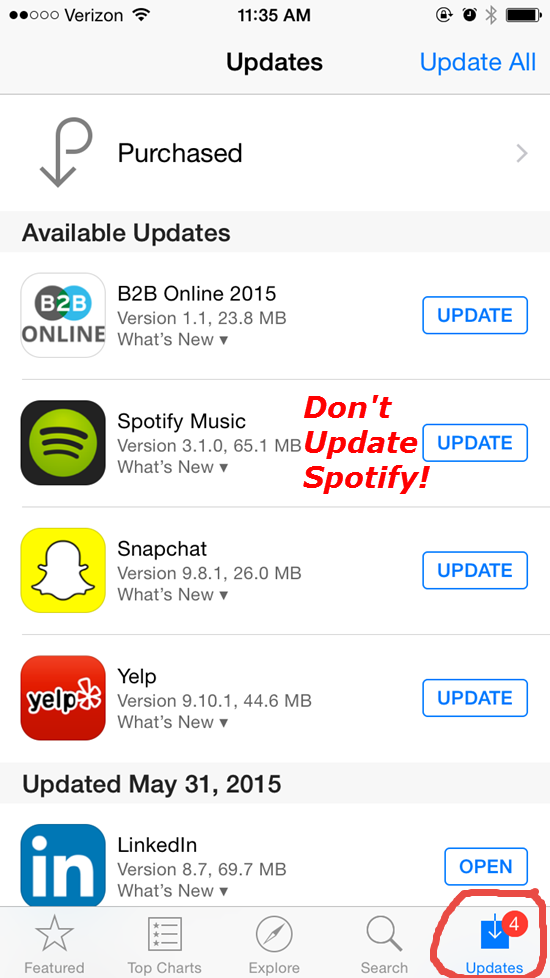
I'll notify everyone once I (hopefully) see that Spotify has changed this back to the way it was.
by John | Nov 24, 2014 | Big Box Instructor, Instructor Tech Help, Music, Spotify
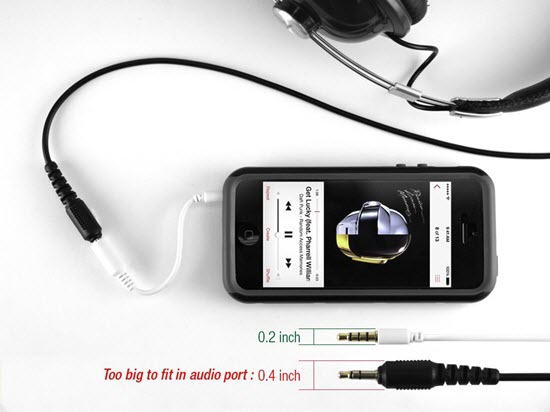
Do you have this problem? Click image to see this adapter at Amazon
I never expected this problem
Amy and I both updated our iPhones last week. She got a new iPhone 6 and I went with a 5s. Both are lighter and thinner than the iPhone 4s' we replaced. Thin is great, until you add a case to them. Now the club's connection cord to the stereo is too thick to fit into the iPhone cases' female jack = neither of us can use our phones to teach without; A. removing the case or B. use a bluetooth receiver to connect wirelessly.
So to fix this I ordered two very inexpensive 3.5mm adapters today from Amazon – $4.99 each with free Prime* shipping. One for each of us. I'm tempted to tape it securely to the existing cord at the one LifeTime where I teach, but inevitably it will disappear and then I'll be stuck with nothing.
*I'm two years with Amazon Prime and without a doubt it's been worth every penny. I cannot begin to tell you how much stress and anxiety this service has saved me. Whenever I think; I need to remember to get some more AA batteries (or whatever) the next time I'm at Target I break into a cold sweat. There never is a “next time” because I never just go “shopping.” So either I'll forget to plan a special trip to Target – or worse – on the off chance I'm ever at Target, I will forget to buy batteries.
Now when I notice I need more readers, batteries, headphone jacks or more Chef Jays bars – I jump on Amazon, hit a few keys and in two days they'll be at my door. No wondering how much shipping will be on a $10 item – it's free 🙂
Now if I could just think of something to get Amy for Christmas…
