
by John | Sep 9, 2014 | Instructor Tech Help, Instructor Training, KEEPING IT FUN, Latest News
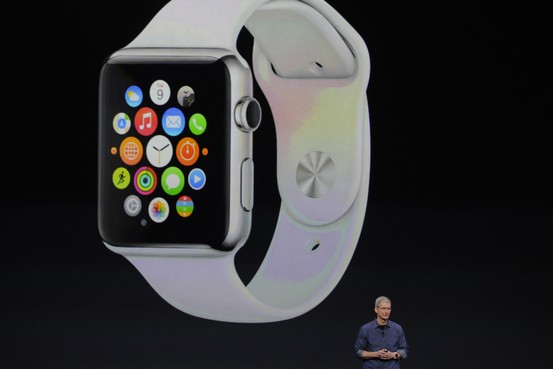
Another Apple product I'll have to have…
Apple revealed their new Smartwatch today – there's not much information available yet, but I'm betting it will turn the fitness industry on its head. Disclaimer, I own Apple stock and my prediction is that the Smartwatch will become the de facto fitness device in the very near future.
And I'd be sh***ing my pants if I was Polar or Garmin.
Why? Because the iPhone is a really lousy fitness accessory. There I've said it. Despite being able to run all those wonderful fitness and cycling Apps, the iPhone sucks to use when you're exercising.
- They make very cool bike mounts so you can use your iPhone as a bicycle computer… except the battery won't last longer than a few hours with the display on and GPS enabled.
- Ever try to run with an iPhone strapped to your arm? Try to change songs? Don't bother, you can't without stopping.
- Indoors it isn't any better. How many people use their iPhone in class? I've only seen two in all my years of teaching.
But we love our iPhones, so we've put up with how cumbersome they are to have along with us.
Put it on your wrist and everything changes. It will be as convenient to use as a … wristwatch… a wristwatch that runs cool fitness Apps!
Our participants will want to wear their new Smartwatch in class. And what will they do with it? THEY'LL MONITOR THEIR HEART RATE – and maybe THEIR POWER/WATTS. They might also want to record their data + upload and track their progress.
The Apple Smartwatch will make Indoor Cycling 2.0 cool 🙂
The Smartwatch is supposed to be out in early 2015. Unless Apple has figured out how to detect your heart rate from your wrist, the folks from Scosche and Wahoo better crank up their production of BLE HR monitor straps
I can't wait to see what happens 🙂
Next Day Update: I'm seeing my prediction about BLE monitor straps being unfounded. The video below explains that the Smartwatch includes optical sensors like the Scosche = the heart rate monitor is built in, so no additional strap is needed.

This promotional video is fascinating.
http://youtu.be/ktujsc4ZUTo?list=PLHFlHpPjgk73J6C3PHUrDntzy6TQxBh44
by John | Jun 16, 2014 | Music, Spotify

Prime Music is a great deal for listening – but won't work for your cycling class.
I love my Amazon Prime membership and our family easily recoups the annual fees with the free two day shipping they offer. So when I saw that they are now offering a free music streaming service as part of Prime, I figured I needed to see if this service could be a replacement for Spotify – it's only available in the USA.
I downloaded the Prime Music App and was instantly underwhelmed by how clunky this was to get working. I won't go through all of the steps (there's a lot) before you see music on your iPhone. Multiple steps on the App > which reference steps on your laptop had me questioning why I was bothering – that's your role John… you work hard so hundreds of other's don't mistakenly waste their time. You do have the option to download tracks for offline use, which is good, but I couldn't figure out how to rearrange or add/remove tracks. Admittedly I didn't spend too much time with it because…
by that point depression had set in. After finally sorting through enough to get a track on my phone and play it, I quickly found a deal breaker – NO TRACK LENGTH TIMER 🙁
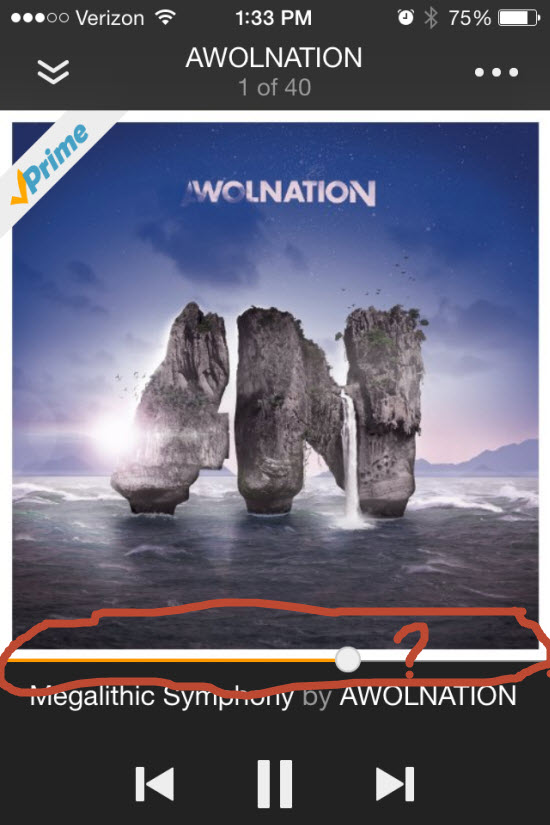
OK, so who would want to take advantage of Amazon Prime Music?
I suppose someone who is still exclusively using iTunes and/or CD's, and has an Amazon prime account, may enjoy this. Beyond that I can't think of a reason. But hey, you get what you pay for!
New, Improved and Improving*
Amazon isn't looking to do battle with Spotify or a future iTunes streaming service. They're just looking to add some additional bling to Prime so they will:
- Retain their millions of current Prime subscribers.
- Convert existing Amazon customers into Prime members.
Learn more about Amazon Prime and Prime Music here.
*Credit for this goes to Barbara Hoots. During her presentation at WSSC she focused on studios needing to be continuously providing customers; New, Improved and Improving services if they want to want to grow and get/stay profitable.
by John | Jun 13, 2014 | Instructor Tech Help, Instructor Training, iTunes & Spotify Training, Music, Spotify

Does Spotify seem to take forever to load on your iPhone? Did it close abruptly (crash) when you hit ‘play', act sluggish or is just not as responsive as when it was new? It may have bonked. Here's how to nurse your prized device back to life…
Wikipedia describes bonking as
In endurance sports such as cycling and running, hitting the wall or the bonk describes a condition caused by the depletion of glycogen stores in the liver and muscles, which manifests itself by sudden fatigue and loss of energy. Milder instances can be remedied by brief rest and the ingestion of food or drinks containing carbohydrates. The condition can usually be avoided by ensuring that glycogen levels are high when the exercise begins, maintaining glucose levels during exercise by eating or drinking carbohydrate-rich substances, or by reducing exercise intensity.
Your iPhone, or other portable device, can experience the bonk as well. No, not because the battery is low, or you haven't fed it enough GU, but from a depletion of available system memory (RAM – Random Access Memory). This results in slow operation, freezing / crashing Apps and mysteriously frustrating actions that have you wondering why you're not using CD's anymore 🙁
Two types of fuel
As a fitness professional you no doubt are aware that your body stores two types of energy; sugars (glycogen) and fat. Regardless of your fitness level, during a long period of exercise the limited amount of stored glycogen you have is consumed. If you don't eat carbohydrates before they are exhausted, you'll bonk. Interestingly, your body can't access the energy in your stored body fat quickly enough to prevent bonking, even though you have all the fat calories needed to keep you going for days. Yes, with proper training you can improve fat usage, but watch the Tour de France next month and you'll see very fit cyclists eating frequently during each stage.
The energy that fuels your iPhone is memory:
- System memory (RAM) which runs all of the phone's operations – a small amount @ 512MB (one half GB)
- Storage memory – that's the amount of memory you choose when you bought your iPhone; 8GB, 16GB, 32GB, etc… that holds your offline Spotify music files, iTunes tracks, videos and pictures.
Your iPhone bonks when it runs low on available RAM – none of the 32GB of storage memory you paid extra for is available to help out. You don't see it, but there are a bunch of processes running continuously on your phone, eating small bits of RAM. Typically this happens when you have multiple Apps running in the background or you have too many Apps looking for updates (push notifications) or GPS location updates. You can't add any additional RAM – so the solution to prevent bonking is to free up RAM – by closing unused Apps and turning off unneeded functions will free up some additional memory.
Step one – Close Unused Apps
Did you know that clicking the Home button doesn't actually close an App? It doesn't. There's a good chance that every App you've ever downloaded and opened is still quietly running, consuming the much needed RAM to run Spotify properly. Powering down your iPhone doesn't close them either – each App needs to be closed manually.

Double click the home button and then swipe up to close Apps.
Here's how…
- Double click the ‘Home' button quickly and you'll see thumbnails of the Apps currently running.
- Scroll left/right to select an App to close.
- Swipe the thumbnail up to close it – there's no reason not to close all of them.
Step two – Do you talk to Siri?
Besides it being annoying, Siri is a bit of a RAM hog. If you're not on speaking terms, turn her off. Settings>General>Siri
Step three – Reboot Regularly
Whenever you're tired, does it seem like your mental processor doesn't operate as sharply as it does after a good night's sleep? After a long day your brain's RAM has a bunch of “stuff” running in the background that it collected during the day; problems at work, anxiety about a future event, what to get your dad for Father's Day… stuff. The best way to clear it is an 8 hour horizontal reboot.
Computers are no different. They collect “stuff” as they work, reducing the amount of RAM needed for Spotify to crossfade between songs. NOTE: cross-fading streaming tracks is actually a very neat (and memory intensive) trick.
So when was the last time you powered down your iPhone and give it a rest? I've asked people this question and mostly been told that the only time they've rebooted their phone is when the battery goes dead. Same goes with your computer, Mac or PC – they all benefit from regularly being turned off. Wait until it has completely powered down and then bring it back to life 🙂
Step four -Turn off unneeded services
Every neat little thing your iPhone does requires RAM…
- Do you really need to instantly see every new FB comment displayed on your home screen? Turn a few off: General > Settings > Notification Center.
- Location tagging is a bit creepy. Does Shazam really need to know where I am? I don't think so. Turn off all of the nonessential location tags: General > Settings > Privacy > Location Services and scroll down to see who's tracking your location. I only have Facebook (for checking in) and Google Maps turned on.
There are multiple ways to reduce RAM usage beyond this list – these should be a great start to prevent your iPhone from bonking anytime soon!
by John | Sep 20, 2013 | Instructor Tech Help, Latest News
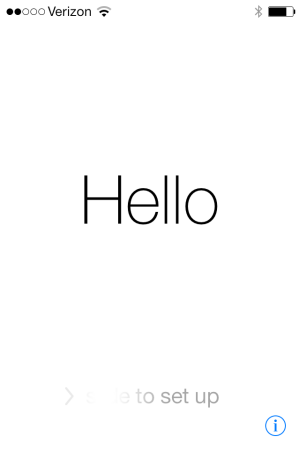
Completion screen
Best I can tell, the majority of visitors here are iPhone users. Apple recently released a major update to the software that powers your iPhone; IOS 7.0
Word of caution. The update process takes a long time – like hours for some. I'm not sure how long mine took. One of my kids warned me, so I left it alone for a few hours and came back to the friendly “Hello” screen that rotates through a bunch of languages.
I'm not sure if I like the design. It's probably the change thing, that's keeping me from being very excited about it.
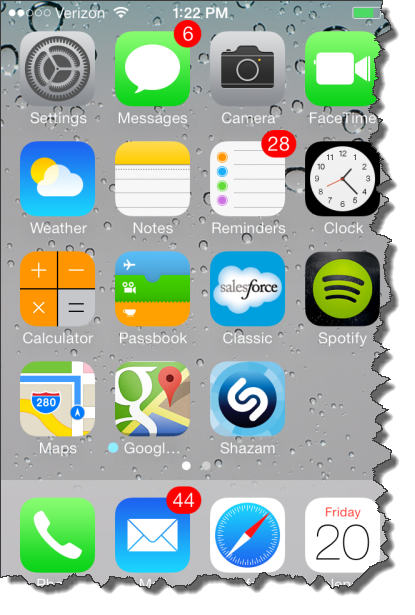
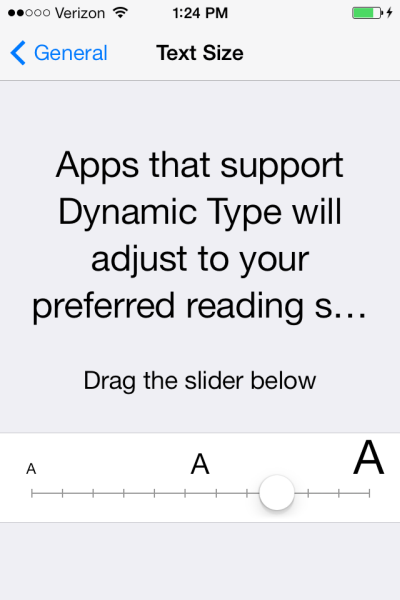
Apple's saying there's over a hundred improvements? The one improvement I am excited about is the adoption of the new Dynamic Type feature that will adjust the Text Size automatically in Apps that support this functionality. I updated Spotify and they still have those tiny numbers for the track length timer 🙁
Hopefully that will change in the future?
What have you found?
[plulz_social_like width=”350″ send=”false” font=”arial” action=”like” layout=”standard” faces=”false” ]
by John | Nov 11, 2012 | Best Practices, Instructor Training, Master Instructor Blog, Music

More and more I'm hearing and seeing how Instructors are experimenting with riding in with the class, rather than presenting up-front-and-center on the traditional “Instructor Bike”.
It's fun to mix it up and IMO, an imperative when teaching to a structured Virtual Ride DVD.
But riding away from the music controls creates a technical difficulty; how do you make adjustments to the sound volume?
I witness this firsthand, while riding in an unnamed (but very attractive) Instructor's class this morning.
Her playlist included a bunch of very interesting mashups of popular tunes. Which made for a great class… except that a number of tracks had been mixed at varying sound levels. After hitting play, our unnamed Instructor took her position with the rest of class in the front row, leaving her iPod up on the sound equipment cabinet. Everything was going as planned until one of the mashups came on REALLY LOUD! She hopped off her cycle, walked up to her iPod, quickly turn down the volume and returned to her bike. Problem solved.
Solved that is until the next song which was very quiet. Not wanting to disrupt the class any further she left it where it was, leaving me wanting to yell out “turn up your music!” Out of respect for another Instructor, I didn't say anything during her class.
But I will offer you two possible solutions, Amy:
- I can order you a very long cord for your iPod.
- I can lend you my Bluetooth receiver and show you how you can connect wirelessly using your Android phone.
I'm here to help and you know where to find me.
Actually there's another reason I've found to go wireless – many accessory cases prevent the 1/8″ plug on the connection cord from being fully inserted into your phone. So it doesn't work with the case installed 🙁
In my case I was forever taking off my iPhone's case so I could plug in the cord. When I got tired of the hassle, I quit using the case altogether. And then promptly dropped my iPhone, breaking the back glass panel – not good. So a Best Practice for any Instructor is to invest in a $25.00 (with free shipping) for this Bluetooth receiver and not need to invest in a $549.00 replacement iPhone.
Speaking of riding along with your class… I Shazam'd this track last night, Come Along from Vicci Martinez. It conveys the essence of exactly what I'm trying to communicate to my students as we push through a tempo Threshold effort together. There's a wonderful refrain the you can add to your cuing at the 2:27 mark; Time Fly's, Make a Statement, Take a Stand… and finishes with; Take… Your… Shot!
I felt you might like it.
Vicci Martinez — Come Along
