I don't know about you, but the holidays for me are spent rushing around, trying to get everything done… which can result in a few activities getting pushed off until the next day 🙁
The word I like to use is “frenetic” to describe the feeling. It's when I still feel that I have a bit of control over my life and schedule vs. that feeling of CRAZY when I've exceed it!
There are times when I want to introduce a feeling of frenetic activity into my classes; a long, downhill attack is a good example. The best way I know is to use a track that communicates that feeling > like this remix of the track Lonely People from Orla Gartland. No Spotify link available.
I plan to use it at the end of a 70ish RPM PTP climb. The increase of both tempo (87RPM) and the frenetic energy hits immediately. This should have everyone accelerating without me having to say much of anything.
Looking at the sound track profile below you'll see that there are two ~ 1 minute sections that you can use to cue some awesome surges!
If you aren't seeing a free download link you can get it here. Right Click > Save As.
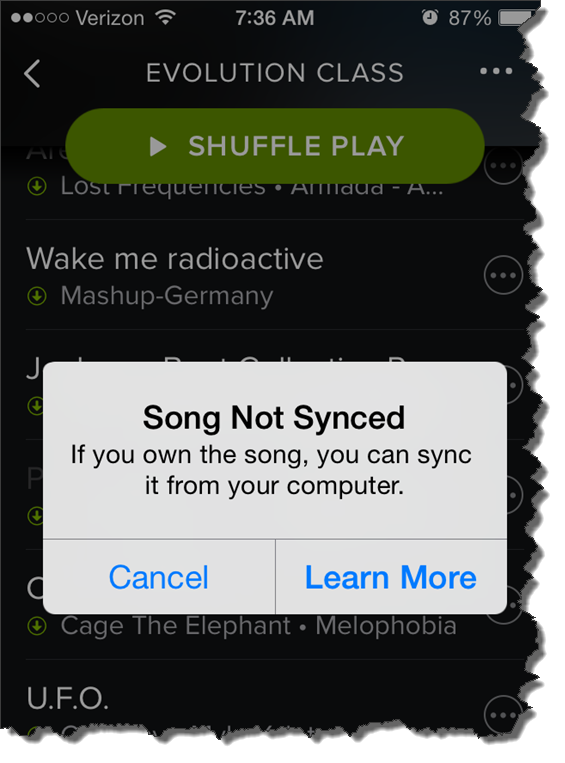
This morning at about 5:30, as is my normal routine, I check to see that my playlist is ready for my 6:00 AM class. The frustrating notice above appeared when I clicked one of the local tracks in my playlist.
I've seen this before
Amy has been having this same problem with her iPhone 6. Best we can tell, this started after she updated to the latest version iOS 8.1.2. Playlists that have worked perfectly in the past now have local tracks that won't play.
But not all local tracks are MIA – which is very confusing to me. For some I figured out that Spotify was substituting one of their tracks. Others work just fine. When I checked the folder location on my computer and compared working tracks vs. nonworking tracks – I can't find any difference. Unfortunately many of the remixes Amy and I like to use aren't available to use with Spotify = we're SOL.
So far I don't have a solution
We tried everything we could think of on Amy's iPhone; rebooted the phone, checked for a Spotify update, copied all the tracks into another playlist, toggled the Available Offline off and on multiple times… nothing has worked.
Quick question: what do you feel is missing with (or should be added to) Spotify or Deezer, that would make it the complete music delivery package we need as Instructors?
From where I'm sitting, having the option to include non-Spotify/Deezer tracks in playlists I share – and then have those tracks play for whoever I shared with.
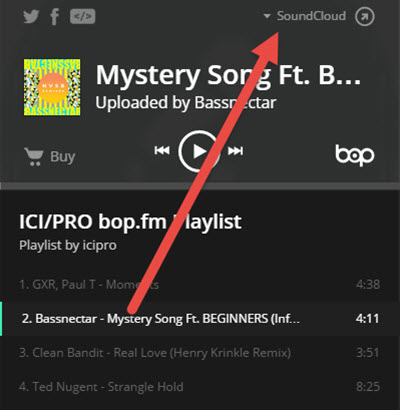
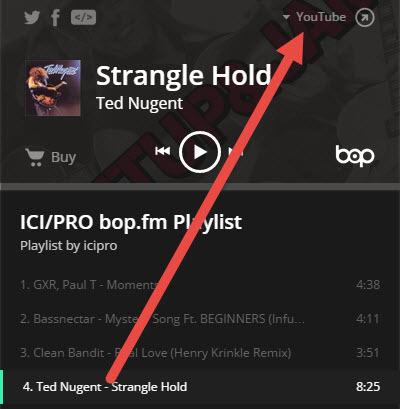
I'm not sure yet, just getting a feel for it – but bop.fm maybe a service we can use in the future. bop.fm connects to many of the popular music sites and their iPhone App allows you to assemble a playlist from multiple sources like; Spotify, Deezer, SoundCloud, YouTube, etc.. and then you can share the playlist with anyone. As long as you have a premium subscription, the bop.fm playlist will stream & play the songlist accuratly.
The trouble with local files > you can't share them
When I create a playlist with the purpose of sharing it, I'm either super careful not to include any of my local files – or – I make sure to include a download link for any tracks that aren't in Spotify/Deezer. But this is still really limiting because there are lots of awesome remixes and mashups that can really complete a playlist.
The trouble with SoundCloud > no option to download many of their tracks
You might search SoundCloud for a specific root track and find dozens of great quality remixes. Which is great except most don't offer any download option = you can only stream them. So you could build and stream a SoundCloud playlist as your class music, but there's no option to include any tracks from anywhere else.
So bop.fm maybe a solution?
Yes bop.fm will aggragate tracks from multiple sources. Which solves the initial problem of sharing a playlist with you. Unfortunately there isn't an “offline” option to download all of the tracks to your device – placing your and your class at the mercy of your Internet service. If you've got a great wireless signal you might give bop.fm a try. I don't, so I say bop.fm might be an option for us in the future if/when they include an offline mode in the future. Spotify's early iPhone App didn't at first, it was added later.
So I've got to record a video of myself teaching the new Evolution class format at Life Time Fitness. This isn't appreciatively different from how I teach my normal class. LTF is looking to bring some consistency to each class, which makes sense for a large club.
My recommendation for private studios is that they offer a variety of styles/formats as long as you; match the correct format to time slot + clearly label the class for what it is and provide a short description.
The work portion of an Evolution class are a series of “challenges” that are between 5 to 12 minutes. I like to do a “Best Effort” 4 minute PTP assessment as my first challenge. I add on a longish slow climb (80% of observed PTP) directly after we complete the 4 minute PTP test.
Next week I'll be using this 90 RPM remix of No rest for the wicked – it's a perfect 4 minutes if you use the initial intro to ramp up. I'll be following it with this new remix from Peter G.
“Danny, Dakota and the Wishing Well” by A Silent Film
“Can't Hold Us” by Macklemore & Ryan Lewis
“Vertigo” by U2
Last week I wrote about the “Threshold Check” or “Mini-Threshold Test” that I perform at the beginning of every class. This week I want to share how I teach the full 20 minute FTP (Functional Threshold Power) Test. With this post I have also included the playlist and video I use as well as a recording of me teaching an entire FTP class.
[wlm_private ‘PRO-Platinum|PRO-Monthly|PRO-Gratis|PRO-Seasonal|Platinum-trial|Monthly-trial|PRO-Military|30-Days-of-PRO|90 Day PRO|Stages-Instructor|Schwinn-Instructor|Instructor-Bonus|28 Day Challenge']If you are lucky enough to be teaching on bikes with power I believe it's important to use this technology and all the available metrics to their fullest capacity. I find the most powerful use of a power meter is in finding one's maximum sustainable wattage or threshold. Threshold is that state of equilibrium between high intensity exercise and the body's ability to buffer and filter the waste products produced by this intensity. With a power meter we can find a wattage number that correlates with this state of equilibrium or your FTP (Functional Threshold Power).
Exercise physiologists have devised many different ways to find one's threshold, but I have found the simplest and cheapest technique is to perform a 20 minute effort at maximum sustainable intensity. At the end of this 20 minute effort take note of the average wattage and multiply it by 95% and this number is your FTP. I'll go into greater detail on how to use this number in later posts, but now let's go over how to perform the FTP Test.
I like to have my riders warm up for a minimum of 15 minutes. I'll have them slowly increase their intensity for 10 minutes then I like to have them perform 3-4 one minute “pickups” increasing their intensity each interval while recovering for one minute after each. After a short, 3-5 minute, active recovery from the pickups I have the class perform a maximum effort 5 minute interval. This effort ensures that the lactate buffering and clearance systems are turned on and ready for the 20 minutes test that follows. I also have class participants remember their average wattage for this 5 minutes, it's a good number to refer back to when doing above threshold intervals. After another recovery, about 10 minutes long, we are ready for the 20 minute FTP test. Make sure all your participants know how to reset the bike console so they can get a new average for the 20 minute interval to come. Tell them that this is a very simple test, you want them to ride at the highest possible wattage for 20 minutes. Your job as the instructor is to motivate, but not to talk too much. Let your riders “settle in” to their maximum sustainable wattage and their most efficient cadence and just let them ride. At the end of the 20 minutes make sure they remember their average wattage, multiply it by 95% and they have their Functional Threshold Power. This “Benchmark” test is also great to see improvement over time, with proper training FTP should continue to improve.
Let me know how it goes, my classes love FTP days! They work so hard every day and once a month they get to see the payoff for all sweat and suffering.
6 song harmonically mixed FTP track , to download Right Click > Save As / Save Target As to download. Open in iTunes and then you'll see this in your Spotify Local File folder.
For years I had been patiently waiting for the facilities I instruct in to upgrade their bikes to use power. When these upgrades finally started to happen I was surprised by the different wattage readings I would see, not only, from different brands of bikes but by bikes built by the same manufacturer. I had always assumed a watt is a watt the same way a MPH is MPH or an RPM is an RPM. At first this was VERY disappointing, I have a very technical teaching style and I was hoping to have all my class participants perform a Functional Threshold Power (FTP) Test every 6-8 weeks, calculate their personal power zones and coach each and every class to those zones. Unfortunately, if every bike in the studio reads wattage, even a little bit, differently I would need to adjust my teaching style.
[wlm_private ‘PRO-Platinum|PRO-Monthly|PRO-Gratis|PRO-Seasonal|Platinum-trial|Monthly-trial|PRO-Military|30-Days-of-PRO|90 Day PRO|Stages-Instructor|Schwinn-Instructor|Instructor-Bonus|28 Day Challenge']
I needed to figure out a way to use this new technology, even with it's faults, effectively to give my participants the best workout possible. I decided that the FTP test was still going to be an integral part of my programming and I would still perform this test every 6-8 weeks. I asked my class participants to find 2-3 bikes that they believe are similar in wattage readings and ride those bikes as often as possible. Small differences are ok, large ones make zone training impossible. I also needed a technique to “dial in” new riders, those who never performed the FTP and others who may be forced to ride an unfamiliar bike. I decided to start every class with a proper warm followed by a mini threshold test that I call a “Threshold Check”. This “Threshold Check” can last anywhere between 4-6 minutes and I ask class participants to ride at their maximum sustainable intensity or wattage for the duration of this short test. If the bikes are equipped with a console that will show average wattage I ask for the class to find their average wattage for this “Check”. If the bikes do not have a way of reading average wattage I ask the class to be aware of their wattage throughout the “Check” and choose a wattage that they believe is closest to their maximum sustainable wattage. If I'm teaching on a bike that is not equipped with a power meter I still perform this “threshold check” and i do my best to “anchor” effort with threshold RPE. I also like to “anchor” effort and RPE during the FTP . Most FTP tests last 20 minutes, so 10 minutes into a FTP effort I'll explain that the feelings participants are experiencing, slight breathlessness. burning sensation in the legs and the need to stay extremely focused or wattage will drop is how a threshold effort “feels” and I ask them to associate this feeling with whatever RPE number is used as threshold in the facility I'm teaching in.
Now that each participant has a threshold wattage or RPE to work with I break my profiles down into 3 zones: Above Threshold, Around Threshold and Below Threshold. Efforts that are Above Threshold (greater than 106% of threshold) can last up to 8 minutes, efforts around threshold (90-105% of threshold) can last up to 30 minutes and below threshold efforts (less than 90% of threshold) can last up to 3 hours.
Check out the recorded classes below to hear how I use this “Threshold Check” in a class setting.
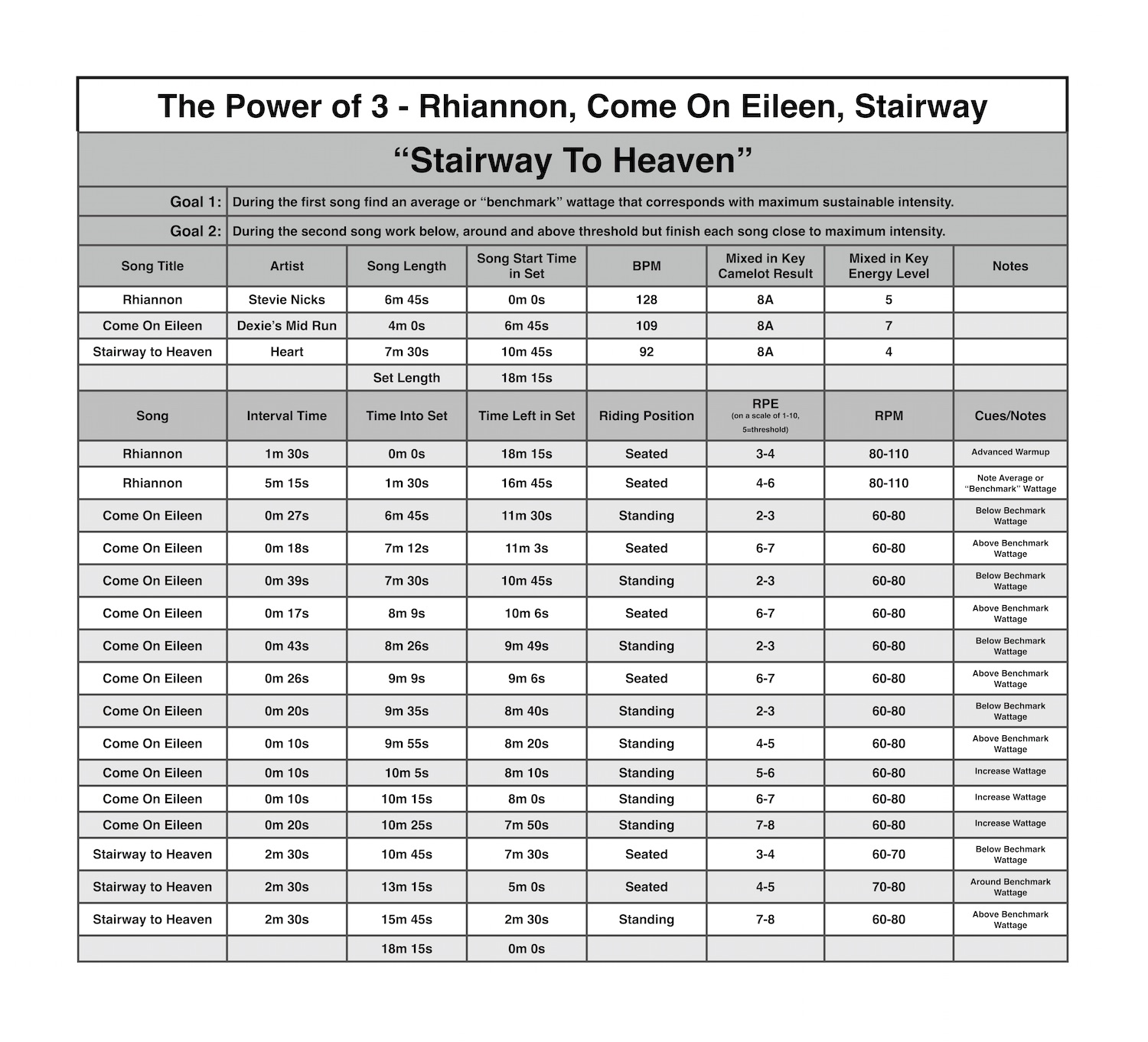
3 song harmonically mixed track, to download Right Click > Save As / Save Target As to download. Open in iTunes and then you'll see this in your Spotify Local File folder.