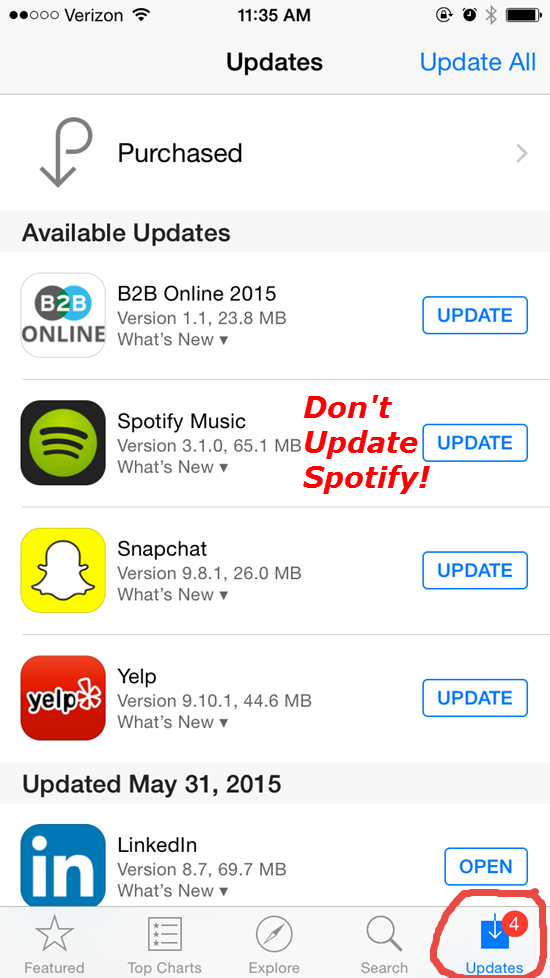
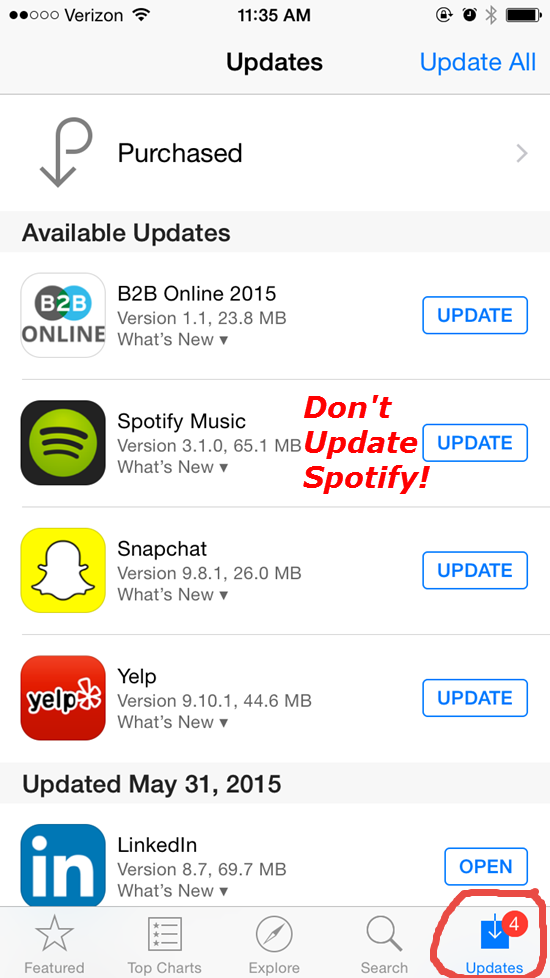
I've been waiting to see the new Spotify iPhone App upgrade this month. Now I'm glad I haven't. Word is that the track length timer fades out after a few seconds – leaving you with no understanding of the time remaining 🙁
This problem popped up on Facebook this week & the Spotify forum has a thread where users are complaining about the missing timer. Who would think this is a good idea?
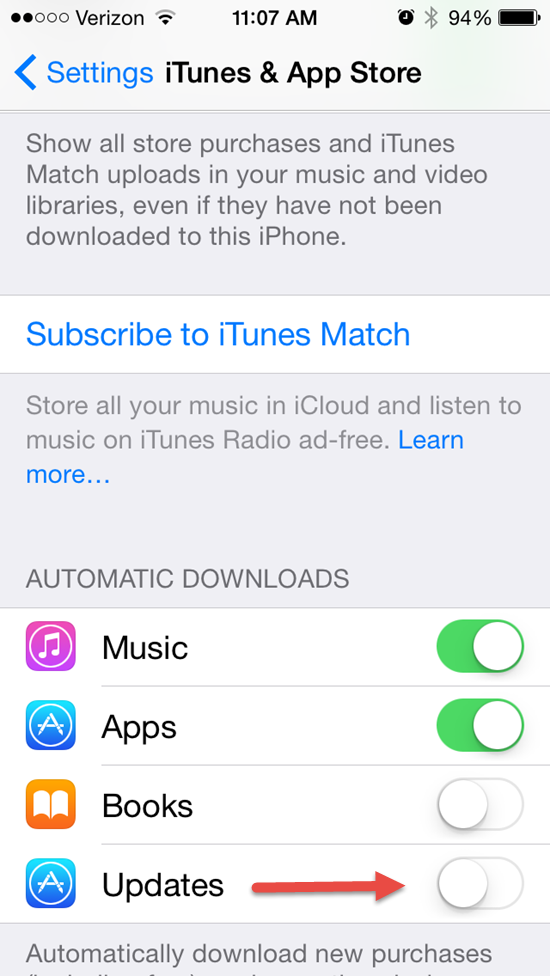
To prevent Spotify from updating (and losing your timer) check the settings on your phone. You can control if or when Apps will update. Go to Settings > iTunes & App Store and scroll down to the Automatic Downloads section and turn off the toggle next to updates.
With this setting in the “off” position you'll see notifications of updates in the App Store App on your phone > Click Updates. Now you'll be able to select which Apps to update – and those you don't!
I'll notify everyone once I (hopefully) see that Spotify has changed this back to the way it was.
Spotify had a big announcement yesterday > sounds like they're going directly after iTunes with a confidence that really surprises me. After all, we're talking about Apple here – the company with the largest market value of any company on earth. Kind of like my four pound Yorkie Maxx attacking our neighbor's German Shepherd!
Good for them 🙂
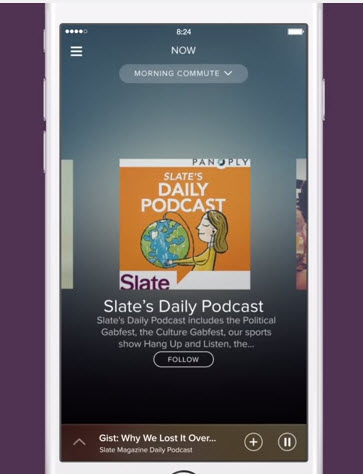
Streaming music service Spotify has announced new features including adding podcasts and video; music that adapts to the listener’s running pace; and the promise of smarter abilities to serve the right playlists for the time of day, activity and habits of the user.
The company’s launch event in New York on Wednesday, helmed by its chief executive Daniel Ek, offered some deeper clues about how Spotify is evolving, and the key challenges it faces as it aims to grow beyond its current 60 million active users, of whom 15 million pay for the service.
Spotify is biting back at Apple Recent months have seen a wave of stories about Apple’s supposed backroom machinations with music labels, encouraging them to clamp down on Spotify’s free, unlimited streaming service — which in turn would boost the prospects for Apple’s upcoming relaunch of its Beats Music. Read the rest here.
https://youtu.be/N_tsgbQt42Q
How do I get the ICI/PRO podcast on Spotify?
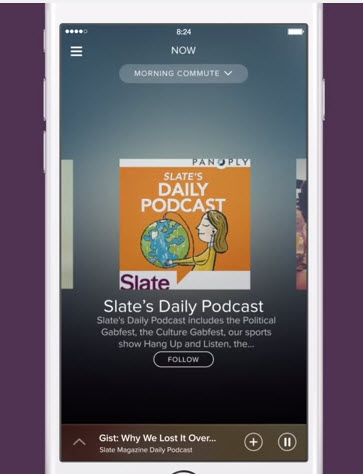
With many of us spending more and more time on Spotify, and away from iTunes, being able to cue up one of our latest episodes on Spotify would be awesome. So while I await my update signal from Spotify's server, I thought I would look into how I submit the Indoor Cycle Instructor Podcast to the new podcast offering from Spotify.
Here's what I found. With iTunes, Stitcher or any other Podcast service, publishers like ICI/PRO submit a link to the show RSS feed – here's mine http://feeds.feedburner.com/IndoorCycleFreePodcast – and this feed tells iTunes what episodes are available and when there's a new one, ready to be downloaded. It appears that Spotify is using the Panoply podcast network as the source for their on demand audio content.
So stay tuned. I'll make an announcement ASAP. Oh, for the last few of you who haven't yet, Spotify has an intro offer to upgrade to premium: $0.99 for three months.
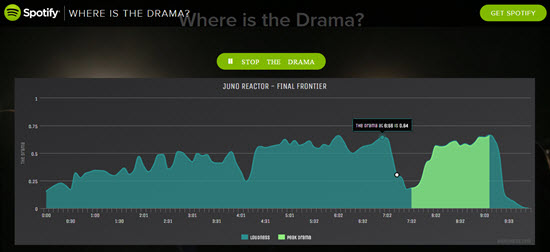
This Where's the Drama app for Spotify gives you a visual representation of the changes in loudness of any track in Spotify's library = changes that many of us will use as cues.
NOTE: for an unknown reason there's no sound for the first 14 secs.
It's super easy to use and there's nothing to download or install.
[wlm_private ‘PRO-Platinum|PRO-Monthly|PRO-Gratis|PRO-Seasonal|Platinum-trial|Monthly-trial|PRO-Military|30-Days-of-PRO|90 Day PRO|Stages-Instructor|Schwinn-Instructor|Instructor-Bonus|28 Day Challenge']
Type in the name of your track > it helps to add additional words (artist) to narrow down the results.
Scroll down to find the correct song & click it
Your track is shown as a graphic > The highlighted area signifies the most dramatic point in the song 🙂
I've been playing with this today, trying to find ways that it could save me time. The first place I've found is to quickly find the GO! point in the songs opening. Here's an example for Rudimental — Right Here – feat. Foxes which I use for a Threshold interval @ 83RPM.
(#1) shows the start point @ 0:24 – between (#2) and (#3) is a 0:43 soft part. Notice how you can quickly see that the song dies with 20 seconds to go? (#4) Where's the Drama looks like a nice tool to ensure your intervals are as long as you intended.[/wlm_private]
Let me know if you find other uses for it + if this would display a complete playlist, in real time, would that help you cue and teach more effectively?
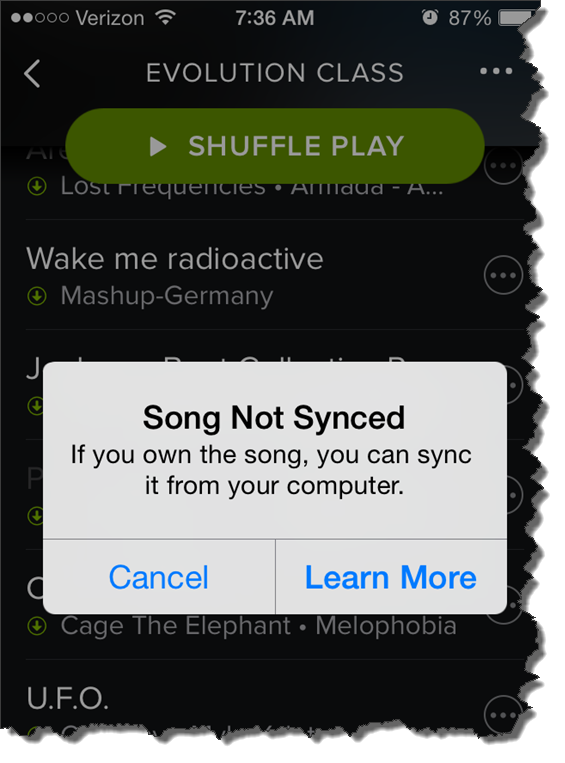
This morning at about 5:30, as is my normal routine, I check to see that my playlist is ready for my 6:00 AM class. The frustrating notice above appeared when I clicked one of the local tracks in my playlist.
I've seen this before
Amy has been having this same problem with her iPhone 6. Best we can tell, this started after she updated to the latest version iOS 8.1.2. Playlists that have worked perfectly in the past now have local tracks that won't play.
But not all local tracks are MIA – which is very confusing to me. For some I figured out that Spotify was substituting one of their tracks. Others work just fine. When I checked the folder location on my computer and compared working tracks vs. nonworking tracks – I can't find any difference. Unfortunately many of the remixes Amy and I like to use aren't available to use with Spotify = we're SOL.
So far I don't have a solution
We tried everything we could think of on Amy's iPhone; rebooted the phone, checked for a Spotify update, copied all the tracks into another playlist, toggled the Available Offline off and on multiple times… nothing has worked.
Are you as particular about the songs you play as I am? Now I know that sometimes my choice in music may not appeal to you… or everyone in my class for that matter.
I like the music… that I like 🙂
Do you have this same problem? How can I easily find music that I like, without spending a huge amount of time sampling hundreds of songs?
Occasionally I'll like a track that was suggested on Facebook, or one that's included in a playlist from another Instructor I follow on Spotify. But I don't find either method very efficient.
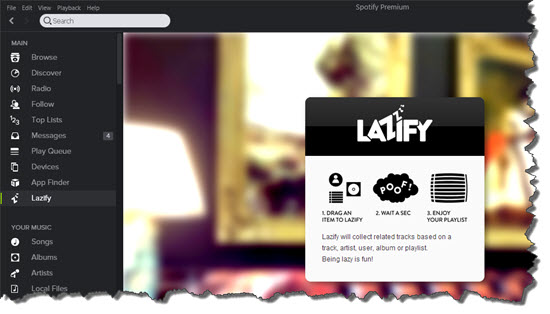
Lazify is a tool for Spotify (they call it an App) that creates a playlist of complimentary tracks, based on one “root” / “seed” song. I've been playing with it and have already discovered a bunch of songs that I've added to my Future to Use playlist, where I keep all of my new music ideas.
It's really easy to use:
In Spotify > RH side bar click App Finder.
Scroll down and select Lazify.
You'll now have a Lazify link added the side bar.
To create a new playlist, drag any track up to the Lazify link > the main window will display your new playlist. The drop-down offers options for the number of tracks. There are options to drag the whole playlist into another of your playlists, or select Save and Lazify will add this playlist to you others.
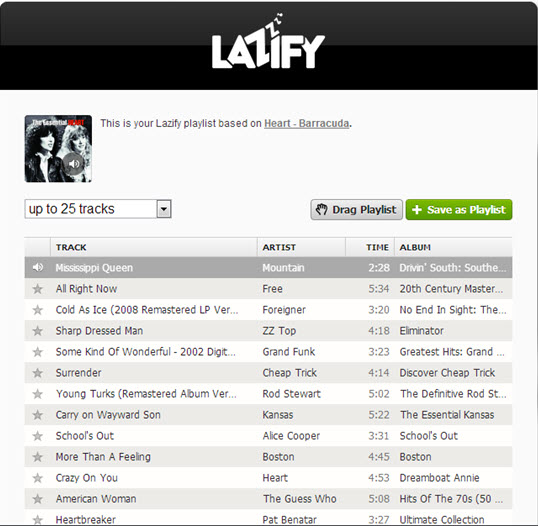
Here's the results for a playlist based on Heart — Barracuda as the root track. I'll let these tracks play in the background, until I hear something I like…
I'm hearing from Instructors outside of the USA who are switching from Spotify, over to Deezer.
Hi,
I have had Spotify for a long time now and have created lots of different playlists. I have recently just converted into using Deezer, however, it would be much easier for my Spotify playlists to be on Deezer instead!
Is this possible? If so, how do i do it?
Thanks
Cydnie.
Cyndie we created an ICI/PRO playlist conversion tool for just this occasion 🙂
Here's the steps to convert your Spotify playlist to one Deezer can play.
Step #1 Open and log in to Deezer in a new tab – clicking this link will do that for you. Note: Deezer is different from Spotify in that Deezer is a web application, vs. Spotify, which is a program that you install on your computer. Yes I know that Spotify also has a web version… I never had much luck using it and suggest you install the full program if you want to run Spotify on a laptop.
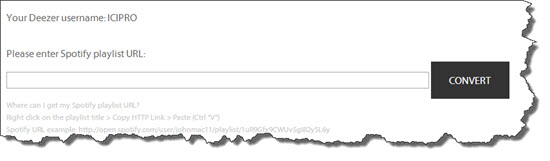
Step #2 Clicking this link will open our conversion tool in another tab. Scroll down the page and you should see that you're logged in to Deezer and a Please enter Spotify URI dialog box like this:
If you don't see this click the Log into Deezer link or refresh the conversion tool page.
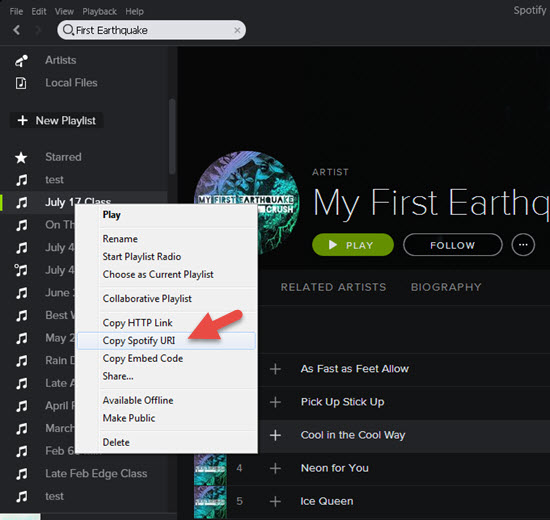
Step #3 In Spotify, Right Click the playlist you want to convert and select Copy Spotify URI.
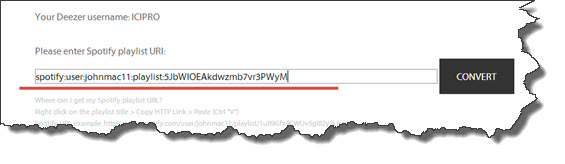
Step #4 Back at the conversion tool, Paste the URI you copied and click Convert. It will look like this:
Step #5 Success! Click the link to see your new Deezer playlist 🙂
A few notes:
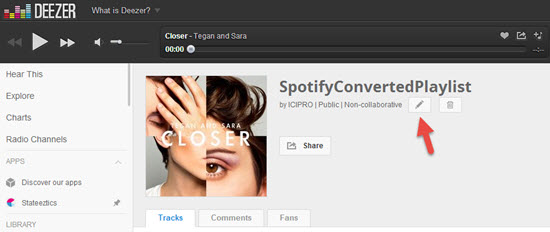
Despite a lot of programming time, we weren't able to get Deezer to carry over the name of the playlist from Spotify. Renaming the Deezer playlist is a snap using the edit option shown below.
Check your new Deezer playlists for accuracy > differences between each service's music library and Meta Data = not every playlist will convert perfectly.
Any other questions?
Feel free to contact us like Cydnie did – we're happy to help.